WriteMag PRO Documentation

Introduction

WriteMag PRO is a sophisticated and versatile WordPress theme specifically crafted for news blogs and magazine-style websites. Developed by ThemesDNA, this theme offers a clean and elegant design that is fully responsive and mobile-friendly, ensuring an optimal reading experience across all devices. Its three-column layout, combined with multiple navigation menus and customizable header image support, creates a dynamic and user-friendly interface ideal for content-rich sites.

The PRO version of WriteMag expands significantly on the free edition by introducing extensive customization options, including color and font controls, a news ticker, and various compact post summary formats spanning from one to four columns. Additionally, it supports over ten thumbnail sizes for post summaries, Ajax-powered featured post widgets, and tabbed widgets, delivering enhanced flexibility for showcasing content effectively. Layout choices between boxed or full width, along with multiple header and footer styles, empower site owners to personalize their site appearance thoroughly.

Beyond design, WriteMag PRO focuses on user engagement and functionality with features like sticky menus and sidebars, RTL and translation support, scroll-to-top buttons, post likes, views, related posts, infinite scroll or load more options, and numerous widget areas. Its robust theme options panel and custom page/post templates further streamline site management and customization, making WriteMag PRO a comprehensive solution for professional publishers and bloggers looking to create a compelling online magazine or news platform.

You can explore the theme live, purchase it, or view a full homepage screenshot using the buttons below:

Current Theme Version: 1.0.3

Theme Installation

After purchasing the WriteMag PRO WordPress Theme, you'll receive a download link via email. Check your email inbox (or spam folder) for the product delivery email. Click the provided download link to download the theme's .zip file to your computer. Follow one of a method given below to install the theme on your website.

Upgrading from the Free WriteMag Theme?

WriteMag PRO is a separate theme. Whether or not you're currently using the free WriteMag theme, you need to install WriteMag PRO using one of the methods below.

If you're upgrading from the free version, most of your existing WordPress Customizer settings will remain in place. So you don't need to reconfigure everything from scratch. However, you will need to reupload a few images and reapply specific color settings.

After activating WriteMag PRO, go to Appearance → Customize and reupload the following:

  • Site Logo
  • Site Icon (favicon)
  • Header Image
  • Background Image

If you changed below color options in the free version, reapply them in Appearance → Customize → Theme Options → Colors:

  • Header Text Color
  • Background Color

Tip: You can install PRO without deleting the free theme. Use Live Preview to confirm your layout, then click Activate & Publish.

Method 1: Install Using the WordPress Dashboard (Easiest and Fastest)

This is the easiest and fastest method to install this WordPress theme.

  1. Go to "WordPress Dashboard" → "Appearance" → "Themes" and click on "Add New" button.
  2. Click on "Upload Theme" button and choose the zip file you have downloaded.
  3. Click on "Install Now" button.
  4. Activate the theme.
  5. Now go to "Appearance" → "Customize" to configure theme options.

Method 2: Install using cPanel File Manager

In some cases, you may not be able to install a WordPress theme through the WordPress dashboard—especially if the theme's ZIP file exceeds the maximum upload size limit. When this happens, you can install the theme using cPanel's File Manager, which is often simpler than using FTP. Follow the steps below to install your theme via the File Manager in cPanel.

  1. Log in to your cPanel account. Your cPanel URL will be https://yourdomain.com/cpanel or a similar URL.
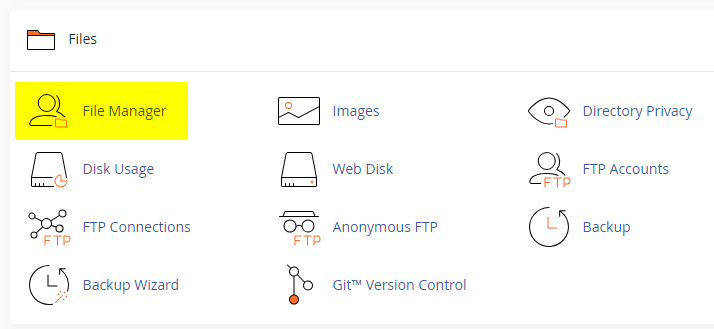
  2. Click on the "File Manager" icon. It's usually under the "Files" section.
  3. You are now in the "File Manager". Open the public_html folder, which is your website's root directory.
  4. Locate the wp-content folder inside "public_html," then open the themes folder inside of it.
  5. In the File Manager interface, click the "Upload" button and choose the theme's .zip file from your local drive.
  6. After it has been uploaded, right-click the .zip file and choose "Extract" or "Unzip".
  7. You can now delete the uploaded .zip file, but it's optional.
  8. Log in to your WordPress dashboard through your web browser.
  9. Go to Appearance → Themes. Now you will see the newly extracted theme.
  10. Make it your active theme by clicking the "Activate" button next to it.

Note: If your hosting provider doesn't offer cPanel, look for a File Manager option in your hosting dashboard (like DirectAdmin, Plesk, or CyberPanel). The process is usually very similar—just find the wp-content/themes folder and upload/extract the theme ZIP file there.

Method 3: Install using FTP

Installing a WordPress theme via FTP is straightforward, though it involves a few more steps compared to using the built-in theme uploader. Here's how to install a WordPress theme using FTP:

  1. Unzip the theme's .zip file you have downloaded.
  2. Connect to your hosting account using an FTP client such as "FileZilla" or "Core FTP".
  3. Navigate to the /wp-content/themes folder in the "Remote site" section.
  4. In the "Local site" section, locate the unzipped theme folder.
  5. Drag and drop the unzipped theme folder from the "Local site" section to the "Remote site" section.
  6. Be patient and let the transfer finish.
  7. Once the transfer is complete, log in to your WordPress dashboard and navigate to Appearance > Themes.
  8. Find the theme you just uploaded and click Activate.

Troubleshooting Tips

  • Didn't receive the download email? Wait 5–10 minutes or check your spam/junk folder. But if you still can not find this email or download link is broken, please inform us. we will send it ASAP.
  • "The uploaded file exceeds the upload_max_filesize directive in php.ini." - If you get this error when following the "Method 1", follow this tutorial: https://themesdna.com/blog/increase-maximum-file-upload-size-wordpress/
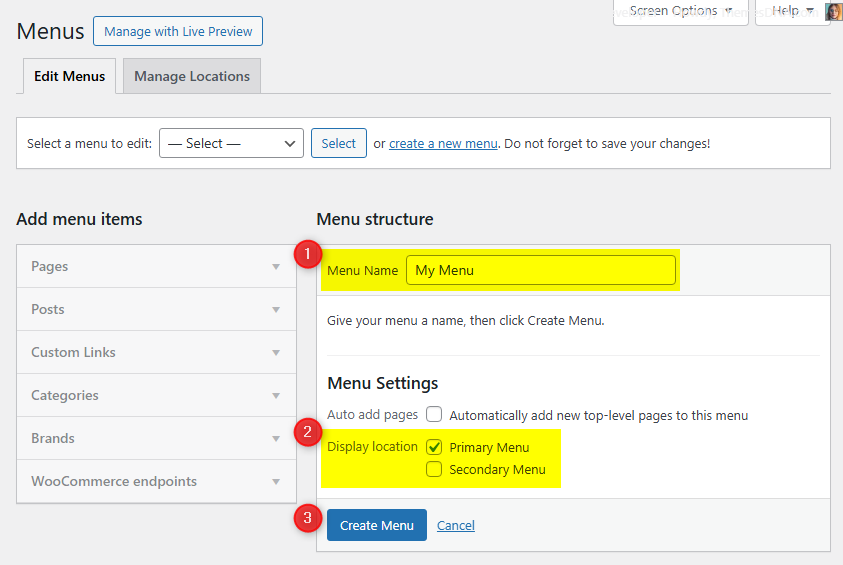
  • My menus disappeared or look different. Go to Appearance → Menus → Manage Locations and reassign your menus to the correct locations.
  • My header text or background color looks different after activating PRO. Reapply your colors in Appearance → Customize → Theme Options → Colors for Header Text Color and Background Color. Then publish.
  • Still can't install the theme? Contact us for help.

Import Demo Content

You can import the demo content, widgets, and Customizer settings shown in the WriteMag PRO theme demo using one of the two methods below.

Manual Demo Import

You can also import the content, widgets, and Customizer settings manually by following these three steps:

Step 1: Import Main Site Content

This includes: Posts, pages, menus, media, categories, tags, comments, and custom fields.

  1. Download Content File: Download XML File
  2. Go to Tools → Import.
  3. Under "WordPress", click Install Now if not already installed.
  4. Click Run Importer.
  5. Select the downloaded XML file and click Upload file and import.
  6. Map authors to users, check "Download and import file attachments", and click Submit.

Step 2: Import Widgets

  1. Install and activate the Widget Display Conditions plugin (optional, for visibility control).
  2. Install and activate the Widget Importer & Exporter plugin.
  3. Go to Tools → Widget Importer & Exporter.
  4. Click the "copy and paste" link to open a textarea.
  5. Copy content from: Widgets .wie File and paste into the box.
  6. Click Import Widgets.

Step 3: Import Customizer Settings

  1. Download File: Download Customizer File
  2. Install and activate the Customizer Export/Import plugin.
  3. Go to Appearance → Customize → Export/Import.
  4. Select the downloaded `.dat` file, check "Download and import image files?", and click Import.

Regenerate Thumbnails

If your website already has existing posts with featured images, it's highly recommended to regenerate thumbnails after activating the WriteMag PRO theme. This ensures that all images match the new theme's layout and display sizes.

Regenerating thumbnails is optional if your site is completely new and doesn't have any uploaded images yet.

However, if you imported the demo content, regenerating thumbnails is essential to display images correctly across the site.

  1. Install and activate the Regenerate Thumbnails plugin.
  2. Go to Tools → Regenerate Thumbnails.
  3. Click the "Regenerate Thumbnails for All x Attachments" button to start the process.
  4. Wait until all images are regenerated. This may take a few minutes depending on your media library size.
  5. If you want, you can deactivate and delete the plugin once the process is complete.

This step ensures clean image alignment and sharp visuals throughout your website using the WriteMag PRO theme.

Header Image

Quick Start Guide

WriteMag PRO theme allows users to upload their very own site-wide custom header image with custom title and description to obtain a much more personalized look and feel. Also they can upload an unique header image for each post/page with unique title and description replacing the site-wide header image and its title/description.

There are many header image options in WriteMag PRO:

  1. Header image options in Theme Customizer
  2. Header image options in post edit screen
  3. Header image options in page edit screen

How to Add a Header Image?

There are 3 types of header images in this theme:

  1. Site-wide Header Image : Appearance → Customize → Theme Options → Header Image
  2. Header Images of Posts : Post’s Edit Screen → “Post Settings – WriteMag PRO” Meta Box → Site Header Image
  3. Header Images of Pages : Page’s Edit Screen → “Page Settings – WriteMag PRO” Meta Box → Site Header Image

How to Add a Site-wide Header Image?

Site-wide header image will be displayed everywhere on your website. But if you add a header image to a post/page using settings of that post/page, site-wide header image will be replaced by that header image.

  1. Go to AppearanceCustomizeTheme OptionsHeader Image
  2. Upload your header image using Add new image button.

How to Add a Header Image to a Post?

You can set a different header image for each post.

  1. To set a header image to a post, go to edit screen of that post.
  2. Find the Post Settings - WriteMag PRO meta box.
  3. Add your image URL or upload an image using Site Header Image option.

How to Add a Header Image to a Page?

You can set a different header image for each page. To set a header image to a page, go to edit screen of that page. Find the Page Settings - WriteMag PRO meta box.
Add your image URL or upload an image using Site Header Image option.

How to Add a Custom Title/Description to Header Image?

By default, the theme displays your website's title as the header image title and the tagline as the header image description. However, you can replace both with custom title and description.

First, you need to enable the display of custom header image title and description sitewide. To do this, go to AppearanceCustomizeTheme OptionsHeader Image and check the option Add Custom Title/Custom Description to Header Image and save settings.

Add a Custom Title/Description to Site-wide Header Image:

  1. Go to AppearanceCustomizeTheme OptionsHeader Image
  2. Add your custom header image title to Header Image Custom Title text field.
  3. Add your custom header image description title to Header Image Custom Description text field.
  4. Save settings.

How to Add a Custom Title/Description to the Header Image of a Post?

You can assign a unique title and description to the header image of each post. These will override the sitewide header image title and description.

  1. Go to the edit screen of that post.
  2. Find the Post Settings - WriteMag PRO meta box.
  3. Use Site Header Image Title and Site Header Image Description options for adding a title and a description.
  4. Update the post.

How to Add a Custom Title and Description to the Header Image of a Page?

You can assign a unique title and description to the header image of each page. These will override the sitewide header image title and description.

  1. Go to the edit screen of that page.
  2. Find the Page Settings - WriteMag PRO meta box.
  3. Use Site Header Image Title and Site Header Image Description options for adding a title and a description.
  4. Update the page.

How to Hide Title/Description from Header Image?

  1. Go to AppearanceCustomizeTheme OptionsHeader Image.
  2. Check the option Hide both Title and Description from Header Image and save settings.
  3. Save settings.

Note: This option will hide both header image title and header image description sitewide.

News Ticker

The News Ticker in the WriteMag PRO theme is a lightweight, eye-catching feature that displays your posts in a smooth, horizontal scrolling format at the top of your site. It's perfect for highlighting breaking news, trending updates, or featured content with a continuous stream of headlines that captures visitors' attention. Fully customizable via the WordPress Theme Customizer, you can easily enable or disable the ticker, set a custom label, define the number of posts to display, and filter content by recent posts, a specific category, a specific tag, or manually entered post IDs. This feature adds a dynamic touch to your website while keeping readers informed of key updates.

How to Configure the News Ticker

You can activate and customize it via the WordPress Theme Customizer.

Step 1: Access the News Ticker Options

  1. Go to your WordPress Dashboard.
  2. Navigate to Appearance → Customize.
  3. Click on Theme Options → News Ticker Options.

Step 2: Enable the News Ticker

Find the option Enable News Ticker and toggle the switch to Yes to activate the news ticker on your site.

Step 3: Configure Ticker Options

👉 Check the complete list of "News Ticker Options" available

Step 4: Save Changes

Once you've configured the settings, click the Publish button at the top of the Customizer to apply the changes.

Tips

  • Use Posts by IDs to curate exactly which headlines appear.
  • Use Tag Posts or Category Posts for automated updates within a topic.
  • Adjust duration and width values for responsiveness and readability.

Custom Widgets

Quick Start Guide

To see available widgets and widget areas please navigate to WordPress DashboardAppearanceWidgets. You can drag and drop widgets into widget areas you like. Widgets page will look like this: WriteMag PRO Widgets and Widget Areas

There are 4 custom widgets bundled with the WriteMag PRO theme.

  1. WriteMag Featured Posts Widget - Style 1
  2. WriteMag Featured Posts Widget - Style 2
  3. WriteMag Tabbed Widget
  4. WriteMag About and Social Widget

WriteMag Tabbed Widget

This widget displays a tabbed interface with up to three tabs, each showing posts based on recent posts, a selected category, a selected tag, or specific post IDs. The posts in each tab can be sorted by number of likes, number of views, number of comments, published date, modified date, or in random order.

Key Features

  • Up to 3 configurable tabs with customizable names
  • Each tab can have different post sources and sorting methods
  • Flexible display options for thumbnails, titles, metadata, and snippets
  • AJAX pagination support for seamless navigation
  • Multiple column layouts (1-4 columns)
  • Customizable typography with separate desktop/mobile font sizes
  • Support for post likes, views, and share buttons

Usage Notes

  • Each tab operates independently with its own post selection criteria
  • When using "Posts by IDs", enter comma-separated IDs without spaces
  • AJAX navigation provides smoother user experience but requires JavaScript
  • Mobile font sizes apply on screens smaller than 990px
  • Post likes and views require additional plugin support

Below is the complete list of options available in the "WriteMag Tabbed Widget":

Option ID Option Name Description Control Type Accepted Value Default
title Title Widget title displayed above the tabbed section. Text A plain text. Tabbed Widget
post_column Choose the Columns Style Number of columns for post display. Select
  • 1 Column
  • 2 Columns
  • 3 Columns
  • 4 Columns
1 Column
thumb_style Choose the Thumbnail Size Thumbnail size used for post images. Select
  • 100:100
  • 100:Auto
  • 125:125
  • 125:Auto
  • 150:150
  • 150:Auto
  • 480:240
  • 480:288
  • 480:360
  • 480:480
  • 480:640
  • 480:Auto
  • 675:380
  • 900:520
  • 1218:600
100:100
show_tabone Display Tab 1 Show or hide the first tab. Checkbox true / false true
show_tabtwo Display Tab 2 Show or hide the second tab. Checkbox true / false true
show_tabthree Display Tab 3 Show or hide the third tab. Checkbox true / false true
tabone_name Tab 1 Name Display name for the first tab. Text A plain text. Popular
tabtwo_name Tab 2 Name Display name for the second tab. Text A plain text. Recent
tabthree_name Tab 3 Name Display name for the third tab. Text A plain text. Random
tabone_post_type Choose Tab 1 Post Type to display Source of posts for the first tab. Select
  • Recent Posts
  • Category Posts
  • Tag Posts
  • Posts by IDs
Recent Posts
tabone_include_posts Display these posts on Tab 1 (if "Posts by IDs") Include only these post IDs for tab 1. Text A comma-separated list of post IDs without spaces (e.g., 225,346,410) (empty)
tabone_featured_cat Select Tab 1 Category (If post type is "Category Posts") Selected category for tab 1 posts. Select A category from the dropdown. (empty)
tabone_featured_tag Select Tab 1 Tag (If post type is "Tag Posts") Selected tag for tab 1 posts. Select A tag from the dropdown. (empty)
tabone_orderby Tab 1 Orderby Sort posts in tab 1 by dates, likes, views, comments, etc. Select
  • Published Date
  • Modified Date
  • Number of Comments
  • Random
  • Post Likes
  • Post Views
Number of Comments
tabone_order Tab 1 Order Sort posts in tab 1 in ascending or descending order. Select
  • Ascending order
  • Descending order
Descending order
tabone_exclude_posts Exclude these posts from Tab 1 Exclude these post IDs from tab 1. Text A comma-separated list of post IDs without spaces (e.g., 8,12,18) (empty)
tabtwo_post_type Choose Tab 2 Post Type to display Source of posts for the second tab. Select
  • Recent Posts
  • Category Posts
  • Tag Posts
  • Posts by IDs
Recent Posts
tabtwo_include_posts Display these posts on Tab 2 (if "Posts by IDs") Include only these post IDs for tab 2. Text A comma-separated list of post IDs without spaces (e.g., 225,346,410) (empty)
tabtwo_featured_cat Select Tab 2 Category (If post type is "Category Posts") Selected category for tab 2 posts. Select A category from the dropdown. (empty)
tabtwo_featured_tag Select Tab 2 Tag (If post type is "Tag Posts") Selected tag for tab 2 posts. Select A tag from the dropdown. (empty)
tabtwo_orderby Tab 2 Orderby Sort posts in tab 2 by dates, likes, views, comments, etc. Select
  • Published Date
  • Modified Date
  • Number of Comments
  • Random
  • Post Likes
  • Post Views
Published Date
tabtwo_order Tab 2 Order Sort posts in tab 2 in ascending or descending order. Select
  • Ascending order
  • Descending order
Descending order
tabtwo_exclude_posts Exclude these posts from Tab 2 Exclude these post IDs from tab 2. Text A comma-separated list of post IDs without spaces (e.g., 8,12,18) (empty)
tabthree_post_type Choose Tab 3 Post Type to display Source of posts for the third tab. Select
  • Recent Posts
  • Category Posts
  • Tag Posts
  • Posts by IDs
Recent Posts
tabthree_include_posts Display these posts on Tab 3 (if "Posts by IDs") Include only these post IDs for tab 3. Text A comma-separated list of post IDs without spaces (e.g., 225,346,410) (empty)
tabthree_featured_cat Select Tab 3 Category (If post type is "Category Posts") Selected category for tab 3 posts. Select A category from the dropdown. (empty)
tabthree_featured_tag Select Tab 3 Tag (If post type is "Tag Posts") Selected tag for tab 3 posts. Select A tag from the dropdown. (empty)
tabthree_orderby Tab 3 Orderby Sort posts in tab 3 by dates, likes, views, comments, etc. Select
  • Published Date
  • Modified Date
  • Number of Comments
  • Random
  • Post Likes
  • Post Views
Random
tabthree_order Tab 3 Order Sort posts in tab 3 in ascending or descending order. Select
  • Ascending order
  • Descending order
Descending order
tabthree_exclude_posts Exclude these posts from Tab 3 Exclude these post IDs from tab 3. Text A comma-separated list of post IDs without spaces (e.g., 8,12,18) (empty)
posts_per_page Number of posts to show Number of posts to display in each tab. Text A positive whole number. 3
dateformat Post Date Format Date format to use (e.g., Y-m-d). Text

A date format.

Check available date formats
Y-m-d
show_thumbnail Display Post Thumbnail? Show post thumbnails. Checkbox true / false true
show_default_image Display Default Image When There are no Thumbnails? Display default image if no thumbnail is available. Checkbox true / false true
show_title Display Post Title? Show post titles. Checkbox true / false true
post_title_font_size Post Titles Font Size Font size for post titles on desktop. Select Font sizes from 8px to 72px 17px
post_title_mobile_font_size Post Titles Font Size (on Smaller Screens) Font size for post titles on mobile devices. Select Font sizes from 8px to 72px 16px
post_meta_font_size Post Meta Font Size Font size for post metadata. Select Font sizes from 8px to 72px 12px
show_author Display Post Author? Display post author. Checkbox true / false false
show_date Display Post Date? Display post date. Checkbox true / false true
show_comments Display Number of Comments? Display comment count. Checkbox true / false true
show_cats Display Post Categories? Display post categories. Checkbox true / false true
cat_links_text Post Categories Pre Text Text to display before category links. Text A plain text. Posted in:
show_tags Display Post Tags? Display post tags. Checkbox true / false true
tag_links_text Post Tags Pre Text Text to display before tag links. Text A plain text. Tagged:
separate_taxonomies Display Post Categories and Post Tags on Separate Lines? Show categories and tags on separate lines. Checkbox true / false false
show_likes Display Post Likes? Display post likes. Checkbox true / false true
show_views Display Post Views? Display post views. Checkbox true / false true
show_sharebtns Display Share Buttons? Display share buttons. Checkbox true / false true
show_snippet Display Post Snippet? Display post snippet. Checkbox true / false true
snippet_type Post Snippet Type Source for the snippet text. Select
  • Post Content
  • Post Excerpt
Post Content
snippet_length Post snippet length (number of words) Number of words in snippet (only for Post Content). Text A positive whole number. 20
post_snippet_font_size Post Snippet Font Size Font size for post snippets. Select Font sizes from 8px to 72px 13px
show_readmore Display Read More Button? Display read more button. Checkbox true / false false
readmore_text Read More Text Text for the read more button. Text A plain text. Continue Reading
read_more_font_size Read More Button Font Size Font size for read more button. Select Font sizes from 8px to 72px 12px
center_tabs Center Tab Names? Center align the tab names. Checkbox true / false false
ajax_navigation Show AJAX Navigation? Use AJAX for pagination instead of page reload. Checkbox true / false true
page_numbers Show Page Numbers when using AJAX Navigation? Display page numbers with AJAX navigation. Checkbox true / false true

WriteMag About and Social Widget

This widget displays a profile section with an image, description, and extensive social media links. It supports over 70 different social platforms with customizable button styles (round or normal).

Key Features

  • Profile image with customizable URL
  • Rich text description area
  • Option for round or normal social button styling
  • Comprehensive social media platform support (70+ platforms)
  • Proper security validation for all inputs
  • Accessibility features with ARIA labels
  • Target="_blank" and rel="nofollow" attributes for external links
  • Font Awesome icon integration

Usage Notes

  • Profile image URL should point to a valid image file
  • Description field supports HTML content (with security filtering)
  • Social media URLs should be complete links (e.g., https://facebook.com/username)
  • Skype field accepts a username (creates skype:username link)
  • Email field accepts an email address (creates mailto:email link)
  • All social links open in new tabs with nofollow attribute
  • Icons are displayed using Font Awesome classes

Below is the complete list of options available in the "WriteMag About and Social Widget":

Option ID Option Name Description Control Type Accepted Value Default
title Title Widget title displayed above the content. Text A plain text. About and Social Widget
image Profile Image URL URL of the profile image to display. Text A valid image URL. (empty)
description Description Text description about you/your site. Textarea HTML content (with security filtering). (empty)
round_buttons Display round social buttons? Toggle between round and normal social button styles. Checkbox true / false false
facebook Facebook URL Facebook profile/page URL. Text A valid URL. (empty)
twitter X URL X (formerly Twitter) profile URL. Text A valid URL. (empty)
threads Threads URL Threads profile URL. Text A valid URL. (empty)
pinterest Pinterest URL Pinterest profile URL. Text A valid URL. (empty)
linkedin Linkedin URL LinkedIn profile URL. Text A valid URL. (empty)
instagram Instagram URL Instagram profile URL. Text A valid URL. (empty)
flickr Flickr URL Flickr profile URL. Text A valid URL. (empty)
youtube Youtube URL YouTube channel URL. Text A valid URL. (empty)
vimeo Vimeo URL Vimeo profile URL. Text A valid URL. (empty)
soundcloud SoundCloud URL SoundCloud profile URL. Text A valid URL. (empty)
messenger Messenger URL Facebook Messenger profile URL. Text A valid URL. (empty)
whatsapp WhatsApp URL WhatsApp profile URL. Text A valid URL. (empty)
tiktok TikTok URL TikTok profile URL. Text A valid URL. (empty)
lastfm Lastfm URL Last.fm profile URL. Text A valid URL. (empty)
medium Medium URL Medium profile URL. Text A valid URL. (empty)
github Github URL GitHub profile URL. Text A valid URL. (empty)
bitbucket Bitbucket URL Bitbucket profile URL. Text A valid URL. (empty)
tumblr Tumblr URL Tumblr profile URL. Text A valid URL. (empty)
digg Digg URL Digg profile URL. Text A valid URL. (empty)
delicious Delicious URL Delicious profile URL. Text A valid URL. (empty)
stumbleupon Stumbleupon URL StumbleUpon profile URL. Text A valid URL. (empty)
mix Mix URL Mix profile URL. Text A valid URL. (empty)
reddit Reddit URL Reddit profile URL. Text A valid URL. (empty)
dribbble Dribbble URL Dribbble profile URL. Text A valid URL. (empty)
flipboard Flipboard URL Flipboard profile URL. Text A valid URL. (empty)
blogger Blogger URL Blogger profile URL. Text A valid URL. (empty)
etsy Etsy URL Etsy shop/profile URL. Text A valid URL. (empty)
behance Behance URL Behance profile URL. Text A valid URL. (empty)
amazon Amazon URL Amazon profile/store URL. Text A valid URL. (empty)
meetup Meetup URL Meetup profile URL. Text A valid URL. (empty)
mixcloud Mixcloud URL Mixcloud profile URL. Text A valid URL. (empty)
slack Slack URL Slack workspace/profile URL. Text A valid URL. (empty)
snapchat Snapchat URL Snapchat profile URL. Text A valid URL. (empty)
spotify Spotify URL Spotify profile URL. Text A valid URL. (empty)
vk VK URL VK (VKontakte) profile URL. Text A valid URL. (empty)
yelp Yelp URL Yelp profile URL. Text A valid URL. (empty)
wp WordPress URL WordPress.com profile URL. Text A valid URL. (empty)
twitch Twitch URL Twitch channel URL. Text A valid URL. (empty)
telegram Telegram URL Telegram profile/channel URL. Text A valid URL. (empty)
bandcamp Bandcamp URL Bandcamp profile URL. Text A valid URL. (empty)
quora Quora URL Quora profile URL. Text A valid URL. (empty)
foursquare Foursquare URL Foursquare profile URL. Text A valid URL. (empty)
deviantart DeviantArt URL DeviantArt profile URL. Text A valid URL. (empty)
imdb IMDB URL IMDb profile URL. Text A valid URL. (empty)
codepen Codepen URL CodePen profile URL. Text A valid URL. (empty)
jsfiddle JSFiddle URL JSFiddle profile URL. Text A valid URL. (empty)
stackoverflow Stack Overflow URL Stack Overflow profile URL. Text A valid URL. (empty)
stackexchange Stack Exchange URL Stack Exchange profile URL. Text A valid URL. (empty)
buysellads BuySellAds URL BuySellAds profile URL. Text A valid URL. (empty)
web500px 500px URL 500px profile URL. Text A valid URL. (empty)
ello Ello URL Ello profile URL. Text A valid URL. (empty)
discord Discord URL Discord server/invite URL. Text A valid URL. (empty)
goodreads Goodreads URL Goodreads profile URL. Text A valid URL. (empty)
odnoklassniki Odnoklassniki URL Odnoklassniki profile URL. Text A valid URL. (empty)
houzz Houzz URL Houzz profile URL. Text A valid URL. (empty)
pocket Pocket URL Pocket profile URL. Text A valid URL. (empty)
xing XING URL XING profile URL. Text A valid URL. (empty)
mastodon Mastodon URL Mastodon profile URL. Text A valid URL. (empty)
bluesky Bluesky URL Bluesky profile URL. Text A valid URL. (empty)
googleplay Google Play URL Google Play store/app URL. Text A valid URL. (empty)
slideshare SlideShare URL SlideShare profile URL. Text A valid URL. (empty)
dropbox Dropbox URL Dropbox shared folder/profile URL. Text A valid URL. (empty)
paypal PayPal URL PayPal.me or PayPal donation URL. Text A valid URL. (empty)
viadeo Viadeo URL Viadeo profile URL. Text A valid URL. (empty)
wikipedia Wikipedia URL Wikipedia user/page URL. Text A valid URL. (empty)
skype Skype Username Skype username (creates skype:username link). Text A plain text username. (empty)
envelope Email Address Email address (creates mailto:email link). Text A valid email address. (empty)
rss RSS Feed URL RSS feed URL. Text A valid URL. (empty)

Widgets Areas

There are 37 widget areas in the WriteMag PRO theme.


  1. Header Right Widgets

    This widget area is located on the right side of the header of your web page. You can drag and drop a "Custom HTML" widget into this widget area and add your banner ad code into that widget.

  2. Sidebar 1 Widgets

    This widget area is located on the left-hand side of your web page. Ideal for navigation menus, category lists, or featured content.

  3. Sidebar 2 Widgets

    This widget area is located on the right-hand side of your web page. Perfect for advertisements, recent posts, or social media feeds.

  4. Above Content Widgets (Everywhere)

    This widget area is located at the top of the main content of your website. Widgets of this widget area are displayed on every page of your website.

  5. Above Content Widgets (Default HomePage)

    This widget area is located at the top of the main content of your website. Widgets of this widget area are displayed on the default homepage of your website (when you are showing your latest posts on homepage).

  6. Above Content Widgets (Static HomePage)

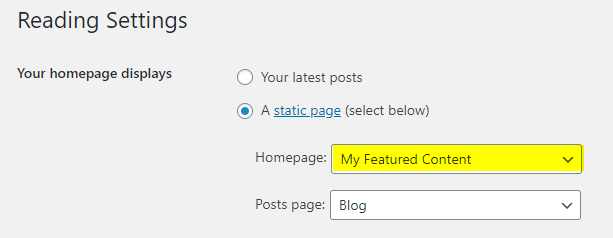
    This widget area is located at the top of the main content of your website. Widgets of this widget area are displayed on the static homepage of your website (when you are using a static page as your homepage).

  7. Above Content Widgets (not Static HomePage)

    This widget area is located at the top of the main content of your website. Widgets of this widget area are displayed on every page except on static homepage of your website.

  8. Above Content Widgets (Single Pages)

    This widget area is located at the top of the main content of your website. Widgets of this widget area are displayed on single post of any post type (except attachments and pages) of your website.

  9. Above Content Widgets (Singular Pages)

    This widget area is located at the top of the main content of your website. Widgets of this widget area are displayed on single post of any post type (including attachments and pages) of your website.

  10. Below Content Widgets (Everywhere)

    This widget area is located at the bottom of the main content of your website. Widgets of this widget area are displayed on every page of your website.

  11. Below Content Widgets (Default HomePage)

    This widget area is located at the bottom of the main content of your website. Widgets of this widget area are displayed on the default homepage of your website (when you are showing your latest posts on homepage).

  12. Below Content Widgets (Static HomePage)

    This widget area is located at the bottom of the main content of your website. Widgets of this widget area are displayed on the static homepage of your website (when you are using a static page as your homepage).

  13. Below Content Widgets (non Static HomePage)

    This widget area is located at the bottom of the main content of your website. Widgets of this widget area are displayed on every page except on static homepage of your website.

  14. Below Content Widgets (Single Pages)

    This widget area is located at the bottom of the main content of your website. Widgets of this widget area are displayed on single post of any post type (except attachments and pages) of your website.

  15. Below Content Widgets (Singular Pages)

    This widget area is located at the bottom of the main content of your website. Widgets of this widget area are displayed on single post of any post type (including attachments and pages) of your website.

  16. Top Full Width Widgets (Everywhere)

    This full-width widget area is located after the primary menu of your website. Widgets of this widget area are displayed on every page of your website.

  17. Top Full Width Widgets (Default HomePage)

    This full-width widget area is located after the primary menu of your website. Widgets of this widget area are displayed on the default homepage of your website (when you are showing your latest posts on homepage).

  18. Top Full Width Widgets (Static HomePage)

    This full-width widget area is located after the primary menu of your website. Widgets of this widget area are displayed on the static homepage of your website (when you are using a static page as your homepage).

  19. Top Full Width Widgets (non Static HomePage)

    This full-width widget area is located after the primary menu of your website. Widgets of this widget area are displayed on every page except on static homepage of your website.

  20. Top Full Width Widgets (Single Pages)

    This full-width widget area is located after the primary menu of your website. Widgets of this widget area are displayed on single post of any post type (except attachments and pages) of your website.

  21. Top Full Width Widgets (Singular Pages)

    This full-width widget area is located after the primary menu of your website. Widgets of this widget area are displayed on single post of any post type (including attachments and pages) of your website.

  22. Bottom Full Width Widgets (Everywhere)

    This full-width widget area is located before the footer of your website. Widgets of this widget area are displayed on every page of your website.

  23. Bottom Full Width Widgets (Default HomePage)

    This full-width widget area is located before the footer of your website. Widgets of this widget area are displayed on the default homepage of your website (when you are showing your latest posts on homepage).

  24. Bottom Full Width Widgets (Static HomePage)

    This full-width widget area is located before the footer of your website. Widgets of this widget area are displayed on the static homepage of your website (when you are using a static page as your homepage).

  25. Bottom Full Width Widgets (non Static HomePage)

    This full-width widget area is located before the footer of your website. Widgets of this widget area are displayed on every page except on static homepage of your website.

  26. Bottom Full Width Widgets (Single Pages)

    This full-width widget area is located before the footer of your website. Widgets of this widget area are displayed on single post of any post type (except attachments and pages) of your website.

  27. Bottom Full Width Widgets (Singular Pages)

    This full-width widget area is located before the footer of your website. Widgets of this widget area are displayed on single post of any post type (including attachments and pages) of your website.

  28. Single Post Bottom Widgets

    This widget area is located at the bottom of single post of any post type (except attachments and pages).

  29. Footer Top Widgets

    This widget area is located on the top of the footer of your website.

  30. Footer 1 Widgets

    This widget area is the column 1 of the footer of your website.

  31. Footer 2 Widgets

    This widget area is the column 2 of the footer of your website.

  32. Footer 3 Widgets

    This widget area is the column 3 of the footer of your website.

  33. Footer 4 Widgets

    This widget area is the column 4 of the footer of your website.

  34. Footer 5 Widgets

    This widget area is the column 5 of the footer of your website.

  35. Footer 6 Widgets

    This widget area is the column 6 of the footer of your website.

  36. Footer Bottom Widgets

    This widget area is located on the bottom of the footer of your website.

  37. 404 Page Widgets

    This widget area is located on the 404(not found) page of your website.

How to Control Widget Visibility by Location

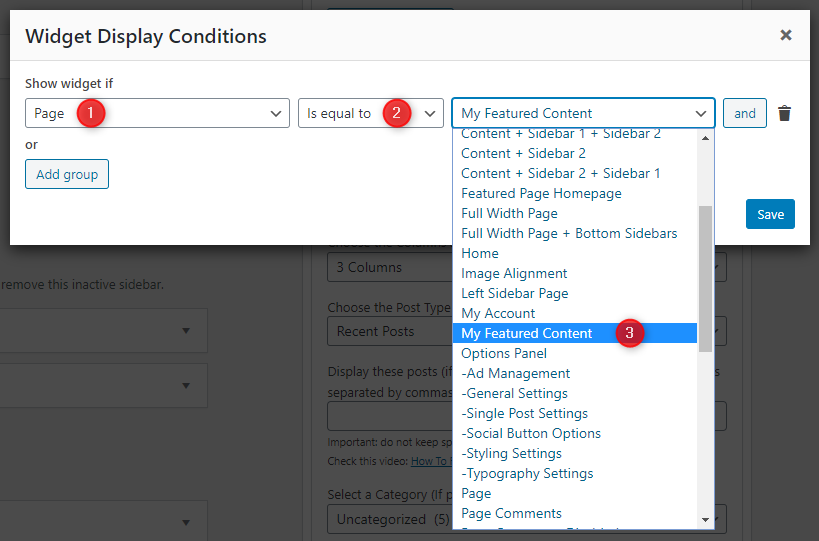
1. If you'd like to display a widget in specific locations only, please begin by installing and activating the Widget Display Conditions or Widget Context plugin.

2. Drag and drop your widget into any of the widget areas below:

  1. Header Right Widgets
  2. Sidebar 1 Widgets
  3. Sidebar 2 Widgets
  4. Above Content Widgets (Everywhere)
  5. Below Content Widgets (Everywhere)
  6. Top Full Width Widgets (Everywhere)
  7. Bottom Full Width Widgets (Everywhere)
  8. Footer Top Widgets
  9. Footer 1 Widgets
  10. Footer 2 Widgets
  11. Footer 3 Widgets
  12. Footer 4 Widgets
  13. Footer 5 Widgets
  14. Footer 6 Widgets
  15. Footer Bottom Widgets

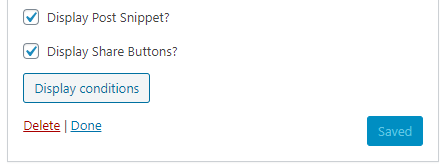
3. If you are using Widget Display Conditions plugin, you will see a button called Display conditions at the bottom of your widget settings. Click on that button.

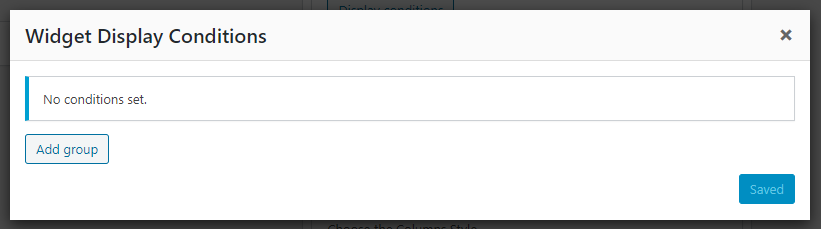
4. Now click on Add group button.

5. Set your widget display conditions and click save.

Custom Page Templates

WriteMag PRO includes 28 custom page and post templates that let you create pages and posts with unique layouts beyond the default design. You can assign these templates when editing any page or post, whether you're using the Classic Editor or the Gutenberg Block Editor.

Special Function Templates

These custom page templates provide specific functionality for common website needs:

  • Featured Content: Displays featured post widgets instead of regular content, perfect for showcasing selected posts.
  • Contact Form: Creates a contact page with a built-in contact form for visitors to reach you.
  • Sitemap: Displays a structured list of your site's pages, categories, and archives for better navigation.
  • Authors: Shows a list of all authors on your site with their profiles and post counts.

Layout Templates

These templates control how content and sidebars are arranged on your pages and posts:

  • "Full Width, no sidebar" (Page): Displays the page content in full width without any sidebars.
  • "Full Width, bottom sidebar" (Page): Displays the page content in full width with a sidebar below it.
  • "Content + Sidebar 1" (Page): Shows the page content on the left and a sidebar on the right.
  • "Sidebar 1 + Content" (Page): Shows a sidebar on the left and the page content on the right.
  • "Content + Sidebar 2" (Page): Shows the page content on the left and a different sidebar on the right.
  • "Sidebar 2 + Content" (Page): Shows a sidebar on the left and the page content on the right.
  • "Content + Sidebar 1 + Sidebar 2" (Page): Shows content on the left, then two sidebars.
  • "Sidebar 1 + Content + Sidebar 2" (Page): Shows sidebar, content, sidebar.
  • "Sidebar 1 + Sidebar 2 + Content" (Page): Shows two sidebars on the left, content on the right.
  • "Content + Sidebar 2 + Sidebar 1" (Page): Shows content, sidebar2, sidebar1.
  • "Sidebar 2 + Content + Sidebar 1" (Page): Shows sidebar2, content, sidebar1.
  • "Sidebar 2 + Sidebar 1 + Content" (Page): Shows two sidebars, content.
  • "Full Width, no sidebar" (Post): Displays the post content in full width without any sidebars.
  • "Full Width, bottom sidebar" (Post): Displays the post content in full width with a sidebar below it.
  • "Content + Sidebar 1" (Post): Shows the post content on the left and a sidebar on the right.
  • "Sidebar 1 + Content" (Post): Shows a sidebar on the left and the post content on the right.
  • "Content + Sidebar 2" (Post): Shows the post content on the left and a different sidebar on the right.
  • "Sidebar 2 + Content" (Post): Shows a sidebar on the left and the post content on the right.
  • "Content + Sidebar 1 + Sidebar 2" (Post): Shows content on the left, then two sidebars.
  • "Sidebar 1 + Content + Sidebar 2" (Post): Shows sidebar, content, sidebar.
  • "Sidebar 1 + Sidebar 2 + Content" (Post): Shows two sidebars on the left, content on the right.
  • "Content + Sidebar 2 + Sidebar 1" (Post): Shows content, sidebar2, sidebar1.
  • "Sidebar 2 + Content + Sidebar 1" (Post): Shows sidebar2, content, sidebar1.
  • "Sidebar 2 + Sidebar 1 + Content" (Post): Shows two sidebars, content.
  • "Featured Content" (Page): Displays featured post widgets instead of the regular page content.
  • "Contact Form" (Page): Adds a simple, built-in contact form for visitors to reach you.
  • "Authors" (Page): Shows a list of all authors on your site with avatars, bios, and post counts.
  • "Sitemap" (Page): Displays a full list of your site’s pages, categories, tags, and archives.

How to Assign a Custom Template:

  1. Go to Pages or PostsAdd New or edit an existing page/post.
  2. Look for the Template option:
    • In Gutenberg: Make sure the right sidebar is visible. Then click the Page or Post tab and scroll down to find the Template option.
    • In Classic Editor: Make sure the Page Attributes or Post Attributes box is enabled via the Screen Options tab at the top right. Then, locate it in the right sidebar and use the Template dropdown.
  3. Select the desired template from the list.
  4. Click Publish or Update to apply the template.

How to Create a Contact Page

WriteMag PRO includes a built-in Contact Form template that allows you to easily add a clean and responsive contact form to your site, without needing any additional plugins.

Step 1: Create the Contact Page

  1. Go to WordPress DashboardPagesAdd New.
  2. Give your page a title like Contact Us.
  3. Look for the Template option:
    • In Gutenberg: Make sure the right sidebar is visible. Then click the Page tab and scroll down to find the Template dropdown.
    • In Classic Editor: Make sure the Page Attributes box is enabled via the Screen Options tab at the top right. Then, locate it in the right sidebar and use the Template dropdown.
  4. Select the Contact Form template.
  5. Click Publish.

Step 2: Configure the Contact Form Email Address

To receive messages submitted via the built-in contact form, you must set your email address:

  1. Go to WordPress DashboardAppearanceCustomize.
  2. Open Theme OptionsPage Templates Options.
  3. Enter your preferred email address in the Contact Form Email Address field.
  4. Click Publish to save changes.

Note: If you do not set the Contact Form Email Address in the Customizer, the form will not send emails.

How the Form Works

  • The form includes fields for Name, Email, Subject, and Message.
  • Messages are sent to the email address you set in Page Templates Options.

Spam Protection & Customization

While the built-in form is lightweight and convenient, you can use a plugin like Contact Form 7 if you need advanced form features such as spam protection, file uploads, or conditional fields.

How to Create a Sitemap Page

WriteMag PRO includes a built-in Sitemap page template that displays a full, structured list of your site’s content. It includes pages, posts, categories, tags, archives, and authors. This improves user navigation and SEO.

  1. Go to WordPress DashboardPagesAdd New.
  2. Enter a title like Sitemap.
  3. Look for the Template option:
    • In Gutenberg: Make sure the right sidebar is visible. Then click the Page tab and scroll to find the Template dropdown.
    • In Classic Editor: Make sure the Page Attributes box is enabled via the Screen Options tab at the top right. Then locate the Template dropdown in the right sidebar.
  4. Select the Sitemap template.
  5. Click Publish to make the sitemap live.

What’s Included in the Sitemap Page

  • List of all Pages
  • List of all Categories and Tags
  • Monthly Archives
  • List of all Authors with links to their posts

This page is automatically generated and updates as new content is added to your site.

How to Create a Site Authors Page

WriteMag PRO includes a built-in Authors page template that displays a list of all users with the Author role or higher. It shows their name, avatar, bio, and social profiles.

Step 1: Create the Authors Page

  1. Go to WordPress DashboardPagesAdd New.
  2. Enter a title like Our Authors or Meet the Team.
  3. Look for the Template option:
    • In Gutenberg: Make sure the right sidebar is visible. Then click the Page tab and scroll down to find the Template dropdown.
    • In Classic Editor: Make sure the Page Attributes box is enabled via the Screen Options tab at the top right. Then, locate it in the right sidebar and use the Template dropdown.
  4. Select the Authors template.
  5. Click Publish.

Step 2: Customize Author Display Settings (Optional)

  1. Go to AppearanceCustomize.
  2. Navigate to Theme OptionsPage Templates Options.
  3. You can toggle the following settings:

    • Hide site administrators from the Authors page.
    • Hide authors with zero posts from the Authors page.
  4. Click Publish to save your changes.

Author Details Displayed

  • Each listed user must have the role of Author, Editor, or Administrator.
  • The template shows each author’s display name, avatar, bio (description), and social profiles.
  • You can set each author's bio under UsersProfileBiographical Info.
  • You can set each author's social links under UsersProfileContact Info.

Customizer Theme Options

To see available WordPress Customizer theme options:

  1. Go to your WordPress Dashboard.
  2. Navigate to Appearance → Customize.
  3. Click on Theme Options.

Site Identity Options

Below is the complete list of Site Identity Options available:

Option ID Option Name Description Control Type Accepted Value Default
custom_logo Logo Image ID of the custom logo uploaded through the Customizer. Media Uploader Integer (attachment ID) 0 (none)
logo_location Logo Location Choose where to display the site logo relative to the site title / tagline. Dropdown

One of the values below:

  • Before Site Title and Tagline
  • Above Site Title and Tagline
Above Site Title and Tagline
blogname Site Title Main title of the website shown in the header, browser-tabs, and search-results. Text A string “My WordPress Site” (installer-set)
blogdescription Tagline Short descriptive sentence (appears next to or below the title when supported by the theme). Text A string “Just another WordPress site”
display_header_text Display Site Title & Tagline Toggles whether the title/tagline are printed on the front-end. When off they remain in the markup for accessibility but are hidden with CSS. Toggle Switch true / false true
site_icon Site Icon (Favicon) Image ID for the favicon/app-icon (512 × 512 px recommended). Used in browser tabs, bookmark tiles and WP mobile app. Media Uploader Integer (attachment ID) 0 (none)

Colors Options

Below is the complete list of Colors Options available:

Option ID Option Name Description Control Type Accepted Value Default
header_text_hover_colorHeader Hover Text ColorPick the Header Hover Text Color.Color PickerHex color code (e.g. #ffffff)#dddddd
body_text_colorMain Text ColorPick the Main Text Color.Color PickerHex color code (e.g. #ffffff)#444444
link_colorMain Link ColorPick the Main Link Color.Color PickerHex color code (e.g. #ffffff)#666666
link_hover_colorMain Link Hover ColorPick the Main Link Hover Color.Color PickerHex color code (e.g. #ffffff)#000000
headings_colorGeneral Headings ColorPick the General Headings Color.Color PickerHex color code (e.g. #ffffff)#111111
header_bg_colorHeader Background ColorPick the Header Background Color.Color PickerHex color code (e.g. #ffffff)#262626
header_bd_colorHeader Border ColorPick the Header Border Color.Color PickerHex color code (e.g. #ffffff)#4a4e53
header_img_bd_colorHeader Image Border ColorPick the Header Image Border Color.Color PickerHex color code (e.g. #ffffff)#4a4e53
header_image_title_colorHeader Image Area Title ColorPick the Header Image Area Title Color.Color PickerHex color code (e.g. #ffffff)#ffffff
header_image_title_hover_colorHeader Image Area Title Hover ColorPick the Header Image Area Title Hover Color.Color PickerHex color code (e.g. #ffffff)#dddddd
header_image_desc_colorHeader Image Area Description ColorPick the Header Image Area Description Color.Color PickerHex color code (e.g. #ffffff)#ffffff
primary_menu_colors_textPrimary Menu ColorsSet the primary Menu Colors.Text InputText string(empty)
primary_menu_bg_colorPrimary Menu Background ColorPick the Primary Menu Background Color.Color PickerHex color code (e.g. #ffffff)#2b2b2b
primary_menu_bd_colorPrimary Menu Border ColorPick the Primary Menu Border Color.Color PickerHex color code (e.g. #ffffff)#4a4e53
primary_menu_bsh_colorPrimary Menu Box-Shadow ColorDefault value is: 0 2px 2px rgba(0,0,0,0.1)

To remove this box-shadow, enter value: none
Text InputText string0 2px 2px rgba(0,0,0,0.1)
primary_menu_colorPrimary Menu Link ColorPick the Primary Menu Link Color.Color PickerHex color code (e.g. #ffffff)#ffffff
disable_primary_menu_shadowDisable Primary Menu Link Text-Shadow ColorDisable Primary Menu Link Text-Shadow ColorCheckboxtrue / falsefalse
primary_menu_shadow_colorPrimary Menu Link Text-Shadow ColorPick the Primary Menu Link Text-Shadow Color.Color PickerHex color code (e.g. #ffffff)#000000
primary_menu_hover_colorPrimary Menu Link Hover ColorPick the Primary Menu Link Hover Color.Color PickerHex color code (e.g. #ffffff)#ffffff
primary_menu_hover_bg_colorPrimary Menu Link Hover Background ColorPick the Primary Menu Link Hover Background Color.Color PickerHex color code (e.g. #ffffff)#67080b
primary_submenu_one_bg_colorPrimary Sub Menu Background ColorPick the Primary Sub Menu Background Color.Color PickerHex color code (e.g. #ffffff)#333333
primary_submenu_one_bd_colorPrimary Sub Menu Border 1 ColorPick the Primary Sub Menu Border 1 Color.Color PickerHex color code (e.g. #ffffff)#090909
primary_submenu_two_bd_colorPrimary Sub Menu Border 2 ColorPick the Primary Sub Menu Border 2 Color.Color PickerHex color code (e.g. #ffffff)#444444
primary_submenu_three_bd_colorPrimary Sub Menu Border 3 ColorPick the Primary Sub Menu Border 3 Color.Color PickerHex color code (e.g. #ffffff)#555555
primary_menu_icon_colorPrimary Responsive Menu Icon ColorPick the Primary Responsive Menu Icon Color.Color PickerHex color code (e.g. #ffffff)#ffffff
secondary_menu_colors_textSecondary Menu ColorsSet the secondary Menu Colors.Text InputText string(empty)
secondary_menu_bg_colorSecondary Menu Background ColorPick the Secondary Menu Background Color.Color PickerHex color code (e.g. #ffffff)#000000
secondary_menu_bd_colorSecondary Menu Border ColorPick the Secondary Menu Border Color.Color PickerHex color code (e.g. #ffffff)#4a4e53
secondary_menu_colorSecondary Menu Link ColorPick the Secondary Menu Link Color.Color PickerHex color code (e.g. #ffffff)#ffffff
disable_secondary_menu_shadowDisable Secondary Menu Link Text-Shadow ColorDisable Secondary Menu Link Text-Shadow ColorCheckboxtrue / falsefalse
secondary_menu_shadow_colorSecondary Menu Link Text-Shadow ColorPick the Secondary Menu Link Text-Shadow Color.Color PickerHex color code (e.g. #ffffff)#000000
secondary_menu_hover_colorSecondary Menu Link Hover ColorPick the Secondary Menu Link Hover Color.Color PickerHex color code (e.g. #ffffff)#dddddd
secondary_menu_hover_bg_colorSecondary Menu Link Hover Background ColorPick the Secondary Menu Link Hover Background Color.Color PickerHex color code (e.g. #ffffff)#000000
secondary_submenu_one_bg_colorSecondary Sub Menu Background ColorPick the Secondary Sub Menu Background Color.Color PickerHex color code (e.g. #ffffff)#222222
secondary_submenu_one_bd_colorSecondary Sub Menu Border ColorPick the Secondary Sub Menu Border Color.Color PickerHex color code (e.g. #ffffff)#444444
secondary_menu_icon_colorSecondary Responsive Menu Icon ColorPick the Secondary Responsive Menu Icon Color.Color PickerHex color code (e.g. #ffffff)#ffffff
social_buttons_colors_textSocial Buttons ColorsSet the social Buttons Colors.Text InputText string(empty)
social_buttons_bg_colorSocial Buttons Background ColorPick the Social Buttons Background Color.Color PickerHex color code (e.g. #ffffff)#dddddd
social_buttons_colorSocial Buttons ColorPick the Social Buttons Color.Color PickerHex color code (e.g. #ffffff)#000000
disable_social_buttons_shadowDisable Social Buttons Text-Shadow ColorDisable Social Buttons Text-Shadow ColorCheckboxtrue / falsefalse
social_buttons_shadow_colorSocial Buttons Text-Shadow ColorPick the Social Buttons Text-Shadow Color.Color PickerHex color code (e.g. #ffffff)#ffffff
news_ticker_colors_textNews Ticker ColorsSet the news Ticker Colors.Text InputText string(empty)
news_ticker_bg_colorNews Ticker Background ColorPick the News Ticker Background Color.Color PickerHex color code (e.g. #ffffff)#333333
news_ticker_bd_colorNews Ticker Border ColorPick the News Ticker Border Color.Color PickerHex color code (e.g. #ffffff)#4a4e53
news_ticker_heading_colorNews Ticker Heading ColorPick the News Ticker Heading Color.Color PickerHex color code (e.g. #ffffff)#ffffff
news_ticker_heading_bg_colorNews Ticker Heading Background ColorPick the News Ticker Heading Background Color.Color PickerHex color code (e.g. #ffffff)#67080b
news_ticker_date_colorNews Ticker Dates Text ColorPick the News Ticker Dates Text Color.Color PickerHex color code (e.g. #ffffff)#ffffff
news_ticker_date_bg_colorNews Ticker Dates Background ColorPick the News Ticker Dates Background Color.Color PickerHex color code (e.g. #ffffff)#888888
news_ticker_text_colorNews Ticker Text ColorPick the News Ticker Text Color.Color PickerHex color code (e.g. #ffffff)#ffffff
news_ticker_hover_text_colorNews Ticker Hover Text ColorPick the News Ticker Hover Text Color.Color PickerHex color code (e.g. #ffffff)#dddddd
post_summaries_bg_colorCompact Posts Summaries Background ColorPick the Compact Posts Summaries Background Color.Color PickerHex color code (e.g. #ffffff)#eeedf0
post_summaries_bd_one_colorCompact Posts Summaries Border 1 ColorPick the Compact Posts Summaries Border 1 Color.Color PickerHex color code (e.g. #ffffff)#c8cbd6
post_summaries_bd_two_colorCompact Posts Summaries Border 2 ColorPick the Compact Posts Summaries Border 2 Color.Color PickerHex color code (e.g. #ffffff)#f5f6f7
post_summaries_bsh_colorCompact Posts Summaries Box-Shadow ColorDefault value is: 0px 0px 0px 1px #f5f6f7 inset

To remove this box-shadow, enter value: none
Text InputText string0px 0px 0px 1px #f5f6f7 inset
compact_post_title_colorCompact Posts Summaries Titles ColorPick the Compact Posts Summaries Titles Color.Color PickerHex color code (e.g. #ffffff)#000000
compact_post_title_hover_colorCompact Posts Summaries Titles Hover ColorPick the Compact Posts Summaries Titles Hover Color.Color PickerHex color code (e.g. #ffffff)#222222
post_singular_bg_colorFull Posts Summaries / Single Posts Background ColorPick the Full Posts Summaries / Single Posts Background Color.Color PickerHex color code (e.g. #ffffff)#ffffff
post_singular_bd_one_colorFull Posts Summaries / Single Posts Border 1 ColorPick the Full Posts Summaries / Single Posts Border 1 Color.Color PickerHex color code (e.g. #ffffff)#c8cbd6
post_singular_bd_two_colorFull Posts Summaries / Single Posts Border 2 ColorPick the Full Posts Summaries / Single Posts Border 2 Color.Color PickerHex color code (e.g. #ffffff)#ffffff
post_singular_bsh_colorFull Posts Summaries / Single Posts Box-Shadow ColorDefault value is: 0 0 40px rgba(0,0,0,.1) inset

To remove this box-shadow, enter value: none
Text InputText string0 0 40px rgba(0,0,0,.1) inset
post_title_colorFull Posts Summaries / Single Posts - Post Title ColorPick the Full Posts Summaries / Single Posts - Post Title Color.Color PickerHex color code (e.g. #ffffff)#000000
post_title_hover_colorFull Posts Summaries / Single Posts - Post Title Hover ColorPick the Full Posts Summaries / Single Posts - Post Title Hover Color.Color PickerHex color code (e.g. #ffffff)#333333
disable_post_title_shadowDisable Full Posts Summaries / Single Posts - Post Title Text-Shadow ColorDisable Full Posts Summaries / Single Posts - Post Title Text-Shadow ColorCheckboxtrue / falsefalse
post_title_shadow_colorFull Posts Summaries / Single Posts - Post Title Text-Shadow ColorPick the Full Posts Summaries / Single Posts - Post Title Text-Shadow Color.Color PickerHex color code (e.g. #ffffff)#ffffff
post_body_link_colorPost Content Link ColorPick the Post Content Link Color.Color PickerHex color code (e.g. #ffffff)#409BD4
post_body_link_hover_colorPost Content Link Hover ColorPick the Post Content Link Hover Color.Color PickerHex color code (e.g. #ffffff)#08ACD5
compact_post_meta_bg_colorCompact Post Summaries Post Meta Background ColorPick the Compact Post Summaries Post Meta Background Color.Color PickerHex color code (e.g. #ffffff)#dee2e9
compact_post_meta_colorCompact Post Summaries Post Meta ColorPick the Compact Post Summaries Post Meta Color.Color PickerHex color code (e.g. #ffffff)#555555
compact_post_meta_hover_colorCompact Post Summaries Post Meta Hover ColorPick the Compact Post Summaries Post Meta Hover Color.Color PickerHex color code (e.g. #ffffff)#000000
post_meta_colorFull Posts Summaries / Single Posts - Post Meta ColorPick the Full Posts Summaries / Single Posts - Post Meta Color.Color PickerHex color code (e.g. #ffffff)#666666
post_meta_hover_colorFull Posts Summaries / Single Posts - Post Meta Hover ColorPick the Full Posts Summaries / Single Posts - Post Meta Hover Color.Color PickerHex color code (e.g. #ffffff)#000000
rmore_colorRead More Button ColorPick the Read More Button Color.Color PickerHex color code (e.g. #ffffff)#ffffff
rmore_bg_colorRead More Button Background ColorPick the Read More Button Background Color.Color PickerHex color code (e.g. #ffffff)#333333
rmore_bd_colorRead More Button Border ColorPick the Read More Button Border Color.Color PickerHex color code (e.g. #ffffff)#555555
rmore_hover_colorRead More Button Hover ColorPick the Read More Button Hover Color.Color PickerHex color code (e.g. #ffffff)#ffffff
rmore_bg_hover_colorRead More Button Hover Background ColorPick the Read More Button Hover Background Color.Color PickerHex color code (e.g. #ffffff)#000000
rmore_bd_hover_colorRead More Button Hover Border ColorPick the Read More Button Hover Border Color.Color PickerHex color code (e.g. #ffffff)#555555
author_bio_bg_colorAuthor Bio Box Background ColorPick the Author Bio Box Background Color.Color PickerHex color code (e.g. #ffffff)#f2f2f2
author_bio_bd_colorAuthor Bio Box Border 1 ColorPick the Author Bio Box Border 1 Color.Color PickerHex color code (e.g. #ffffff)#dddddd
author_bio_bd_two_colorAuthor Bio Box Border 2 ColorPick the Author Bio Box Border 2 Color.Color PickerHex color code (e.g. #ffffff)#ffffff
author_bio_colorAuthor Bio Box Text ColorPick the Author Bio Box Text Color.Color PickerHex color code (e.g. #ffffff)#555555
author_bio_link_colorAuthor Bio Box Link ColorPick the Author Bio Box Link Color.Color PickerHex color code (e.g. #ffffff)#111111
author_bio_link_hover_colorAuthor Bio Box Link Hover ColorPick the Author Bio Box Link Hover Color.Color PickerHex color code (e.g. #ffffff)#409BD4
pagination_colorPosts Pagination Links ColorPick the Posts Pagination Links Color.Color PickerHex color code (e.g. #ffffff)#444444
pagination_bg_colorPosts Pagination Links Background ColorPick the Posts Pagination Links Background Color.Color PickerHex color code (e.g. #ffffff)#eeeeee
pagination_bd_colorPosts Pagination Links Border ColorPick the Posts Pagination Links Border Color.Color PickerHex color code (e.g. #ffffff)#cccccc
pagination_hover_colorPosts Pagination Links Hover ColorPick the Posts Pagination Links Hover Color.Color PickerHex color code (e.g. #ffffff)#000000
pagination_bg_hover_colorPosts Pagination Links Hover Background ColorPick the Posts Pagination Links Hover Background Color.Color PickerHex color code (e.g. #ffffff)#dddddd
pagination_bd_hover_colorPosts Pagination Links Hover Border ColorPick the Posts Pagination Links Hover Border Color.Color PickerHex color code (e.g. #ffffff)#bbbbbb
loadmore_colorAjax Load More Button / Navigation Links ColorPick the Ajax Load More Button / Navigation Links Color.Color PickerHex color code (e.g. #ffffff)#ffffff
loadmore_bg_colorAjax Load More Button / Navigation Links Background ColorPick the Ajax Load More Button / Navigation Links Background Color.Color PickerHex color code (e.g. #ffffff)#000000
loadmore_bd_colorAjax Load More Button / Navigation Links Border ColorPick the Ajax Load More Button / Navigation Links Border Color.Color PickerHex color code (e.g. #ffffff)#555555
loadmore_hover_colorAjax Load More Button / Navigation Links Hover ColorPick the Ajax Load More Button / Navigation Links Hover Color.Color PickerHex color code (e.g. #ffffff)#ffffff
loadmore_bg_hover_colorAjax Load More Button / Navigation Links Hover Background ColorPick the Ajax Load More Button / Navigation Links Hover Background Color.Color PickerHex color code (e.g. #ffffff)#67080b
loadmore_bd_hover_colorAjax Load More Button / Navigation Links Hover Border ColorPick the Ajax Load More Button / Navigation Links Hover Border Color.Color PickerHex color code (e.g. #ffffff)#000000
loading_bg_colorAjax Loading Animation Background ColorPick the Ajax Loading Animation Background Color.Color PickerHex color code (e.g. #ffffff)#67080b
likes_views_bg_colorPost Likes/Views Data Background ColorDefault value is: rgba(0, 0, 0, 0.4)Text InputText stringrgba(0, 0, 0, 0.4)
likes_colorPost Likes Button / Post Views ColorPick the Post Likes Button / Post Views Color.Color PickerHex color code (e.g. #ffffff)#ffffff
likes_hover_colorPost Likes Button Hover ColorPick the Post Likes Button Hover Color.Color PickerHex color code (e.g. #ffffff)#ff0000
widgets_bg_colorSidebar Widgets Background ColorPick the Sidebar Widgets Background Color.Color PickerHex color code (e.g. #ffffff)#eeedf0
widgets_bd_one_colorSidebar Widgets Border 1 ColorPick the Sidebar Widgets Border 1 Color.Color PickerHex color code (e.g. #ffffff)#c8cbd6
widgets_bd_two_colorSidebar Widgets Border 2 ColorPick the Sidebar Widgets Border 2 Color.Color PickerHex color code (e.g. #ffffff)#f5f6f7
widgets_bsh_colorSidebar Widgets Box-Shadow ColorDefault value is: 0px 0px 0px 1px #f5f6f7 inset

To remove this box-shadow, enter value: none
Text InputText string0px 0px 0px 1px #f5f6f7 inset
sidebar_title_colorSidebar Widgets Title ColorPick the Sidebar Widgets Title Color.Color PickerHex color code (e.g. #ffffff)#000000
disable_sidebar_title_shadowDisable Sidebar Widgets Title Text-Shadow ColorDisable Sidebar Widgets Title Text-Shadow ColorCheckboxtrue / falsefalse
sidebar_title_shadow_colorSidebar Widgets Title Text-Shadow ColorPick the Sidebar Widgets Title Text-Shadow Color.Color PickerHex color code (e.g. #ffffff)#ffffff
sidebar_link_colorSidebar Widgets Link ColorPick the Sidebar Widgets Link Color.Color PickerHex color code (e.g. #ffffff)#444444
sidebar_link_hover_colorSidebar Widgets Link Hover ColorPick the Sidebar Widgets Link Hover Color.Color PickerHex color code (e.g. #ffffff)#666666
archive_title_colorArchive Page Titles ColorPick the Archive Page Titles Color.Color PickerHex color code (e.g. #ffffff)#000000
archive_title_shadow_colorArchive Page Titles Shadow ColorPick the Archive Page Titles Shadow Color.Color PickerHex color code (e.g. #ffffff)#ffffff
comments_title_colorComments Titles ColorPick the Comments Titles Color.Color PickerHex color code (e.g. #ffffff)#000000
comments_title_shadow_colorComments Titles Shadow ColorPick the Comments Titles Shadow Color.Color PickerHex color code (e.g. #ffffff)#ffffff
tag_cloud_colorTag Cloud Link ColorPick the Tag Cloud Link Color.Color PickerHex color code (e.g. #ffffff)#ffffff
tag_cloud_bg_colorTag Cloud Link BackgroundPick the tag Cloud Link Background color.Color PickerHex color code (e.g. #ffffff)#888888
tag_cloud_hover_colorTag Cloud Link Hover ColorPick the Tag Cloud Link Hover Color.Color PickerHex color code (e.g. #ffffff)#ffffff
tag_cloud_hover_bg_colorTag Cloud Link Hover BackgroundPick the tag Cloud Link Hover Background color.Color PickerHex color code (e.g. #ffffff)#000000
tabnames_colorTabbed Widget Names ColorPick the Tabbed Widget Names Color.Color PickerHex color code (e.g. #ffffff)#ffffff
tabnames_bg_colorTabbed Widget Names Background ColorPick the Tabbed Widget Names Background Color.Color PickerHex color code (e.g. #ffffff)#000000
tabnames_bd_colorTabbed Widget Names Border ColorPick the Tabbed Widget Names Border Color.Color PickerHex color code (e.g. #ffffff)#555555
tabnames_hover_colorTabbed Widget Names Hover ColorPick the Tabbed Widget Names Hover Color.Color PickerHex color code (e.g. #ffffff)#ffffff
tabnames_bg_hover_colorTabbed Widget Names Hover Background ColorPick the Tabbed Widget Names Hover Background Color.Color PickerHex color code (e.g. #ffffff)#67080b
tabnames_bd_hover_colorTabbed Widget Names Hover Border ColorPick the Tabbed Widget Names Hover Border Color.Color PickerHex color code (e.g. #ffffff)#555555
footer_bg_colorFooter Background ColorPick the Footer Background Color.Color PickerHex color code (e.g. #ffffff)#2b2b2b
footer_bd_colorFooter Border ColorPick the Footer Border Color.Color PickerHex color code (e.g. #ffffff)#4a4e53
footer_title_colorFooter Title ColorPick the Footer Title Color.Color PickerHex color code (e.g. #ffffff)#ffffff
footer_title_bd_one_colorFooter Title Border 1 ColorPick the Footer Title Border 1 Color.Color PickerHex color code (e.g. #ffffff)#3b3b3b
footer_title_bd_two_colorFooter Title Border 2 ColorPick the Footer Title Border 2 Color.Color PickerHex color code (e.g. #ffffff)#1b1b1b
footer_text_colorFooter Text ColorPick the Footer Text Color.Color PickerHex color code (e.g. #ffffff)#dddddd
footer_link_colorFooter Link ColorPick the Footer Link Color.Color PickerHex color code (e.g. #ffffff)#cccccc
footer_link_hover_colorFooter Link Hover ColorPick the Footer Link Hover Color.Color PickerHex color code (e.g. #ffffff)#ffffff
footer_list_bd_one_colorFooter List Border 1 ColorPick the Footer List Border 1 Color.Color PickerHex color code (e.g. #ffffff)#3b3b3b
footer_list_bd_two_colorFooter List Border 2 ColorPick the Footer List Border 2 Color.Color PickerHex color code (e.g. #ffffff)#1b1b1b
cp_bg_colorCopyrights Background ColorPick the Copyrights Background Color.Color PickerHex color code (e.g. #ffffff)#2e2e2e
cp_bd_colorCopyrights Border ColorPick the Copyrights Border Color.Color PickerHex color code (e.g. #ffffff)#4a4e53
cp_colorCopyrights Text ColorPick the Copyrights Text Color.Color PickerHex color code (e.g. #ffffff)#ecfff1
comment_colors_textComments ColorsSet the comments Colors.Text InputText string(empty)
comment_bd_color_oneComments Border ColorPick the Comments Border Color.Color PickerHex color code (e.g. #ffffff)#eaeaea
comment_bg_color_oneComments Background Color 1Pick the Comments Background Color 1.Color PickerHex color code (e.g. #ffffff)#f5f5f5
comment_bg_color_twoComments Background Color 2Pick the Comments Background Color 2.Color PickerHex color code (e.g. #ffffff)#fbfbfb
comment_meta_colorComments Meta ColorPick the Comments Meta Color.Color PickerHex color code (e.g. #ffffff)#888888
table_colors_textHTML Table ColorsSet the hTML Table Colors.Text InputText string(empty)
table_caption_bg_colorTable Caption Background ColorPick the Table Caption Background Color.Color PickerHex color code (e.g. #ffffff)#eeeeee
table_header_bg_colorTable Header Background ColorPick the Table Header Background Color.Color PickerHex color code (e.g. #ffffff)#000000
table_header_bd_colorTable Header Border ColorPick the Table Header Border Color.Color PickerHex color code (e.g. #ffffff)#444444
table_header_text_colorTable Header Text ColorPick the Table Header Text Color.Color PickerHex color code (e.g. #ffffff)#ffffff
table_header_link_colorTable Header Link ColorPick the Table Header Link Color.Color PickerHex color code (e.g. #ffffff)#ffffff
table_header_link_hover_colorTable Header Link Hover ColorPick the Table Header Link Hover Color.Color PickerHex color code (e.g. #ffffff)#409BD4
table_border_colorTable Border ColorPick the Table Border Color.Color PickerHex color code (e.g. #ffffff)#dddddd
table_odd_bg_colorTable Odd Rows Background ColorPick the Table Odd Rows Background Color.Color PickerHex color code (e.g. #ffffff)#ffffff
table_even_bg_colorTable Even Rows Background ColorPick the Table Even Rows Background Color.Color PickerHex color code (e.g. #ffffff)#f8f8f8
table_raw_hover_bg_colorTable Rows Hover Background ColorPick the Table Rows Hover Background Color.Color PickerHex color code (e.g. #ffffff)#dddddd
table_text_colorTable Text ColorPick the Table Text Color.Color PickerHex color code (e.g. #ffffff)#444444
table_link_colorTable Link ColorPick the Table Link Color.Color PickerHex color code (e.g. #ffffff)#409BD4
table_link_hover_colorTable Link Hover ColorPick the Table Link Hover Color.Color PickerHex color code (e.g. #ffffff)#08ACD5
disable_table_colorsDisable Color Styles from HTML TablesIf you check this option, all HTML Table color styles coming with the theme will be disabled. You can check this option if you are using a table plugin with its own table CSS styles or if you are using your own custom CSS for tables.Checkboxtrue / falsefalse
input_colors_textInput Elements ColorsSet the input Elements Colors.Text InputText string(empty)
button_text_colorButton Text ColorPick the Button Text Color.Color PickerHex color code (e.g. #ffffff)#ffffff
button_bg_colorButton Background ColorPick the Button Background Color.Color PickerHex color code (e.g. #ffffff)#333333
button_bd_colorButton Border ColorPick the Button Border Color.Color PickerHex color code (e.g. #ffffff)#6f6f6f
button_hover_bg_colorButton Hover Background ColorPick the Button Hover Background Color.Color PickerHex color code (e.g. #ffffff)#7f181b
input_text_colorInput Text ColorPick the Input Text Color.Color PickerHex color code (e.g. #ffffff)#666666
input_bd_colorInput Border ColorPick the Input Border Color.Color PickerHex color code (e.g. #ffffff)#dddddd
input_hover_text_colorInput Hover Text ColorPick the Input Hover Text Color.Color PickerHex color code (e.g. #ffffff)#111111
fieldset_bd_colorFieldset Border ColorPick the Fieldset Border Color.Color PickerHex color code (e.g. #ffffff)#444444
select_text_colorDrop-Down List Text ColorPick the Drop-Down List Text Color.Color PickerHex color code (e.g. #ffffff)#666666
placeholder_text_colorPlaceholder Text ColorPick the Placeholder Text Color.Color PickerHex color code (e.g. #ffffff)#888888
selected_text_colors_textSelected Text ColorsSet the selected Text Colors.Text InputText string(empty)
selected_text_colorSelected Text ColorPick the Selected Text Color.Color PickerHex color code (e.g. #ffffff)#ffffff
selected_text_bg_colorSelected Text Background ColorPick the Selected Text Background Color.Color PickerHex color code (e.g. #ffffff)#05689a
hr_colors_texthr (horizontal rule) tag ColorsSet the hr (horizontal rule) tag Colors.Text InputText string(empty)
hr_bg_colorhr Tag Background ColorPick the hr Tag Background Color.Color PickerHex color code (e.g. #ffffff)#ffffff
hr_bd_top_colorhr Tag Top Border ColorPick the hr Tag Top Border Color.Color PickerHex color code (e.g. #ffffff)#e6e6e6
hr_bd_bottom_colorhr Tag Bottom Border ColorPick the hr Tag Bottom Border Color.Color PickerHex color code (e.g. #ffffff)#f6f6f6
hr_shadow_colorhr Tag Box Shadow ColorPick the hr Tag Box Shadow Color.Color PickerHex color code (e.g. #ffffff)#f2f2f2
pre_colors_textpre Tag ColorsSet the pre Tag Colors.Text InputText string(empty)
pre_bg_colorpre Tag Background ColorPick the pre Tag Background Color.Color PickerHex color code (e.g. #ffffff)#1d1f21
pre_colorpre Tag Text ColorPick the pre Tag Text Color.Color PickerHex color code (e.g. #ffffff)#ffffff
code_colors_textcode Tag ColorsSet the code Tag Colors.Text InputText string(empty)
code_bg_colorcode Tag Background ColorPick the code Tag Background Color.Color PickerHex color code (e.g. #ffffff)#ffff6c
code_colorcode Tag Text ColorPick the code Tag Text Color.Color PickerHex color code (e.g. #ffffff)#222222
mark_colors_textmark and ins Tag ColorsSet the mark and ins Tag Colors.Text InputText string(empty)
mark_bg_colorMarked and Inserted Tag Background ColorPick the Marked and Inserted Tag Background Color.Color PickerHex color code (e.g. #ffffff)#efef00
mark_colorMarked and Inserted Tag Text ColorPick the Marked and Inserted Tag Text Color.Color PickerHex color code (e.g. #ffffff)#222222
captions_bg_colorImage Captions Background ColorPick the Image Captions Background Color.Color PickerHex color code (e.g. #ffffff)#000000
disable_color_optionsDisable All Color OptionsIf you check this option, all above colors options will have no effect. Default colors of the theme will be used. It may be help to improve the speed of the site. You can still change colors adding custom CSS to "Additional CSS" area in Customizer.

Note: After activating/deactivating this option, click on "Publish" button to save Customizer options. After that refresh Customizer before doing other changes in Customizer.
Checkboxtrue / falsefalse

Font Options

Below is the complete list of Font Options available:

Option ID Option Name Description Control Type Accepted Value Default
font_subsetsFont SubsetsSelect which font subsets should be supported.Themesdna-Multiple-SelectMixed (depends on setting)(empty)
body_fontsBody Font-FamilyPick a font for body text. Default is Domine.DropdownA font name selected from the available font name list.Domine
body_font_sizeBody Font-SizeChoose body font size. Default is 13px.DropdownA font size value (in px) selected from the available font size list.13px
body_font_weightBody Font-WeightChoose body font weight. Default is 400.Dropdown
  • 400
  • 700
400
body_font_styleBody Font-StyleChoose body font style. Default is normal.Dropdown
  • Normal
  • Italic
Normal
body_line_heightBody Line-HeightEnter body line height. Default is 1.6.Text InputText string1.6
site_title_fontsSite Title Font-FamilyPick a font for site title. Default is Frank Ruhl Libre.DropdownA font name selected from the available font name list.Frank Ruhl Libre
site_title_font_sizeSite Title Font-SizeChoose site title font size. Default is 22px.DropdownA font size value (in px) selected from the available font size list.22px
site_title_font_weightSite Title Font-WeightChoose site title font weight. Default is 700.Dropdown
  • 400
  • 700
700
site_title_font_styleSite Title Font-StyleChoose site title font style. Default is normal.Dropdown
  • Normal
  • Italic
Normal
site_title_line_heightSite Title Line-HeightEnter site title line height. Default is 1.Text InputText string1
site_title_text_transformSite Title Text TransformSelect the text-transform property value for site title.Dropdown
  • None
  • Capitalize
  • Uppercase
  • Lowercase
  • Initial
  • Inherit
None
site_desc_fontsSite Description Font-FamilyPick a font for site description. Default is Domine.DropdownA font name selected from the available font name list.Domine
site_desc_font_sizeSite Description Font-SizeChoose site description font size. Default is 13px.DropdownA font size value (in px) selected from the available font size list.13px
site_desc_font_weightSite Description Font-WeightChoose site description font weight. Default is 400.Dropdown
  • 400
  • 700
400
site_desc_font_styleSite Description Font-StyleChoose site description font style. Default is normal.Dropdown
  • Normal
  • Italic
Normal
site_desc_line_heightSite Description Line-HeightEnter site description line height. Default is 1.Text InputText string1
site_desc_text_transformSite Description Text TransformSelect the text-transform property value for site description.Dropdown
  • None
  • Capitalize
  • Uppercase
  • Lowercase
  • Initial
  • Inherit
None
header_image_title_fontsHeader Image Title Font-FamilyPick a font for header image title. Default is Frank Ruhl Libre.DropdownA font name selected from the available font name list.Frank Ruhl Libre
header_image_title_font_sizeHeader Image Title Font-SizeChoose header image title font size. Default is 24px.DropdownA font size value (in px) selected from the available font size list.24px
header_image_title_font_weightHeader Image Title Font-WeightChoose header image title font weight. Default is 400.Dropdown
  • 400
  • 700
400
header_image_title_font_styleHeader Image Title Font-StyleChoose header image title font style. Default is normal.Dropdown
  • Normal
  • Italic
Normal
header_image_title_line_heightHeader Image Title Line-HeightEnter header image title line height. Default is 1.Text InputText string1
header_image_title_text_transformHeader Image Title Text TransformSelect the text-transform property value for header image title.Dropdown
  • None
  • Capitalize
  • Uppercase
  • Lowercase
  • Initial
  • Inherit
None
header_image_desc_fontsHeader Image Description Font-FamilyPick a font for header image description. Default is Domine.DropdownA font name selected from the available font name list.Domine
header_image_desc_font_sizeHeader Image Description Font-SizeChoose header image description font size. Default is 13px.DropdownA font size value (in px) selected from the available font size list.13px
header_image_desc_font_weightHeader Image Description Font-WeightChoose header image description font weight. Default is 400.Dropdown
  • 400
  • 700
400
header_image_desc_font_styleHeader Image Description Font-StyleChoose header image description font style. Default is normal.Dropdown
  • Normal
  • Italic
Normal
header_image_desc_line_heightHeader Image Description Line-HeightEnter header image description line height. Default is 1.Text InputText string1
header_image_desc_text_transformHeader Image Description Text TransformSelect the text-transform property value for header image description.Dropdown
  • None
  • Capitalize
  • Uppercase
  • Lowercase
  • Initial
  • Inherit
None
primary_menu_fontsPrimary Menu Font-FamilyPick a font for the primary menu. Default is Oswald.DropdownA font name selected from the available font name list.Oswald
primary_menu_font_sizePrimary Menu Font-SizeChoose primary menu font size. Default is 13px.DropdownA font size value (in px) selected from the available font size list.13px
primary_menu_font_weightPrimary Menu Font-WeightChoose primary menu font weight. Default is 400.Dropdown
  • 400
  • 700
400
primary_menu_font_stylePrimary Menu Font-StyleChoose primary menu font style. Default is normal.Dropdown
  • Normal
  • Italic
Normal
primary_menu_text_transformPrimary Menu Text TransformSelect the text-transform property value for primary menu.Dropdown
  • None
  • Capitalize
  • Uppercase
  • Lowercase
  • Initial
  • Inherit
Uppercase
secondary_menu_fontsSecondary Menu Font-FamilyPick a font for the secondary menu. Default is Oswald.DropdownA font name selected from the available font name list.Oswald
secondary_menu_font_sizeSecondary Menu Font-SizeChoose secondary menu font size. Default is 13px.DropdownA font size value (in px) selected from the available font size list.13px
secondary_menu_font_weightSecondary Menu Font-WeightChoose secondary menu font weight. Default is 400.Dropdown
  • 400
  • 700
400
secondary_menu_font_styleSecondary Menu Font-StyleChoose secondary menu font style. Default is normal.Dropdown
  • Normal
  • Italic
Normal
secondary_menu_text_transformSecondary Menu Text TransformSelect the text-transform property value for secondary menu.Dropdown
  • None
  • Capitalize
  • Uppercase
  • Lowercase
  • Initial
  • Inherit
Uppercase
news_ticker_fontsNews Ticker Font-FamilyPick a font for the news ticker. Default is Oswald.DropdownA font name selected from the available font name list.Oswald
news_ticker_font_sizeNews Ticker Font-SizeChoose news ticker font size. Default is 13px.DropdownA font size value (in px) selected from the available font size list.13px
news_ticker_font_weightNews Ticker Font-WeightChoose news ticker font weight. Default is 400.Dropdown
  • 400
  • 700
400
news_ticker_font_styleNews Ticker Font-StyleChoose news ticker font style. Default is normal.Dropdown
  • Normal
  • Italic
Normal
news_ticker_text_transformNews Ticker Text TransformSelect the text-transform property value for news ticker.Dropdown
  • None
  • Capitalize
  • Uppercase
  • Lowercase
  • Initial
  • Inherit
Uppercase
compact_post_title_fontsCompact Post Summaries Post Title Font-FamilyPick a font for home compact/style 1 post titles. Default is Frank Ruhl Libre.DropdownA font name selected from the available font name list.Frank Ruhl Libre
compact_post_title_font_sizeCompact Post Summaries Post Title Font-SizeChoose home compact/style 1 post title font size. Default is 17px.DropdownA font size value (in px) selected from the available font size list.17px
compact_post_title_mobile_font_sizeCompact Post Summaries Post Title Font-Size (Small Screen)Choose home compact/style 1 post title font size for small screens. Default is 16px.DropdownA font size value (in px) selected from the available font size list.16px
compact_post_title_font_weightCompact Post Summaries Post Title Font-WeightChoose home compact/style 1 post title font weight. Default is 700.Dropdown
  • 400
  • 700
700
compact_post_title_font_styleCompact Post Summaries Post Title Font-StyleChoose home compact/style 1 post title font style. Default is normal.Dropdown
  • Normal
  • Italic
Normal
compact_post_title_line_heightCompact Post Summaries Post Title Line-HeightEnter home compact/style 1 post title line height. Default is 1.2.Text InputText string1.2
compact_post_title_text_transformCompact Post Summaries Post Title Text TransformSelect the text-transform property value for home compact/style 1 post titles.Dropdown
  • None
  • Capitalize
  • Uppercase
  • Lowercase
  • Initial
  • Inherit
None
compact_post_meta_fontsCompact Post Summaries Post Meta Font-FamilyPick a font for home compact/style 1 post meta. Default is Oswald.DropdownA font name selected from the available font name list.Oswald
compact_post_meta_font_sizeCompact Post Summaries Post Meta Font-SizeChoose home compact/style 1 post meta font size. Default is 12px.DropdownA font size value (in px) selected from the available font size list.12px
compact_post_meta_font_weightCompact Post Summaries Post Meta Font-WeightChoose home compact/style 1 post meta font weight. Default is 400.Dropdown
  • 400
  • 700
400
compact_post_meta_font_styleCompact Post Summaries Post Meta Font-StyleChoose home compact/style 1 post meta font style. Default is normal.Dropdown
  • Normal
  • Italic
Normal
compact_post_meta_text_transformCompact Post Summaries Post Meta Text TransformSelect the text-transform property value for home compact/style 1 post meta fonts.Dropdown
  • None
  • Capitalize
  • Uppercase
  • Lowercase
  • Initial
  • Inherit
Uppercase
post_meta_fontsFull Post Summaries / Single Posts - Post Meta Font-FamilyPick a font for single post meta. Default is Oswald.DropdownA font name selected from the available font name list.Oswald
post_meta_font_sizeFull Post Summaries / Single Posts - Post Meta Font-SizeChoose single post meta font size. Default is 12px.DropdownA font size value (in px) selected from the available font size list.12px
post_meta_font_weightFull Post Summaries / Single Posts - Post Meta Font-WeightChoose single post meta font weight. Default is 400.Dropdown
  • 400
  • 700
400
post_meta_font_styleFull Post Summaries / Single Posts - Post Meta Font-StyleChoose single post meta font style. Default is normal.Dropdown
  • Normal
  • Italic
Normal
post_meta_text_transformFull Post Summaries / Single Posts - Post Meta Text TransformSelect the text-transform property value for single post meta fonts.Dropdown
  • None
  • Capitalize
  • Uppercase
  • Lowercase
  • Initial
  • Inherit
Uppercase
read_more_fontsRead More Button Font-FamilyPick a font for read more buttons. Default is Oswald.DropdownA font name selected from the available font name list.Oswald
read_more_font_sizeRead More Button Font-SizeChoose read more buttons font size. Default is 12px.DropdownA font size value (in px) selected from the available font size list.12px
read_more_font_weightRead More Button Font-WeightChoose read more buttons font weight. Default is 400.Dropdown
  • 400
  • 700
400
read_more_font_styleRead More Button Font-StyleChoose read more buttons font style. Default is normal.Dropdown
  • Normal
  • Italic
Normal
read_more_text_transformRead More Button Text TransformSelect the text-transform property value for read more button.Dropdown
  • None
  • Capitalize
  • Uppercase
  • Lowercase
  • Initial
  • Inherit
Uppercase
post_title_fontsFull Post Summaries and Single Posts - Post Title Font-FamilyPick a font for single post titles. Default is Frank Ruhl Libre.DropdownA font name selected from the available font name list.Frank Ruhl Libre
post_title_font_sizeFull Post Summaries and Single Posts - Post Title Font-SizeChoose single post title font size. Default is 24px.DropdownA font size value (in px) selected from the available font size list.24px
post_title_font_weightFull Post Summaries and Single Posts - Post Title Font-WeightChoose single post title font weight. Default is 700.Dropdown
  • 400
  • 700
700
post_title_font_styleFull Post Summaries and Single Posts - Post Title Font-StyleChoose single post title font style. Default is normal.Dropdown
  • Normal
  • Italic
Normal
post_title_line_heightFull Post Summaries and Single Posts - Post Title Line-HeightEnter single post title line height. Default is 1.1.Text InputText string1.1
post_title_text_transformFull Post Summaries and Single Posts - Post Titles Text TransformSelect the text-transform property value for single post titles.Dropdown
  • None
  • Capitalize
  • Uppercase
  • Lowercase
  • Initial
  • Inherit
None
widget_title_fontsMain/Sidebar Widget Titles Font-FamilyPick a font for sidebar widget titles. Default is Frank Ruhl Libre.DropdownA font name selected from the available font name list.Frank Ruhl Libre
widget_title_font_sizeMain/Sidebar Widget Titles Font-SizeChoose main/sidebar title font size. Default is 16px.DropdownA font size value (in px) selected from the available font size list.16px
widget_title_font_weightMain/Sidebar Widget Titles Font-WeightChoose main/sidebar title font weight. Default is 700.Dropdown
  • 400
  • 700
700
widget_title_font_styleMain/Sidebar Widget Titles Font-StyleChoose main/sidebar title font style. Default is normal.Dropdown
  • Normal
  • Italic
Normal
widget_title_line_heightMain/Sidebar Widget Titles Line-HeightEnter main/sidebar title line height. Default is 1.Text InputText string1
widget_title_text_transformMain/Sidebar Widget Titles Text TransformSelect the text-transform property value for main/sidebars titles.Dropdown
  • None
  • Capitalize
  • Uppercase
  • Lowercase
  • Initial
  • Inherit
None
footer_title_fontsFooter Widget Titles Font-FamilyPick a font for footer widget titles. Default is Frank Ruhl Libre.DropdownA font name selected from the available font name list.Frank Ruhl Libre
footer_title_font_sizeFooter Widget Titles Font-SizeChoose footer title font size. Default is 18px.DropdownA font size value (in px) selected from the available font size list.18px
footer_title_font_weightFooter Widget Titles Font-WeightChoose footer title font weight. Default is 700.Dropdown
  • 400
  • 700
700
footer_title_font_styleFooter Widget Titles Font-StyleChoose footer title font style. Default is normal.Dropdown
  • Normal
  • Italic
Normal
footer_title_line_heightFooter Widget Titles Line-HeightEnter footer title line height. Default is 1.Text InputText string1
footer_title_text_transformFooter Widget Titles Text TransformSelect the text-transform property value for footer title.Dropdown
  • None
  • Capitalize
  • Uppercase
  • Lowercase
  • Initial
  • Inherit
None
tag_cloud_fontsTag Cloud Widget Font-FamilyPick a font for the tag cloud widget. Default is Oswald.DropdownA font name selected from the available font name list.Oswald
tag_cloud_font_sizeTag Cloud Widget Font-SizeChoose tag cloud widget font size. Default is 13px.DropdownA font size value (in px) selected from the available font size list.13px
tag_cloud_font_weightTag Cloud Widget Font-WeightChoose tag cloud widget font weight. Default is 400.Dropdown
  • 400
  • 700
400
tag_cloud_font_styleTag Cloud Widget Font-StyleChoose tag cloud widget font style. Default is normal.Dropdown
  • Normal
  • Italic
Normal
tag_cloud_text_transformTag Cloud Widget Text TransformSelect the text-transform property value for tag cloud widget.Dropdown
  • None
  • Capitalize
  • Uppercase
  • Lowercase
  • Initial
  • Inherit
Uppercase
rpost_title_fontsRelated Posts Heading Font-FamilyPick a font for related posts heading. Default is Frank Ruhl Libre.DropdownA font name selected from the available font name list.Frank Ruhl Libre
hpost_title_font_sizeRelated Posts Heading Font-SizeChoose related posts heading font size. Default is 20px.DropdownA font size value (in px) selected from the available font size list.20px
hpost_title_font_weightRelated Posts Heading Font-WeightChoose related posts heading font weight. Default is 700.Dropdown
  • 400
  • 700
700
hpost_title_font_styleRelated Posts Heading Font-StyleChoose related posts heading font style. Default is normal.Dropdown
  • Normal
  • Italic
Normal
hpost_title_line_heightRelated Posts Heading Line-HeightEnter related posts heading line height. Default is 1.2.Text InputText string1.2
hpost_title_text_transformRelated Posts Heading Text TransformSelect the text-transform property value for related posts heading.Dropdown
  • None
  • Capitalize
  • Uppercase
  • Lowercase
  • Initial
  • Inherit
None
navigation_fontsPosts Navigation Font-FamilyPick a font for posts navigation. Default is Oswald.DropdownA font name selected from the available font name list.Oswald
navigation_font_sizePosts Navigation Font-SizeChoose posts navigation font size. Default is 14px.DropdownA font size value (in px) selected from the available font size list.14px
navigation_font_weightPosts Navigation Font-WeightChoose posts navigation font weight. Default is 400.Dropdown
  • 400
  • 700
400
navigation_font_stylePosts Navigation Font-StyleChoose posts navigation font style. Default is normal.Dropdown
  • Normal
  • Italic
Normal
navigation_text_transformPosts Navigation Text TransformSelect the text-transform property value for posts navigation.Dropdown
  • None
  • Capitalize
  • Uppercase
  • Lowercase
  • Initial
  • Inherit
Uppercase
tabbed_widget_title_fontsTabbed Widget Titles Font-FamilyPick a font for tabbed widget titles. Default is Oswald.DropdownA font name selected from the available font name list.Oswald
tabbed_widget_title_font_sizeTabbed Widget Titles Font-SizeChoose tabbed widget titles font size. Default is 15px.DropdownA font size value (in px) selected from the available font size list.15px
tabbed_widget_title_font_weightTabbed Widget Titles Font-WeightChoose tabbed widget titles font weight. Default is 400.Dropdown
  • 400
  • 700
400
tabbed_widget_title_font_styleTabbed Widget Titles Font-StyleChoose tabbed widget titles font style. Default is normal.Dropdown
  • Normal
  • Italic
Normal
tabbed_widget_title_text_transformTabbed Widget Titles Text TransformSelect the text-transform property value for tabbed widget titles.Dropdown
  • None
  • Capitalize
  • Uppercase
  • Lowercase
  • Initial
  • Inherit
Uppercase
headings_fontsGeneral Headings Font-FamilyPick a font for general headings. Default is Frank Ruhl Libre.DropdownA font name selected from the available font name list.Frank Ruhl Libre
headings_line_heightGeneral Headings Line-HeightEnter general headings line height. Default is 1.Text InputText string1
h1_font_sizeH1 Font-SizeChoose H1 font size. Default is 32px.DropdownA font size value (in px) selected from the available font size list.32px
h1_font_weightH1 Font-WeightChoose H1 font weight. Default is 700.Dropdown
  • 400
  • 700
700
h1_font_styleH1 Font-StyleChoose H1 font style. Default is normal.Dropdown
  • Normal
  • Italic
Normal
h2_font_sizeH2 Font-SizeChoose H2 font size. Default is 28px.DropdownA font size value (in px) selected from the available font size list.28px
h2_font_weightH2 Font-WeightChoose H2 font weight. Default is 700.Dropdown
  • 400
  • 700
700
h2_font_styleH2 Font-StyleChoose H2 font style. Default is normal.Dropdown
  • Normal
  • Italic
Normal
h3_font_sizeH3 Font-SizeChoose H3 font size. Default is 24px.DropdownA font size value (in px) selected from the available font size list.24px
h3_font_weightH3 Font-WeightChoose H3 font weight. Default is 700.Dropdown
  • 400
  • 700
700
h3_font_styleH3 Font-StyleChoose H3 font style. Default is normal.Dropdown
  • Normal
  • Italic
Normal
h4_font_sizeH4 Font-SizeChoose H4 font size. Default is 20px.DropdownA font size value (in px) selected from the available font size list.20px
h4_font_weightH4 Font-WeightChoose H4 font weight. Default is 700.Dropdown
  • 400
  • 700
700
h4_font_styleH4 Font-StyleChoose H4 font style. Default is normal.Dropdown
  • Normal
  • Italic
Normal
h5_font_sizeH5 Font-SizeChoose H5 font size. Default is 18px.DropdownA font size value (in px) selected from the available font size list.18px
h5_font_weightH5 Font-WeightChoose H5 font weight. Default is 700.Dropdown
  • 400
  • 700
700
h5_font_styleH5 Font-StyleChoose H5 font style. Default is normal.Dropdown
  • Normal
  • Italic
Normal
h6_font_sizeH6 Font-SizeChoose H6 font size. Default is 16px.DropdownA font size value (in px) selected from the available font size list.16px
h6_font_weightH6 Font-WeightChoose H6 font weight. Default is 700.Dropdown
  • 400
  • 700
700
h6_font_styleH6 Font-StyleChoose H6 font style. Default is normal.Dropdown
  • Normal
  • Italic
Normal
button_fontsButtons Font-FamilyPick a font for buttons. Default is Oswald.DropdownA font name selected from the available font name list.Oswald
button_font_sizeButtons Font-SizeChoose buttons font size. Default is 13px.DropdownA font size value (in px) selected from the available font size list.13px
button_font_weightButtons Font-WeightChoose buttons font weight. Default is 400.Dropdown
  • 400
  • 700
400
button_font_styleButtons Font-StyleChoose buttons font style. Default is normal.Dropdown
  • Normal
  • Italic
Normal
button_text_transformButtons Text TransformSelect the text-transform property value for buttons.Dropdown
  • None
  • Capitalize
  • Uppercase
  • Lowercase
  • Initial
  • Inherit
Uppercase
pre_fontspre/code Tags Font-FamilyPick a font for pre/code tags. Default is Consolas.DropdownA font name selected from the available font name list.Consolas
pre_font_sizepre/code Tags Font-SizeChoose pre/code tags font size. Default is 15px.DropdownA font size value (in px) selected from the available font size list.15px
pre_font_weightpre/code Tags Font-WeightChoose pre/code tags font weight. Default is 400.Dropdown
  • 400
  • 700
400
pre_font_stylepre/code Tags Font-StyleChoose pre/code tags font style. Default is normal.Dropdown
  • Normal
  • Italic
Normal
disable_google_fontsDisable Google FontsIf you check this option, theme will stop loading Google fonts. You can select non Google fonts from font options. Check this option if you do not like Google fonts or need to improve the speed of your website.

Note: After activating/deactivating this option, click on "Publish" button to save Customizer options. After that refresh Customizer before doing other changes in Customizer.
Checkboxtrue / falsefalse
disable_font_optionsDisable All Font OptionsIf you check this option, all above fonts options will have no effect. Default fonts of the theme will be used. It may be help to improve the speed of the site. You can still change fonts adding custom CSS to "Additional CSS" area in Customizer.

Note: After activating/deactivating this option, click on "Publish" button to save Customizer options. After that refresh Customizer before doing other changes in Customizer.
Checkboxtrue / falsefalse

Header Image Options

Below is the complete list of Header Image Options available:

Option ID Option Name Description Control Type Accepted Value Default
hide_header_imageHide Header Image from EverywhereTurn on or off hide Header Image from Everywhere.Checkboxtrue / falsefalse
remove_header_image_linkRemove Link from Header ImageTurn on or off remove Link from Header Image.Checkboxtrue / falsefalse
hide_header_image_detailsHide both Title and Description from Header ImageTurn on or off hide both Title and Description from Header Image.Checkboxtrue / falsefalse
header_image_details_mobileShow Header Title on Smaller ScreensTurn on or off show Header Title on Smaller Screens.Checkboxtrue / falsefalse
hide_header_image_descriptionHide Description from Header ImageTurn on or off hide Description from Header Image.Checkboxtrue / falsefalse
header_image_custom_textAdd Custom Title/Custom Description to Header ImageTurn on or off add Custom Title/Custom Description to Header Image.Checkboxtrue / falsefalse
header_image_custom_titleHeader Image Custom TitleSet the header Image Custom Title.Text InputText string(empty)
header_image_custom_descriptionHeader Image Custom DescriptionSet the header Image Custom Description.Text InputText string(empty)
header_image_destinationHeader Image Destination URLEnter the URL a visitor should go when he/she click on the header image. If you did not enter a URL below, header image will be linked to the homepage of your website.URL InputValid URL(empty)
header_image_alt_textHeader Image Alt TextSet the header Image Alt Text.Text InputText string(empty)

Header Options

Below is the complete list of Header Options available:

Option ID Option Name Description Control Type Accepted Value Default
hide_taglineHide TaglineTurn on or off hide Tagline.Checkboxtrue / falsefalse
hide_header_contentHide Header ContentTurn on or off hide Header Content.Checkboxtrue / falsefalse
header_paddingHeader PaddingEnter the padding value for header content. Default is 10pxText InputText string10px
header_layoutHeader LayoutSelect the header layout style.Dropdown
  • Logo + Header Banner
  • Full Width Header
Logo + Header Banner
header_banner_widthsLogo + Header Banner WidthsWhen you are using Logo + Header Banner style using above settings, you can change widths of header areas changing the values given below.

Note: (Logo Width + Header Banner Width) value must be less than 100 to prevent header layout break.
Text InputText string(empty)
logo_widthLogo WidthEnter the width of the title+description area of header(without percentage mark) if you have selected "Logo + Header Banner" as Header Layout.
Default is 40 percent.
Text InputText string40
banner_widthHeader Banner WidthEnter the width of the banner area of header(without percentage mark) if you have selected "Logo + Header Banner" as Header Layout.
Default is 59.4 percent.
Text InputText string59

Layout Options

Below is the complete list of Layout Options available:

Option ID Option Name Description Control Type Accepted Value Default
layout_typeLayout TypeSelect the layout type of your website.Dropdown
  • Boxed
  • Full
Full
main_container_widthWebsite Width (non-singular pages)Enter the width of your website on the screens larger than 1277px (website width of non-single post types).
Default is 1250px
Text InputText string1250px
main_container_singular_widthWebsite Width (singular pages)Enter the width of your website on the screens larger than 1277px (website width of single post of any post type (post, attachment, page, custom post types)).
Default is 1250px
Text InputText string1250px
singular_layoutSingular Layout StyleSelect your layout style for single post of any post type (post, attachment, page, custom post types).Radio Buttons
  • Sidebar 1 + Content + Sidebar 2
  • Sidebar 2 + Content + Sidebar 1
  • Content + Sidebar 1 + Sidebar 2
  • Content + Sidebar 2 + Sidebar 1
  • Sidebar 1 + Sidebar 2 + Content
  • Sidebar 2 + Sidebar 1 + Content
  • Sidebar 1 + Content
  • Content + Sidebar 1
  • Content + Sidebar 2
  • Sidebar 2 + Content
  • One Column
  • One Column + Bottom Sidebar
Sidebar 1 + Content + Sidebar 2
plural_layoutNon-Singular Layout StyleSelect your non-singular layout style.Radio Buttons
  • Sidebar 1 + Content + Sidebar 2
  • Sidebar 2 + Content + Sidebar 1
  • Content + Sidebar 1 + Sidebar 2
  • Content + Sidebar 2 + Sidebar 1
  • Sidebar 1 + Sidebar 2 + Content
  • Sidebar 2 + Sidebar 1 + Content
  • Sidebar 1 + Content
  • Content + Sidebar 1
  • Content + Sidebar 2
  • Sidebar 2 + Content
  • One Column
  • One Column + Bottom Sidebar
Sidebar 1 + Content + Sidebar 2
three_columns_widths_text3 Columns Layout WidthsWhen you are using a 3 column layout style using above settings, you can change widths of main content and sidebars changing values given below.

Note: (Main Content Width + Sidebar 1 Width + Sidebar 2 Width) value must be less than 100 to prevent layout break.
Text InputText string(empty)
main_content_width_3Main Content Width (3 Columns Layout)Enter the width of the main content(without percentage mark) if you have selected a 3 columns layout as your layout style.
Default is 50 percent.
Text InputText string50
sidebar_one_width_3Sidebar 1 Width (3 Columns Layout)Enter the width of the sidebar 1(without percentage mark) if you have selected a 3 columns layout as your layout style.
Default is 24.8 percent.
Text InputText string24
sidebar_two_width_3Sidebar 2 Width (3 Columns Layout)Enter the width of the sidebar 2(without percentage mark) if you have selected a 3 columns layout as your layout style.
Default is 24.8 percent.
Text InputText string24
two_columns_widths_text2 Columns Layout WidthsWhen you are using a 2 column layout style using above settings, you can change widths of main content and sidebars changing values given below.

Note: (Main Content Width + Sidebar 1 Width) or (Main Content Width + Sidebar 2 Width) value must be less than 100 to prevent layout break.
Text InputText string(empty)
main_content_width_2Main Content Width (2 Columns Layout)Enter the width of the main content(without percentage mark) if you have selected a 2 columns layout as your layout style.
Default is 70 percent.
Text InputText string70
sidebar_one_width_2Sidebar 1 Width (2 Columns Layout)Enter the width of the sidebar 1(without percentage mark) if you have selected a 2 columns layout as your layout style.
Default is 28 percent.
Text InputText string28
sidebar_two_width_2Sidebar 2 Width (2 Columns Layout)Enter the width of the sidebar 2(without percentage mark) if you have selected a 2 columns layout as your layout style.
Default is 28 percent.
Text InputText string28
woocommerce_full_widthForce "One Column" Layout Style for All WooCommerce PagesTurn on or off force "One Column" Layout Style for All WooCommerce Pages.Checkboxtrue / falsefalse

Menu Options

Below is the complete list of Menu Options available:

Option ID Option Name Description Control Type Accepted Value Default
primary_menu_textPrimary Menu Mobile TextSet the primary Menu Mobile Text.Text InputText string(empty)
disable_primary_menuDisable Primary MenuDisable Primary MenuCheckboxtrue / falsefalse
disable_sticky_menuDisable Sticky Feature from Primary MenuDisable Sticky Feature from Primary MenuCheckboxtrue / falsefalse
enable_sticky_mobile_menuEnable Sticky Feature for Primary Menu on Small ScreenEnable Sticky Feature for Primary Menu on Small ScreenCheckboxtrue / falsefalse
disable_responsive_primary_menuDisable Responsiveness(Mobile View) from Primary MenuDisable Responsiveness(Mobile View) from Primary MenuCheckboxtrue / falsefalse
center_primary_menuCenter Primary MenuTurn on or off center Primary Menu.Checkboxtrue / falsefalse
secondary_menu_textSecondary Menu Mobile TextSet the secondary Menu Mobile Text.Text InputText string(empty)
disable_secondary_menuDisable Secondary MenuDisable Secondary MenuCheckboxtrue / falsefalse
disable_responsive_secondary_menuDisable Responsiveness(Mobile View) from Secondary MenuDisable Responsiveness(Mobile View) from Secondary MenuCheckboxtrue / falsefalse
secondary_menu_locationSelect Secondary Menu LocationSelect where you want to display secondary menu.Dropdown
  • Before Header
  • After Header
  • Before Footer
  • After Footer
Before Header
center_secondary_menuCenter Secondary MenuTurn on or off center Secondary Menu.Checkboxtrue / falsefalse

News Ticker Options

Below is the complete list of News Ticker Options available:

Option ID Option Name Description Control Type Accepted Value Default
enable_news_tickerEnable News TickerEnable News TickerCheckboxtrue / falsefalse
news_ticker_locationSelect News Ticker LocationSelect where you want to display the news ticker.Dropdown
  • Before Header
  • After Header
  • Before Footer
  • After Footer
Before Header
news_ticker_headingNews Ticker HeadingSet the news Ticker Heading.Text InputText string(empty)
news_ticker_lengthNumber of News Ticker PostsEnter the number of posts you need to display in the news ticker area. Default is 5 posts.Number InputInteger5
news_ticker_post_typeNews Ticker Posts TypeSelect a post type to display in news ticker.Dropdown
  • Recent Posts
  • Category Posts
  • Tag Posts
  • Posts by IDs
Recent Posts
news_ticker_include_postsDisplay these Posts on News TickerIf you have selected "News Ticker Posts Type" as "Posts by IDs", then specify post ids separated by commas.
Important: do not keep spaces. Example: 3511,946,559,562,3446
Text InputText string(empty)
news_ticker_post_orderbyNews Ticker Posts OrderbySelect a posts orderby value for news ticker.Dropdown
  • Published Date
  • Modified Date
  • Number of Comments
  • Random
  • Post Likes
  • Post Views
Published Date
news_ticker_post_orderNews Ticker Posts OrderSelect a posts order value for news ticker.Dropdown
  • Ascending order
  • Descending order
Descending order
news_ticker_catNews Ticker Posts CategorySelect a category if Posts Type option is Category PostsNumber InputInteger0
news_ticker_tagNews Ticker Posts TagSelect a tag if Posts Type option is Tag PostsNumber InputInteger0
news_ticker_durationNews Ticker DurationEnter the news ticker duration in milliseconds. Default is 60000.Number InputInteger60000
news_ticker_exclude_postsExclude these posts from News Ticker (specify post ids separated by commas)Important: do not keep spaces. Example: 8,12,18,20Text InputText string(empty)
news_ticker_dateformatNews Ticker Date FormatDefault value: Y-m-d
Check this URL for date formats: Formatting Date and Time
Text InputText stringY-m-d
hide_date_news_tickerHide Dates from News TickerTurn on or off hide Dates from News Ticker.Checkboxtrue / falsefalse

Post Summaries Options

Below is the complete list of Post Summaries Options available:

Option ID Option Name Description Control Type Accepted Value Default
hide_posts_homeHide Recent Blog Posts from Home PageTurn on or off hide Recent Blog Posts from Home Page.Checkboxtrue / falsefalse
hide_posts_headingHide HomePage Posts HeadingTurn on or off hide HomePage Posts Heading.Checkboxtrue / falsefalse
posts_headingHomePage Posts HeadingSet the homePage Posts Heading.Text InputText string(empty)
post_stylePosts StyleSelect the post style you want for home/categories/tags/archive/search-results pages.Dropdown
  • Compact
  • Full
Compact
read_more_lengthAuto Post Summary LengthEnter the number of words need to display in the post summary. Default is 20 words.Number InputInteger20
show_read_more_buttonShow Read More Buttons on Posts SummariesTurn on or off show Read More Buttons on Posts Summaries.Checkboxtrue / falsefalse
read_more_textRead More TextSet the read More Text.Text InputText string(empty)
hide_thumbnail_homeHide Featured Images from Posts SummariesTurn on or off hide Featured Images from Posts Summaries.Checkboxtrue / falsefalse
hide_default_thumbnail_homeHide Default Images from Posts SummariesTurn on or off hide Default Images from Posts Summaries.Checkboxtrue / falsefalse
hide_post_title_homeHide Post Titles from Posts SummariesTurn on or off hide Post Titles from Posts Summaries.Checkboxtrue / falsefalse
hide_post_author_homeHide Post Authors from Posts SummariesTurn on or off hide Post Authors from Posts Summaries.Checkboxtrue / falsefalse
hide_posted_date_homeHide Posted Dates from Posts SummariesTurn on or off hide Posted Dates from Posts Summaries.Checkboxtrue / falsefalse
hide_comments_link_homeHide Comment Links from Posts SummariesTurn on or off hide Comment Links from Posts Summaries.Checkboxtrue / falsefalse
hide_post_categories_homeHide Post Categories from Posts SummariesThis option is only for this post style : FullCheckboxtrue / falsefalse
cat_links_textPost Categories Pre TextEnter a text to display before post categories. Default text is "Posted in:".Text InputText string(empty)
hide_post_tags_homeHide Post Tags from Posts SummariesThis option is only for this post style : FullCheckboxtrue / falsefalse
tag_links_textPost Tags Pre TextEnter a text to display before post tags. Default text is "Tagged:".Text InputText string(empty)
separate_taxonomiesDisplay Post Categories and Post Tags on Separate LinesTurn on or off display Post Categories and Post Tags on Separate Lines.Checkboxtrue / falsefalse
hide_post_snippetHide Post Snippets from Posts SummariesTurn on or off hide Post Snippets from Posts Summaries.Checkboxtrue / falsefalse
compact_post_textCompact Posts Style OptionsFollow below options to configure compact posts style.Text InputText string(empty)
compact_post_columnCompact Posts Style Columns NumberSelect the number of columns for compact posts style.Dropdown
  • 1 Column
  • 2 Columns
  • 3 Columns
  • 4 Columns
1 Column
compact_thumb_styleCompact Posts Style Thumbnail SizeSelect the post thumbnails size for compact posts style.Dropdown
  • 100:100
  • 100:Auto
  • 125:125
  • 125:Auto
  • 150:150
  • 150:Auto
  • 480:240
  • 480:288
  • 480:360
  • 480:480
  • 480:640
  • 480:Auto Thumbnails
  • 675:380
  • 900:520
  • 1218:600
100:100
fullview_post_textFullview Posts Style OptionsFollow below options to configure fullview posts style.Text InputText string(empty)
fullview_thumb_styleFullview Posts Style Thumbnail SizeSelect the post thumbnails size for fullview posts style.Dropdown
  • 480:240
  • 480:288
  • 480:360
  • 480:480
  • 480:640
  • 480:Auto Thumbnails
  • 675:380
  • 675:auto
  • 900:520
  • 900:auto
  • 1218:600
  • 1218:auto
675:auto
display_full_post_contentDisplay Full Post Content with Fullview Posts StyleTurn on or off display Full Post Content with Fullview Posts Style.Checkboxtrue / falsefalse

Singular Post Options

Below is the complete list of Singular Post Options available:

Option ID Option Name Description Control Type Accepted Value Default
thumbnail_linkFeatured Image LinkDo you want single post thumbnail to be linked to their post?Dropdown
  • Yes
  • No
Yes
hide_thumbnail_singleHide Featured Image from Single PostsTurn on or off hide Featured Image from Single Posts.Checkboxtrue / falsefalse
full_thumbnail_singleActivate Full Width Featured Image for Single PostsIf your full post featured image width is smaller than its post content, clicking this option it will display as full width image.Checkboxtrue / falsefalse
hide_post_breadcrumbsHide Breadcrumbs from Single PostsNote: You need to install and activate Yoast SEO plugin to display breadcrumbs.Checkboxtrue / falsefalse
hide_post_titleHide Post Header from Single PostsTurn on or off hide Post Header from Single Posts.Checkboxtrue / falsefalse
remove_post_title_linkRemove Link from Single Post TitlesTurn on or off remove Link from Single Post Titles.Checkboxtrue / falsefalse
hide_posted_dateHide Posted Date from Single PostsTurn on or off hide Posted Date from Single Posts.Checkboxtrue / falsefalse
hide_post_authorHide Post Author from Single PostsTurn on or off hide Post Author from Single Posts.Checkboxtrue / falsefalse
hide_post_categoriesHide Post Categories from Single PostsTurn on or off hide Post Categories from Single Posts.Checkboxtrue / falsefalse
hide_post_tagsHide Post Tags from Single PostsTurn on or off hide Post Tags from Single Posts.Checkboxtrue / falsefalse
hide_comments_linkHide Comment Link from Single PostsTurn on or off hide Comment Link from Single Posts.Checkboxtrue / falsefalse
hide_comment_formHide Comments/Comment Form from Single PostsTurn on or off hide Comments/Comment Form from Single Posts.Checkboxtrue / falsefalse
hide_post_editHide Post Edit Link from Single PostsTurn on or off hide Post Edit Link from Single Posts.Checkboxtrue / falsefalse
hide_author_bio_boxHide Author Bio Box from Single PostsTurn on or off hide Author Bio Box from Single Posts.Checkboxtrue / falsefalse
post_ad_one_codePost Ad 1 CodeThis ad is located under post title.TextareaHTML (balanced tags)(empty)
hide_post_ad_oneHide Post Ad 1Turn on or off hide Post Ad 1.Checkboxtrue / falsefalse
post_ad_two_codePost Ad 2 CodeThis ad is located under post content.TextareaHTML (balanced tags)(empty)
hide_post_ad_twoHide Post Ad 2Turn on or off hide Post Ad 2.Checkboxtrue / falsefalse

Post/Posts Navigation Options

Below is the complete list of Post/Posts Navigation Options available:

Option ID Option Name Description Control Type Accepted Value Default
hide_post_navigationHide Post Navigation from Single PostsTurn on or off hide Post Navigation from Single Posts.Checkboxtrue / falsefalse
hide_post_navigation_thumbnailHide Thumbnails from Advanced Post NavigationTurn on or off hide Thumbnails from Advanced Post Navigation.Checkboxtrue / falsefalse
post_navigation_typePost Navigation TypeSelect post navigation type you need.Dropdown
  • Navigation with Thumbnails
  • Navigation without Thumbnails
Navigation without Thumbnails
hide_posts_navigationHide Posts Navigation from Home/Archive/Search PagesTurn on or off hide Posts Navigation from Home/Archive/Search Pages.Checkboxtrue / falsefalse
posts_navigation_typePosts Navigation TypeSelect posts navigation type you need. If you activate WP-PageNavi plugin, this navigation will be replaced by WP-PageNavi navigation.Dropdown
  • Link Navigation
  • Numbered Navigation
  • Load More Button
  • Infinite Scroll
Numbered Navigation
loadmore_button_textLoad More ButtonSet the load More Button.Text InputText string(empty)
loadmore_textLoadMore Button Normal TextEnter a text to display on load more button.Text InputText string(empty)
loading_textLoadMore Button Loading TextEnter a text to display on load more button when posts are loading.Text InputText string(empty)
loadfailed_textLoadMore Button Load Failed TextEnter a text to display on load more button when posts loading failed.Text InputText string(empty)

Page Options

Below is the complete list of Page Options available:

Option ID Option Name Description Control Type Accepted Value Default
thumbnail_link_pageFeatured Image LinkDo you want the featured image in a page to be linked to its page?Dropdown
  • Yes
  • No
Yes
hide_thumbnail_pageHide Featured Image from Single PagesTurn on or off hide Featured Image from Single Pages.Checkboxtrue / falsefalse
hide_page_titleHide Page Header from Single PagesTurn on or off hide Page Header from Single Pages.Checkboxtrue / falsefalse
remove_page_title_linkRemove Link from Single Page TitlesTurn on or off remove Link from Single Page Titles.Checkboxtrue / falsefalse
hide_page_dateHide Posted Date from Single PagesTurn on or off hide Posted Date from Single Pages.Checkboxtrue / falsefalse
hide_page_authorHide Page Author from Single PagesTurn on or off hide Page Author from Single Pages.Checkboxtrue / falsefalse
hide_page_commentsHide Comment Link from Single PagesTurn on or off hide Comment Link from Single Pages.Checkboxtrue / falsefalse
hide_page_comment_formHide Comments/Comment Form from Single PagesTurn on or off hide Comments/Comment Form from Single Pages.Checkboxtrue / falsefalse
hide_page_editHide Edit Link from Single PagesTurn on or off hide Edit Link from Single Pages.Checkboxtrue / falsefalse
hide_static_page_titleHide Page Header from Static HomepageTurn on or off hide Page Header from Static Homepage.Checkboxtrue / falsefalse
hide_static_page_metaHide Page Meta Data (Page Date, Page Author, Comment Link) from Static HomepageTurn on or off hide Page Meta Data (Page Date, Page Author, Comment Link) from Static Homepage.Checkboxtrue / falsefalse

Share Buttons Options

Below is the complete list of Share Buttons Options available:

Option ID Option Name Description Control Type Accepted Value Default
share_buttons_home_textShare Buttons on Posts SummariesSet the share Buttons on Posts Summaries.Text InputText string(empty)
hide_share_buttons_homeHide Share Buttons from Posts SummariesTurn on or off hide Share Buttons from Posts Summaries.Checkboxtrue / falsefalse
hide_share_text_homeHide Share Text from Posts SummariesTurn on or off hide Share Text from Posts Summaries.Checkboxtrue / falsefalse
share_text_homeShare Text for Posts SummariesSet the share Text for Posts Summaries.Text InputText string(empty)
share_buttons_style_summariesShare Buttons Style on Full Posts SummariesNote: You can display more share buttons only with "Style 1" share buttons. With "Style 2" share buttons, you can only display "X", "Facebook", "Pinterest", "Linkedin", "AddThis" buttons.Dropdown
  • Style 1
  • Style 2
Style 1
hide_share_twitter_homeHide X Share Button from Posts SummariesTurn on or off hide X Share Button from Posts Summaries.Checkboxtrue / falsefalse
hide_share_facebook_homeHide Facebook Share Button from Posts SummariesTurn on or off hide Facebook Share Button from Posts Summaries.Checkboxtrue / falsefalse
hide_share_pinterest_homeHide Pinterest Share Button from Posts SummariesTurn on or off hide Pinterest Share Button from Posts Summaries.Checkboxtrue / falsefalse
hide_share_linkedin_homeHide Linkedin Share Button from Posts SummariesTurn on or off hide Linkedin Share Button from Posts Summaries.Checkboxtrue / falsefalse
show_share_reddit_homeShow Reddit Share Button in Posts SummariesTurn on or off show Reddit Share Button in Posts Summaries.Checkboxtrue / falsefalse
show_share_vk_homeShow VK Share Button in Posts SummariesTurn on or off show VK Share Button in Posts Summaries.Checkboxtrue / falsefalse
show_share_digg_homeShow Digg Share Button in Posts SummariesTurn on or off show Digg Share Button in Posts Summaries.Checkboxtrue / falsefalse
show_share_mix_homeShow Mix Share Button in Posts SummariesTurn on or off show Mix Share Button in Posts Summaries.Checkboxtrue / falsefalse
show_share_line_homeShow LINE Share Button in Posts SummariesTurn on or off show LINE Share Button in Posts Summaries.Checkboxtrue / falsefalse
show_share_flipboard_homeShow Flipboard Share Button in Posts SummariesTurn on or off show Flipboard Share Button in Posts Summaries.Checkboxtrue / falsefalse
show_share_telegram_homeShow Telegram Share Button in Posts SummariesTurn on or off show Telegram Share Button in Posts Summaries.Checkboxtrue / falsefalse
show_share_pocket_homeShow Pocket Share Button in Posts SummariesTurn on or off show Pocket Share Button in Posts Summaries.Checkboxtrue / falsefalse
show_share_odnoklassniki_homeShow OK.RU Share Button in Posts SummariesTurn on or off show OK.RU Share Button in Posts Summaries.Checkboxtrue / falsefalse
show_share_whatsapp_homeShow WhatsApp Share Button in Posts SummariesTurn on or off show WhatsApp Share Button in Posts Summaries.Checkboxtrue / falsefalse
show_share_tumblr_homeShow Tumblr Share Button in Posts SummariesTurn on or off show Tumblr Share Button in Posts Summaries.Checkboxtrue / falsefalse
show_share_evernote_homeShow Evernote Share Button in Posts SummariesTurn on or off show Evernote Share Button in Posts Summaries.Checkboxtrue / falsefalse
show_share_wordpress_homeShow WordPress Share Button in Posts SummariesTurn on or off show WordPress Share Button in Posts Summaries.Checkboxtrue / falsefalse
show_share_blogger_homeShow Blogger Share Button in Posts SummariesTurn on or off show Blogger Share Button in Posts Summaries.Checkboxtrue / falsefalse
show_share_xing_homeShow XING Share Button in Posts SummariesTurn on or off show XING Share Button in Posts Summaries.Checkboxtrue / falsefalse
show_share_skype_homeShow Skype Share Button in Posts SummariesTurn on or off show Skype Share Button in Posts Summaries.Checkboxtrue / falsefalse
show_share_gmail_homeShow Gmail This Button in Posts SummariesTurn on or off show Gmail This Button in Posts Summaries.Checkboxtrue / falsefalse
show_share_yahoomail_homeShow Yahoo! Mail This Button in Posts SummariesTurn on or off show Yahoo! Mail This Button in Posts Summaries.Checkboxtrue / falsefalse
show_share_email_homeShow Email This Button in Posts SummariesTurn on or off show Email This Button in Posts Summaries.Checkboxtrue / falsefalse
show_share_buffer_homeShow Add to Buffer Button in Posts SummariesTurn on or off show Add to Buffer Button in Posts Summaries.Checkboxtrue / falsefalse
show_share_googlebookmark_homeShow Google Bookmark Button in Posts SummariesTurn on or off show Google Bookmark Button in Posts Summaries.Checkboxtrue / falsefalse
share_buttons_textShare Buttons on Single PostsSet the share Buttons on Single Posts.Text InputText string(empty)
hide_share_buttonsHide Share Buttons from Single PostsTurn on or off hide Share Buttons from Single Posts.Checkboxtrue / falsefalse
hide_share_textHide Share Text from Single PostsTurn on or off hide Share Text from Single Posts.Checkboxtrue / falsefalse
share_textShare Text for Single PostsSet the share Text for Single Posts.Text InputText string(empty)
hide_share_twitterHide X Share Button from Single PostsTurn on or off hide X Share Button from Single Posts.Checkboxtrue / falsefalse
hide_share_facebookHide Facebook Share Button from Single PostsTurn on or off hide Facebook Share Button from Single Posts.Checkboxtrue / falsefalse
hide_share_pinterestHide Pinterest Share Button from Single PostsTurn on or off hide Pinterest Share Button from Single Posts.Checkboxtrue / falsefalse
hide_share_linkedinHide Linkedin Share Button from Single PostsTurn on or off hide Linkedin Share Button from Single Posts.Checkboxtrue / falsefalse
hide_share_mixHide Mix Share Button from Single PostsTurn on or off hide Mix Share Button from Single Posts.Checkboxtrue / falsefalse
hide_share_redditHide Reddit Share Button from Single PostsTurn on or off hide Reddit Share Button from Single Posts.Checkboxtrue / falsefalse
hide_share_diggHide Digg Share Button from Single PostsTurn on or off hide Digg Share Button from Single Posts.Checkboxtrue / falsefalse
hide_share_vkHide VK Share Button from Single PostsTurn on or off hide VK Share Button from Single Posts.Checkboxtrue / falsefalse
show_share_lineShow LINE Share Button in Single PostsTurn on or off show LINE Share Button in Single Posts.Checkboxtrue / falsefalse
show_share_flipboardShow Flipboard Share Button in Single PostsTurn on or off show Flipboard Share Button in Single Posts.Checkboxtrue / falsefalse
show_share_telegramShow Telegram Share Button in Single PostsTurn on or off show Telegram Share Button in Single Posts.Checkboxtrue / falsefalse
show_share_pocketShow Pocket Share Button in Single PostsTurn on or off show Pocket Share Button in Single Posts.Checkboxtrue / falsefalse
show_share_odnoklassnikiShow OK.RU Share Button in Single PostsTurn on or off show OK.RU Share Button in Single Posts.Checkboxtrue / falsefalse
show_share_whatsappShow WhatsApp Share Button in Single PostsTurn on or off show WhatsApp Share Button in Single Posts.Checkboxtrue / falsefalse
show_share_tumblrShow Tumblr Share Button in Single PostsTurn on or off show Tumblr Share Button in Single Posts.Checkboxtrue / falsefalse
show_share_evernoteShow Evernote Share Button in Single PostsTurn on or off show Evernote Share Button in Single Posts.Checkboxtrue / falsefalse
show_share_wordpressShow WordPress Share Button in Single PostsTurn on or off show WordPress Share Button in Single Posts.Checkboxtrue / falsefalse
show_share_bloggerShow Blogger Share Button in Single PostsTurn on or off show Blogger Share Button in Single Posts.Checkboxtrue / falsefalse
show_share_xingShow XING Share Button in Single PostsTurn on or off show XING Share Button in Single Posts.Checkboxtrue / falsefalse
show_share_skypeShow Skype Share Button in Single PostsTurn on or off show Skype Share Button in Single Posts.Checkboxtrue / falsefalse
show_share_gmailShow Gmail This Button in Single PostsTurn on or off show Gmail This Button in Single Posts.Checkboxtrue / falsefalse
show_share_yahoomailShow Yahoo! Mail This Button in Single PostsTurn on or off show Yahoo! Mail This Button in Single Posts.Checkboxtrue / falsefalse
show_share_emailShow Email This Button in Single PostsTurn on or off show Email This Button in Single Posts.Checkboxtrue / falsefalse
show_share_bufferShow Add to Buffer Button in Single PostsTurn on or off show Add to Buffer Button in Single Posts.Checkboxtrue / falsefalse
show_share_googlebookmarkShow Google Bookmark Button in Single PostsTurn on or off show Google Bookmark Button in Single Posts.Checkboxtrue / falsefalse

Social Links Options

Below is the complete list of Social Links Options available:

Option ID Option Name Description Control Type Accepted Value Default
social_buttons_locationSocial + Search + Random + Login/Logout Buttons LocationSelect where you want to display social buttons.Dropdown
  • Primary Menu
  • Secondary Menu
Secondary Menu
hide_social_buttonsHide Social + Search + Random + Login/Logout ButtonsIf you checked this option, there is no any effect from these option: "Hide Search Button", "Show Login/Logout Button", "Show Random Post Button".Checkboxtrue / falsefalse
hide_search_buttonHide Search ButtonThis option has no effect if you checked the option: "Hide Social + Search + Random + Login/Logout Buttons"Checkboxtrue / falsefalse
show_login_buttonShow Login/Logout ButtonThis option has no effect if you checked the option: "Hide Social + Search + Random + Login/Logout Buttons"Checkboxtrue / falsefalse
show_rp_buttonShow Random Post ButtonThis option has no effect if you checked the option: "Hide Social + Search + Random + Login/Logout Buttons"Checkboxtrue / falsefalse
twitterlinkX URLEnter the x URL.URL InputValid URL(empty)
facebooklinkFacebook URLEnter the facebook URL.URL InputValid URL(empty)
threadslinkThreads URLEnter the threads URL.URL InputValid URL(empty)
pinterestlinkPinterest URLEnter the pinterest URL.URL InputValid URL(empty)
linkedinlinkLinkedin LinkEnter the linkedin Link.URL InputValid URL(empty)
instagramlinkInstagram LinkEnter the instagram Link.URL InputValid URL(empty)
vklinkVK LinkEnter the vK Link.URL InputValid URL(empty)
flickrlinkFlickr LinkEnter the flickr Link.URL InputValid URL(empty)
youtubelinkYoutube URLEnter the youtube URL.URL InputValid URL(empty)
vimeolinkVimeo URLEnter the vimeo URL.URL InputValid URL(empty)
soundcloudlinkSoundcloud URLEnter the soundcloud URL.URL InputValid URL(empty)
messengerlinkMessenger URLEnter the messenger URL.URL InputValid URL(empty)
whatsapplinkWhatsApp URLEnter the whatsApp URL.URL InputValid URL(empty)
tiktoklinkTikTok URLEnter the tikTok URL.URL InputValid URL(empty)
lastfmlinkLastfm URLEnter the lastfm URL.URL InputValid URL(empty)
mediumlinkMedium URLEnter the medium URL.URL InputValid URL(empty)
githublinkGithub URLEnter the github URL.URL InputValid URL(empty)
bitbucketlinkBitbucket URLEnter the bitbucket URL.URL InputValid URL(empty)
tumblrlinkTumblr URLEnter the tumblr URL.URL InputValid URL(empty)
digglinkDigg URLEnter the digg URL.URL InputValid URL(empty)
deliciouslinkDelicious URLEnter the delicious URL.URL InputValid URL(empty)
stumblelinkStumbleupon URLEnter the stumbleupon URL.URL InputValid URL(empty)
mixlinkMix URLEnter the mix URL.URL InputValid URL(empty)
redditlinkReddit URLEnter the reddit URL.URL InputValid URL(empty)
dribbblelinkDribbble URLEnter the dribbble URL.URL InputValid URL(empty)
flipboardlinkFlipboard URLEnter the flipboard URL.URL InputValid URL(empty)
bloggerlinkBlogger URLEnter the blogger URL.URL InputValid URL(empty)
etsylinkEtsy URLEnter the etsy URL.URL InputValid URL(empty)
behancelinkBehance URLEnter the behance URL.URL InputValid URL(empty)
amazonlinkAmazon URLEnter the amazon URL.URL InputValid URL(empty)
meetuplinkMeetup URLEnter the meetup URL.URL InputValid URL(empty)
mixcloudlinkMixcloud URLEnter the mixcloud URL.URL InputValid URL(empty)
slacklinkSlack URLEnter the slack URL.URL InputValid URL(empty)
snapchatlinkSnapchat URLEnter the snapchat URL.URL InputValid URL(empty)
spotifylinkSpotify URLEnter the spotify URL.URL InputValid URL(empty)
yelplinkYelp URLEnter the yelp URL.URL InputValid URL(empty)
wordpresslinkWordPress URLEnter the wordPress URL.URL InputValid URL(empty)
twitchlinkTwitch URLEnter the twitch URL.URL InputValid URL(empty)
telegramlinkTelegram URLEnter the telegram URL.URL InputValid URL(empty)
bandcamplinkBandcamp URLEnter the bandcamp URL.URL InputValid URL(empty)
quoralinkQuora URLEnter the quora URL.URL InputValid URL(empty)
foursquarelinkFoursquare URLEnter the foursquare URL.URL InputValid URL(empty)
deviantartlinkDeviantArt URLEnter the deviantArt URL.URL InputValid URL(empty)
imdblinkIMDB URLEnter the iMDB URL.URL InputValid URL(empty)
codepenlinkCodepen URLEnter the codepen URL.URL InputValid URL(empty)
jsfiddlelinkJSFiddle URLEnter the jSFiddle URL.URL InputValid URL(empty)
stackoverflowlinkStack Overflow URLEnter the stack Overflow URL.URL InputValid URL(empty)
stackexchangelinkStack Exchange URLEnter the stack Exchange URL.URL InputValid URL(empty)
bsalinkBuySellAds URLEnter the buySellAds URL.URL InputValid URL(empty)
web500pxlink500px URLEnter the 500px URL.URL InputValid URL(empty)
ellolinkEllo URLEnter the ello URL.URL InputValid URL(empty)
discordlinkDiscord URLEnter the discord URL.URL InputValid URL(empty)
goodreadslinkGoodreads URLEnter the goodreads URL.URL InputValid URL(empty)
odnoklassnikilinkOdnoklassniki URLEnter the odnoklassniki URL.URL InputValid URL(empty)
houzzlinkHouzz URLEnter the houzz URL.URL InputValid URL(empty)
pocketlinkPocket URLEnter the pocket URL.URL InputValid URL(empty)
xinglinkXING URLEnter the xING URL.URL InputValid URL(empty)
mastodonlinkMastodon URLEnter the mastodon URL.URL InputValid URL(empty)
blueskylinkBluesky URLEnter the bluesky URL.URL InputValid URL(empty)
googleplaylinkGoogle Play URLEnter the google Play URL.URL InputValid URL(empty)
slidesharelinkSlideShare URLEnter the slideShare URL.URL InputValid URL(empty)
dropboxlinkDropbox URLEnter the dropbox URL.URL InputValid URL(empty)
paypallinkPayPal URLEnter the payPal URL.URL InputValid URL(empty)
viadeolinkViadeo URLEnter the viadeo URL.URL InputValid URL(empty)
wikipedialinkWikipedia URLEnter the wikipedia URL.URL InputValid URL(empty)
skypeusernameSkype UsernameSet the skype Username.Text InputText string(empty)
emailaddressEmail AddressEnter the email Address.Email InputValid email address(empty)
rsslinkRSS Feed URLEnter the rSS Feed URL.URL InputValid URL(empty)

Likes and Views Options

Below is the complete list of Likes and Views Options available:

Option ID Option Name Description Control Type Accepted Value Default
hide_post_likes_homeHide Post Likes from Posts SummariesTurn on or off hide Post Likes from Posts Summaries.Checkboxtrue / falsefalse
hide_post_likesHide Post Likes from Single PostsTurn on or off hide Post Likes from Single Posts.Checkboxtrue / falsefalse
likes_textLikes TextEnter a text to display with likes count. Default text is "Likes".Text InputText string(empty)
post_likes_cookie_lengthPost Likes Cookie LengthThis is the number of seconds a same user needs to wait if he/she is going to like the same post again. Default is 86400 seconds(1 day).Number InputInteger86400
reset_post_likesDelete all previous posts likes by clicking the button below.Set the delete all previous posts likes by clicking the button below..Writemag-Submit-ButtonMixed (depends on setting)(empty)
hide_post_views_homeHide Post Views from Posts SummariesTurn on or off hide Post Views from Posts Summaries.Checkboxtrue / falsefalse
hide_post_viewsHide Post Views from Single PostsTurn on or off hide Post Views from Single Posts.Checkboxtrue / falsefalse
views_textViews TextEnter a text to display with views count. Default text is "Views".Text InputText string(empty)
post_views_cookie_lengthPost Views Cookie LengthWhen a user visit to a post, it consider as a new post view. This is the number of seconds that user needs to wait since his first visit to that post, to consider his/her another visit to the same post as a new post view. Default is 3600 seconds(1 hour).Number InputInteger3600
reset_post_viewsDelete all previous posts views by clicking the button below.Set the delete all previous posts views by clicking the button below..Writemag-Submit-ButtonMixed (depends on setting)(empty)

Page Templates Options

Below is the complete list of Page Templates Options available:

Option ID Option Name Description Control Type Accepted Value Default
contact_page_textContact Page ConfigurationFollow these steps to create a contact page with a built-in contact form:Text InputText string(empty)
contact_form_emailContact Form Email AddressWhen a user contacts you using the built-in contact form of the theme, this is your email address to get these messages.Email InputValid email address(empty)
authors_page_textAuthors Page ConfigurationFollow these steps to create a authors page:Text InputText string(empty)
hide_admin_authors_pageHide site administrators from Authors pageTurn on or off hide site administrators from Authors page.Checkboxtrue / falsefalse
hide_noposts_authors_pageHide authors with zero posts from Authors pageTurn on or off hide authors with zero posts from Authors page.Checkboxtrue / falsefalse

Archive Pages Options

Below is the complete list of Archive Pages Options available:

Option ID Option Name Description Control Type Accepted Value Default
hide_cats_titleHide Category Title + Category Description from Category Archive PagesTurn on or off hide Category Title + Category Description from Category Archive Pages.Checkboxtrue / falsefalse
hide_cats_descriptionHide Category Description from Category Archive PagesTurn on or off hide Category Description from Category Archive Pages.Checkboxtrue / falsefalse
hide_category_wordRemove Word "Category:" from Category Archive Pages TitlesTurn on or off remove Word "Category:" from Category Archive Pages Titles.Checkboxtrue / falsefalse
hide_tags_titleHide Tag Title + Tag Description from Tag Archive PagesTurn on or off hide Tag Title + Tag Description from Tag Archive Pages.Checkboxtrue / falsefalse
hide_tags_descriptionHide Tag Description from Tag Archive PagesTurn on or off hide Tag Description from Tag Archive Pages.Checkboxtrue / falsefalse
hide_tag_wordRemove Word "Tag:" from Tag Archive Pages TitlesTurn on or off remove Word "Tag:" from Tag Archive Pages Titles.Checkboxtrue / falsefalse
hide_author_titleHide Author Title + Author Description from Author Archive PagesTurn on or off hide Author Title + Author Description from Author Archive Pages.Checkboxtrue / falsefalse
hide_author_descriptionHide Author Description from Author Archive PagesTurn on or off hide Author Description from Author Archive Pages.Checkboxtrue / falsefalse
hide_author_wordRemove Word "Author:" from Author Archive Pages TitlesTurn on or off remove Word "Author:" from Author Archive Pages Titles.Checkboxtrue / falsefalse
hide_date_titleHide Title from Year/Month/Day Archive PagesTurn on or off hide Title from Year/Month/Day Archive Pages.Checkboxtrue / falsefalse
hide_date_wordRemove Words "Year:"/"Month:"/"Day:" from Year/Month/Day Archive Pages TitlesTurn on or off remove Words "Year:"/"Month:"/"Day:" from Year/Month/Day Archive Pages Titles.Checkboxtrue / falsefalse

Search and 404 Pages Options

Below is the complete list of Search and 404 Pages Options available:

Option ID Option Name Description Control Type Accepted Value Default
hide_search_results_headingHide Search Results HeadingTurn on or off hide Search Results Heading.Checkboxtrue / falsefalse
search_results_headingSearch Results HeadingEnter a sentence to display before the search query.Text InputText string(empty)
no_search_headingNo Search Results HeadingEnter a heading to display when no search results are found.Text InputText string(empty)
no_search_resultsNo Search Results MessageEnter a message to display when no search results are found.TextareaMultiline text(empty)
error_404_heading404 Error Page HeadingEnter the heading for the 404 error page.Text InputText string(empty)
error_404_messageError 404 MessageEnter a message to display on the 404 error page.TextareaMultiline text(empty)
hide_404_searchHide Search Box from 404 PageTurn on or off hide Search Box from 404 Page.Checkboxtrue / falsefalse

Other Options

Below is the complete list of Other Options available:

Option ID Option Name Description Control Type Accepted Value Default
enable_widgets_block_editorEnable Gutenberg Widget Block EditorEnable Gutenberg Widget Block EditorCheckboxtrue / falsefalse
disable_lazy_loadDisable WP Lazy Load FeatureDisable WP Lazy Load FeatureCheckboxtrue / falsefalse
disable_loading_animationDisable Site Loading AnimationDisable Site Loading AnimationCheckboxtrue / falsefalse
disable_sticky_sidebarDisable Sticky Feature from SidebarDisable Sticky Feature from SidebarCheckboxtrue / falsefalse
disable_fitvidsDisable FitVids.JSYou can disable fitvids.js script if you are not using videos on your website or if you do not want fluid width videos in your post content.Checkboxtrue / falsefalse
disable_backtotopDisable Back to Top ButtonDisable Back to Top ButtonCheckboxtrue / falsefalse
reset_settingsReset all theme options made for this theme to their default values by clicking the button below.Set the reset all theme options made for this theme to their default values by clicking the button below..Writemag-Submit-ButtonMixed (depends on setting)(empty)
disable_thumbnail_sizes_textDisable Thumbnail SizesYou can disable below thumbnail sizes if you do not wish to use them. You can still select disabled thumbnail sizes thorugh different theme options/widget options, but that thumbnails sizes will not work until you enable them again here.

Important: Do not disable any thumbnail if you have no idea what you are doing.

Note: Use Force Regenerate Thumbnails plugin after disabling or enabling thumbnails.
Text InputText string(empty)
disable_1218w_600h_imageDisable 1218:600 ThumbnailDisable 1218:600 ThumbnailCheckboxtrue / falsefalse
disable_900w_520h_imageDisable 900:520 ThumbnailDisable 900:520 ThumbnailCheckboxtrue / falsefalse
disable_675w_380h_imageDisable 675:380 Thumbnails (16:9 Aspect Ratio)Disable 675:380 Thumbnails (16:9 Aspect Ratio)Checkboxtrue / falsefalse
disable_480w_640h_imageDisable 480:640 ThumbnailDisable 480:640 ThumbnailCheckboxtrue / falsefalse
disable_480w_480h_imageDisable 480:480 ThumbnailDisable 480:480 ThumbnailCheckboxtrue / falsefalse
disable_480w_288h_imageDisable 480:288 ThumbnailDisable 480:288 ThumbnailCheckboxtrue / falsefalse
disable_480w_240h_imageDisable 480:240 ThumbnailDisable 480:240 ThumbnailCheckboxtrue / falsefalse
disable_480w_autoh_imageDisable 480:Auto ThumbnailDisable 480:Auto ThumbnailCheckboxtrue / falsefalse
disable_150w_150h_imageDisable 150:150 ThumbnailDisable 150:150 ThumbnailCheckboxtrue / falsefalse
disable_150w_autoh_imageDisable 150:Auto ThumbnailDisable 150:Auto ThumbnailCheckboxtrue / falsefalse
disable_125w_125h_imageDisable 125:125 ThumbnailDisable 125:125 ThumbnailCheckboxtrue / falsefalse
disable_125w_autoh_imageDisable 125:Auto ThumbnailDisable 125:Auto ThumbnailCheckboxtrue / falsefalse
disable_100w_autoh_imageDisable 100:Auto ThumbnailDisable 100:Auto ThumbnailCheckboxtrue / falsefalse

Post Settings

The Post Settings - WriteMag PRO meta box appears below the editor whenever you add or edit a post. It lets you override many global WriteMag PRO options on a per-post basis, making it perfect for custom landing pages, sponsored stories, or any content that needs a special layout.

Note: Leave a control in its default state (unchecked, empty, or set to "No selection") to inherit the value configured in the WordPress Customizer. Any changes made here will apply to the current post only.

Available settings

Option ID Option Name Description Control Type Accepted Value Default

Layout Options

_themesdna_options_site_width_singular Website Width Enter the width of your website for this post on the screens larger than 1277px. Default is 1250px Text A pixel value or % (empty)
_themesdna_options_layout_type Layout Type Select a layout type for this post. Dropdown

One of the values below:

  • Boxed
  • Full
  • No selection
No selection
_themesdna_options_singular_layout Layout Style Select a layout style for this post. Dropdown

One of the values below:

  • Sidebar 1 + Content + Sidebar 2
  • Sidebar 2 + Content + Sidebar 1
  • Content + Sidebar 1 + Sidebar 2
  • Content + Sidebar 2 + Sidebar 1
  • Sidebar 1 + Sidebar 2 + Content
  • Sidebar 2 + Sidebar 1 + Content
  • Sidebar 1 + Content
  • Content + Sidebar 1
  • Content + Sidebar 2
  • Sidebar 2 + Content
  • One Column
  • One Column + Bottom Sidebar
  • No selection
No selection
_themesdna_options_header_layout Header Style Select site header style. Dropdown

One of the values below:

  • Logo + Header Banner
  • Full Width Header
  • No selection
No selection
_themesdna_options_hide_header_content Hide Header Content Hide everything inside the header bar (logo, title, navigation) for this post. Toggle true / false false
_themesdna_options_disable_news_ticker Disable News Ticker Hide the news ticker for this post. Toggle true / false false
_themesdna_options_disable_primary_menu Disable Primary Menu Disable the primary menu for this post. Toggle true / false false
_themesdna_options_disable_sticky_menu Disable Sticky Feature from Primary Menu Remove sticky feature from the primary menu for this post. Toggle true / false false
_themesdna_options_disable_sticky_mobile_menu Disable Sticky Feature for Primary Menu on Small Screen Remove sticky feature from the primary menu on small screens for this post. Toggle true / false false
_themesdna_options_disable_responsive_primary_menu Disable Responsiveness(Mobile View) from Primary Menu Forces the desktop layout for the primary menu for this post at every screen size. Toggle true / false false
_themesdna_options_disable_sticky_sidebar Disable Sticky Feature from Sidebar Remove sticky feature from the sidebar for this post. Toggle true / false false
_themesdna_options_footer_grid_cols Footer Columns Select how many widget columns appear in the footer for this post on desktop screens. Dropdown

One of the values below:

  • 1 Column
  • 2 Columns
  • 3 Columns
  • 4 Columns
  • 5 Columns
  • 6 Columns
  • No selection
No selection
_themesdna_options_hide_footer_widgets Hide Footer Widgets Hide the footer widgets area for this post. Toggle true / false false
_themesdna_options_social_buttons_location Social + Search + Random + Login/Logout Buttons Location Select where you want to display social buttons. Dropdown

One of the values below:

  • Primary Menu
  • Secondary Menu
  • No selection
No selection
_themesdna_options_hide_social_buttons Hide Social + Search + Random + Login/Logout Buttons Remove every social icon, the random-post link, and the login/logout button from the footer bar for this post. Toggle true / false false
_themesdna_options_hide_copyright_credit Hide Copyright + Theme Designer Credits Remove both the copyright line and the theme credit from the footer for this post. Toggle true / false false
_themesdna_options_disable_fitvids Disable FitVids.JS Disable the FitVids script that automatically resizes embedded videos for this post. Use this if your site doesn't use videos or if you already handle video sizing in another way. Toggle true / false false
_themesdna_options_disable_backtotop Disable Back to Top Button Disable the floating "↑ Back to Top" button for this post. Toggle true / false false

Header Image

_themesdna_options_hide_header_image Hide Header Image Keep header image hidden for this post. Toggle true / false false
_themesdna_options_header_image Site Header Image Upload an image or enter a URL to set a header image for this post. File

Supported file formats:

  • .gif
  • .jpg
  • .png
(empty)
_themesdna_options_header_image_destination Site Header Image Destination URL Enter the URL visitors should be taken to when they click the header image of this post. Text URL A valid URL (empty)
_themesdna_options_remove_header_image_destination Remove Destination URL from Site Header Image Remove the link from the header image on this post. Toggle true / false false
_themesdna_options_header_image_destination_target Open Header Image Destination URL in a New Window/Tab Enable this option to open the header image link of this post in a new browser tab when clicked. Toggle true / false false
_themesdna_options_header_image_destination_rel Add rel="nofollow" attribute to Header Image Destination URL Add a rel="nofollow" attribute to the header image link of this post to prevent search engines from following it. Toggle true / false false
_themesdna_options_header_image_title Site Header Image Title Enter a title for the header image of this post. Textarea Plain text / HTML (empty)
_themesdna_options_header_image_description Site Header Image Description Enter a description for the header image of this post. Textarea Plain text / HTML (empty)
_themesdna_options_header_image_alt_text Site Header Image Alt Text Set the alt text for the site header image of this post to improve accessibility and SEO. Text Plain text (empty)

Single Post View Options

_themesdna_options_hide_thumbnail_single Hide Featured Image from Single Post View Hide the featured image in single view for this post. Toggle true / false false
_themesdna_options_hide_post_breadcrumbs Hide Breadcrumbs from Single Post View Hide the Yoast breadcrumbs for this post. Toggle true / false false
_themesdna_options_hide_post_likes Hide Post Likes from Single Post View Hide post likes in single view for this post. Toggle true / false false
_themesdna_options_hide_post_views Hide Post Views from Single Post View Hide post views in single view for this post. Toggle true / false false
_themesdna_options_hide_post_categories Hide Post Categories from Single Post View Hide post categories in single view for this post. Toggle true / false false
_themesdna_options_hide_post_title Hide Post Header from Single Post View Completely hide the post header area for this post. Toggle true / false false
_themesdna_options_remove_post_title_link Remove Link from Post Title in Single Post View Unlink the post title for this post. Toggle true / false false
_themesdna_options_hide_post_author Hide Post Author from Single Post View Hide the post author in single view for this post. Toggle true / false false
_themesdna_options_hide_posted_date Hide Posted Date from Single Post View Hide the post date in single view for this post. Toggle true / false false
_themesdna_options_hide_comments_link Hide Comment Link from Single Post View Hide the comment link in single view for this post. Toggle true / false false
_themesdna_options_hide_comment_form Hide Comments/Comment Form from Single Post View Hide comments and comment form for this post. Toggle true / false false
_themesdna_options_hide_post_tags Hide Post Tags from Single Post View Hide post tags in single view for this post. Toggle true / false false
_themesdna_options_hide_share_buttons Hide Share Buttons from Single Post View Hide share buttons in single view for this post. Toggle true / false false
_themesdna_options_hide_author_bio_box Hide Author Bio Box from Single Post View Hide the author bio box for this post. Toggle true / false false
_themesdna_options_hide_post_edit Hide Post Edit Link from Single Post View Hide the post edit link in single view for this post. Toggle true / false false
_themesdna_options_hide_post_navigation Hide Post Navigation from Single Post View Hide the post navigation for this post. Toggle true / false false
_themesdna_options_hide_related_posts Hide Related Posts from Single Post View Hide related posts for this post. Toggle true / false false
_themesdna_options_related_posts_heading Related Posts Heading Related posts heading for this post. Text Plain text (empty)
_themesdna_options_related_posts_ids Posts Ids of Related Posts Posts to display as related posts for this post (enter comma-separated post IDs). Text e.g. 487,582,1016 (empty)
_themesdna_options_related_posts_number Number of Related Posts Select the number of related posts to display for this post. Dropdown

One of the values below:

  • 1 Post
  • 2 Posts
  • 3 Posts
  • 4 Posts
  • 5 Posts
  • 6 Posts
  • 7 Posts
  • 8 Posts
  • 9 Posts
  • 10 Posts
  • 11 Posts
  • 12 Posts
  • 13 Posts
  • 14 Posts
  • 15 Posts
  • 16 Posts
  • 17 Posts
  • 18 Posts
  • 19 Posts
  • 20 Posts
  • 21 Posts
  • 22 Posts
  • 23 Posts
  • 24 Posts
  • 25 Posts
  • 26 Posts
  • 27 Posts
  • 28 Posts
  • No selection
No selection
_themesdna_options_related_posts_taxonomy Taxonomy for Related Posts Choose the taxonomy for related posts. This is ignored if the "Posts Ids of Related Posts" option is used. Dropdown

One of the values below:

  • Categories
  • Tags
  • Tags and Categories
  • Same Author
  • No selection
No selection
_themesdna_options_related_posts_orderby Orderby Value for Related Posts Field used to sort the query. Dropdown

One of the values below:

  • Published Date
  • Modified Date
  • Number of Comments
  • Random
  • Post Likes
  • Post Views
  • No selection
No selection
_themesdna_options_related_posts_order Order Value for Related Posts Ascending or descending sort. Dropdown

One of the values below:

  • Ascending order
  • Descending order
  • No selection
No selection
_themesdna_options_hide_post_likes_related Hide Post Likes from Related Posts Hide post likes in related posts for this post. Toggle true / false false
_themesdna_options_hide_post_views_related Hide Post Views from Related Posts Hide post views in related posts for this post. Toggle true / false false
_themesdna_options_hide_share_buttons_related Hide Share Buttons from Related Posts Hide share buttons in related posts for this post. Toggle true / false false
_themesdna_options_post_ad_one_code Post Ad 1 Code HTML/JS snippet for the ad displayed below the post title on this post. Textarea Any ad code (empty)
_themesdna_options_hide_post_ad_one Hide Post Ad 1 Disable the ad below the post title for this post. Toggle true / false false
_themesdna_options_post_ad_two_code Post Ad 2 Code HTML/JS snippet for the ad displayed below the post content on this post. Textarea Any ad code (empty)
_themesdna_options_hide_post_ad_two Hide Post Ad 2 Disable the ad below the post content for this post. Toggle true / false false
_themesdna_options_hide_post_bottom_widgets Hide Post Bottom Widgets Disable the widget area below this post. Toggle true / false false

Post Summaries Options

_themesdna_options_hide_post_likes_home Hide Post Likes from Post Summaries Hide post likes counter in grid view for this post. Toggle true / false false
_themesdna_options_hide_post_views_home Hide Post Views from Post Summaries Hide post views counter in grid view for this post. Toggle true / false false
_themesdna_options_hide_post_categories_home Hide Post Categories from Post Summaries Hide post categories in grid view for this post. Toggle true / false false
_themesdna_options_hide_post_snippet Hide Post Snippet from Post Summaries Hide the post snippet in grid view for this post. Toggle true / false false
_themesdna_options_hide_post_author_home Hide Post Author from Post Summaries Hide the post author in grid view for this post. Toggle true / false false
_themesdna_options_hide_posted_date_home Hide Posted Date from Post Summaries Hide the post date in grid view for this post. Toggle true / false false
_themesdna_options_hide_comments_link_home Hide Comment Link from Post Summaries Hide the comment link in grid view for this post. Toggle true / false false
_themesdna_options_hide_post_tags_home Hide Post Tags from Post Summaries Hide post tags in grid view for this post. Toggle true / false false
_themesdna_options_hide_share_buttons_home Hide Share Buttons from Post Summaries Hide share buttons in grid view for this post. Toggle true / false false
_themesdna_options_hide_related_posts_home Hide Related Posts from Post Summaries Hide related posts in grid view for this post. Toggle true / false false

Page Settings

The Page Settings - WriteMag PRO meta box appears below the editor whenever you add or edit a page. It lets you override many global WriteMag PRO options on a per-page basis, making it perfect for custom landing pages, sponsored stories, or any content that needs a special layout.

Note: Leave a control in its default state (unchecked, empty, or set to "No selection") to inherit the value configured in the WordPress Customizer. Any changes made here will apply to the current page only.

Available settings

Option ID Option Name Description Control Type Accepted Value Default

Layout Options

_themesdna_options_site_width_singularWebsite WidthEnter the width of your website for this page on the screens larger than 1277px.TextA pixel value or %(empty)
_themesdna_options_layout_typeLayout TypeSelect a layout type for this page.Dropdown

One of the values below:

  • Boxed
  • Full
  • No selection
No selection
_themesdna_options_singular_layoutLayout StyleSelect a layout style for this page.Dropdown

One of the values below:

  • Sidebar 1 + Content + Sidebar 2
  • Sidebar 2 + Content + Sidebar 1
  • Content + Sidebar 1 + Sidebar 2
  • Content + Sidebar 2 + Sidebar 1
  • Sidebar 1 + Sidebar 2 + Content
  • Sidebar 2 + Sidebar 1 + Content
  • Sidebar 1 + Content
  • Content + Sidebar 1
  • Content + Sidebar 2
  • Sidebar 2 + Content
  • One Column
  • One Column + Bottom Sidebar
  • No selection
No selection

Header Settings

_themesdna_options_header_layoutHeader StyleSelect site header style.Dropdown

One of the values below:

  • Logo + Header Banner
  • Full Width Header
  • No selection
No selection
_themesdna_options_hide_header_contentHide Header ContentHide everything inside the header bar (logo, title, navigation) for this page.Toggletrue / falsefalse
_themesdna_options_disable_news_tickerDisable News TickerHide the news ticker for this page.Toggletrue / falsefalse
_themesdna_options_disable_primary_menuDisable Primary MenuDisable the primary menu for this page.Toggletrue / falsefalse
_themesdna_options_disable_sticky_menuDisable Sticky Feature from Primary MenuRemove sticky feature from the primary menu for this page.Toggletrue / falsefalse
_themesdna_options_disable_sticky_mobile_menuDisable Sticky Feature for Primary Menu on Small ScreenRemove sticky feature from the primary menu on small screens for this page.Toggletrue / falsefalse
_themesdna_options_disable_responsive_primary_menuDisable Responsiveness(Mobile View) from Primary MenuForces the desktop layout for the primary menu for this page at every screen size.Toggletrue / falsefalse
_themesdna_options_disable_sticky_sidebarDisable Sticky Feature from SidebarRemove sticky feature from the sidebar for this page.Toggletrue / falsefalse

Footer Settings

_themesdna_options_footer_grid_colsFooter ColumnsSelect the number of columns in the site footer in desktop view.Dropdown

One of the values below:

  • 1 Column
  • 2 Columns
  • 3 Columns
  • 4 Columns
  • 5 Columns
  • 6 Columns
  • No selection
No selection
_themesdna_options_hide_footer_widgetsHide Footer WidgetsHide the footer widgets area for this page.Toggletrue / falsefalse
_themesdna_options_social_buttons_locationSocial + Search + Random + Login/Logout Buttons LocationSelect where you want to display social buttons.Dropdown

One of the values below:

  • Primary Menu
  • Secondary Menu
  • No selection
No selection
_themesdna_options_hide_social_buttonsHide Social + Search + Random + Login/Logout ButtonsRemove every social icon, the search button, random-post link, and the login/logout button for this page.Toggletrue / falsefalse
_themesdna_options_hide_copyright_creditHide Copyright + Theme Designer CreditsRemove both the copyright line and the theme credit from the footer for this page.Toggletrue / falsefalse

Global UI Settings

_themesdna_options_disable_fitvidsDisable FitVids.JSDisable the FitVids script that automatically resizes embedded videos for this page. Use this if your site doesn't use videos or if you already handle video sizing in another way.Toggletrue / falsefalse
_themesdna_options_disable_backtotopDisable Back to Top ButtonDisable the floating "↑ Back to Top" button for this page.Toggletrue / falsefalse

Header Image Settings

_themesdna_options_hide_header_imageHide Header ImageKeep header image hidden for this page.Toggletrue / falsefalse
_themesdna_options_header_imageSite Header ImageUpload an image or enter a URL to set a header image for this page.File

Supported file formats:

  • .gif
  • .jpg
  • .png
(empty)
_themesdna_options_header_image_destinationSite Header Image Destination URLEnter the URL visitors should be taken to when they click the header image of this page.Text URLA valid URL(empty)
_themesdna_options_remove_header_image_destinationRemove Destination URL from Site Header ImageRemove the link from the header image on this page.Toggletrue / falsefalse
_themesdna_options_header_image_destination_targetOpen Header Image Destination URL in a New Window/TabEnable this option to open the header image link of this page in a new browser tab when clicked.Toggletrue / falsefalse
_themesdna_options_header_image_destination_relAdd rel="nofollow" attribute to Header Image Destination URLAdd a rel="nofollow" attribute to the header image link of this page to prevent search engines from following it.Toggletrue / falsefalse
_themesdna_options_header_image_titleSite Header Image TitleEnter a title for the header image of this page.TextareaPlain text / HTML(empty)
_themesdna_options_header_image_descriptionSite Header Image DescriptionEnter a description for the header image of this page.TextareaPlain text / HTML(empty)
_themesdna_options_header_image_alt_textSite Header Image Alt TextSet the alt text for the site header image of this page to improve accessibility and SEO.TextPlain text(empty)

Page Content Settings

_themesdna_options_hide_thumbnail_pageHide Featured ImageHide featured image on this page.Toggletrue / falsefalse
_themesdna_options_hide_page_titleHide Page HeaderCompletely hide the page header area for this page.Toggletrue / falsefalse
_themesdna_options_remove_page_title_linkRemove Link from Page TitleUnlink the page title for this page.Toggletrue / falsefalse
_themesdna_options_hide_page_dateHide Posted DateHide the page publication date for this page.Toggletrue / falsefalse
_themesdna_options_hide_page_authorHide Page AuthorHide the page author for this page.Toggletrue / falsefalse
_themesdna_options_hide_page_commentsHide Comment LinkHide the comment link for this page.Toggletrue / falsefalse
_themesdna_options_hide_page_comment_formHide Comments/Comment FormHide comments and comment form for this page.Toggletrue / falsefalse
_themesdna_options_hide_page_editHide Edit LinkHide the page edit link for this page.Toggletrue / falsefalse

Performance & SEO Tips

To get the best out of WriteMag PRO, it's important to optimize your website for both performance and search engines. Below are helpful tips to improve loading speed, user experience, and your site's visibility on search engines and social media:

  • Use Optimized & WebP Images: Compress images using tools like TinyPNG and convert them to WebP format for better performance and smaller file sizes.
  • Enable Caching: Use a caching plugin like WP Super Cache or WP Rocket to reduce load times.
  • Use a CDN: Content Delivery Networks like Cloudflare or BunnyCDN help deliver your website content faster across the globe.
  • Minify CSS & JavaScript: Use a plugin like Autoptimize to reduce file sizes and improve performance.
  • Optimize Fonts: Load Google Fonts asynchronously or host them locally to prevent render-blocking. Or use system fonts for maximum speed.
  • Avoid Unnecessary Plugins: Even though WriteMag PRO is performance-optimized, using too many plugins can slow down your site. Only install plugins that are essential for your functionality.
  • Set SEO Titles & Meta Descriptions: Use plugins like Yoast SEO or Rank Math to improve on-page SEO and indexability.
  • Display Correct Thumbnails on Social Media: To ensure your post thumbnails appear properly when sharing on Facebook, X (Twitter), or LinkedIn, install an SEO plugin and enable Open Graph and Twitter Card meta tags. Set a featured image for each post.
  • Enable Lazy Loading: Use WordPress’s built-in lazy loading or plugins like a3 Lazy Load to delay off-screen images and speed up initial page load.
  • Clean the Database: Use plugins like WP-Optimize to remove post revisions, spam comments, and transients.
  • Add Structured Data: Enhance search visibility with schema markup using Rank Math or Yoast's advanced schema tools.

Translation & RTL

WriteMag PRO is fully translation-ready and supports Right-to-Left (RTL) languages like Arabic, Hebrew, and Persian out of the box.

🌐 Translating the Theme

The theme includes a writemag-pro.pot file located in the /languages folder inside the theme directory. You can use this file to create translations in your own language using any of the following tools:

After translating, save your files as:

  • writemag-pro-[language_code].po
  • writemag-pro-[language_code].mo

Place them inside the /languages folder in the theme.

↔️ RTL Language Support

WriteMag PRO includes built-in RTL support. If your WordPress site language is set to an RTL language, the theme will automatically adjust layout direction, alignment, and spacing accordingly. No extra setup required.

If you're customizing your site with RTL content, make sure your text widgets, menus, and custom styles are also RTL-compatible for best results.

FAQ

In this section, you’ll find quick answers to the most frequently asked questions about using the WriteMag PRO theme. These cover common scenarios and settings that often confuse new users. If you can’t find your answer here, you can contact our support team for more help.

Why is my logo/site icon/header image/background image missing after upgrading to PRO?

When switching from the free to PRO version, you need to manually reupload your Site Logo, Header Image, Site Icon, and Background Image via Appearance → Customize.

My menus disappeared after theme activation. What should I do?

Go to Appearance → Menus → Manage Locations and reassign your existing menus to the correct theme locations.

How to activate the "Load More" navigation for posts?

  1. Go to AppearanceCustomizeTheme OptionsPost/Posts Navigation Options.
  2. Under the Posts Navigation Type setting, select Load More Button.
  3. Save your changes, and load more button navigation will be enabled for your post listings.

Note: Also you need to deactivated the "WP-PageNavi plugin" if you are using it.

How to activate the "Infinite Scroll" navigation for posts?

  1. Go to AppearanceCustomizeTheme OptionsPost/Posts Navigation Options.
  2. Under the Posts Navigation Type setting, select Infinite Scroll.
  3. Save your changes, and infinite scrolling will be enabled for your post listings.

Note: Also you need to deactivated the "WP-PageNavi plugin" if you are using it.

How do I reset Customizer settings to default?

Go to AppearanceCustomizeTheme OptionsOther Options, then click the Reset Theme Options button. A confirmation dialog will appear. Confirm the action to reset your WordPress Customizer settings.

Troubleshooting

This section covers common technical problems you may encounter while installing, activating, or customizing the WriteMag PRO theme. Each issue includes practical steps you can follow to quickly resolve the problem and get your site running smoothly. If your specific issue isn’t listed, you can always reach out to our support team for assistance.

Post thumbnails are missing when sharing on social media

Install an SEO plugin like Yoast SEO or Rank Math and enable Open Graph tags. Always set a featured image for each post to ensure proper thumbnails appear when sharing.

I get "The uploaded file exceeds the upload_max_filesize directive" error.

This means your hosting has a small file upload limit. Follow this guide to increase it or use cPanel/File Manager to upload the theme.

Support & Licensing

All our WordPress themes, including WriteMag PRO, are released under the 100% GPL (General Public License). You can use the theme on unlimited websites and modify the code to suit your needs.

What’s included in free support:

  • Help with theme installation and setup
  • Bug fixes and troubleshooting related to the theme
  • Guidance on using built-in theme features

What’s not included in free support (but available as paid tasks):

  • Theme customization or resolving third-party plugin conflicts
  • Custom coding or feature implementation requests
  • Performance tuning, SEO setup, or server configuration assistance

If you need help or would like to request a paid customization, please contact us. We typically respond within 24–48 hours on working days.

Contact Support

Changelog & Versioning

The following is a log of all updates and changes made to ThemeName. We recommend always using the latest version to benefit from improvements and new features.

= Version 1.0.3 =

  • Fixed coding issues
  • Theme Customizer updated
  • Many improvements

= Version 1.0.2 =

  • Fixed coding issues
  • Theme Customizer updated
  • Many improvements

= Version 1.0.1 =

  • Fixed coding issues
  • Theme Customizer updated
  • Many improvements

= Version 1.0.0 =

  • Initial Release

Date Formats

You can use the following date format values to control how dates appear in various places such as custom widgets, post metadata, news tickers, and more. These formats follow the standard PHP date formatting rules used by WordPress. Refer to the table below to choose a format that best fits your design and content style.

Format KeyExample Output
H:i00:50
g:i a12:50 am
g:i A12:50 AM
g:i:s a12:50:48 am
g:i:s A12:50:48 AM
d.m.y27.11.10
Y.m.d2010.11.27
Y-m-d2010-11-27
Y/m/d2010/11/27
m.d.Y11.27.2010
m-d-Y11-27-2010
m/d/Y11/27/2010
d.m.Y27.11.2010
d-m-Y27-11-2010
d/m/Y27/11/2010
m/d/Y g:i:s a11/27/2010 12:50:48 am
m/d/Y g:i:s A11/27/2010 12:50:48 AM
Y/m/d \a\t g:i a2010/11/27 at 12:50 am
Y/m/d \a\t g:i A2010/11/27 at 12:50 AM
d F27 November
F, YNovember, 2010
F j, YNovember 27, 2010
d M Y27 Nov 2010
M j, YNov 27, 2010
M j, Y @ H:iNov 27, 2010 @ 0:50
l, F j, YSaturday, November 27, 2010
l, F jS, YSaturday, November 27th, 2010