ListMode PRO Documentation

Introduction

ListMode PRO is a beautiful, responsive, minimalist WordPress theme designed for bloggers who want to keep their content clean and professional. This premium theme offers extensive customization options and advanced features for content creators who demand flexibility and control.

ListMode PRO includes comprehensive Customizer theme options, color and font controls, a featured posts slider, sticky header and sidebars, secondary navigation menu, dynamic news ticker, and flexible post summary layouts (1-5 columns). The theme supports 4 different thumbnail sizes, multiple header styles (3 variations), and up to 6 footer column configurations.

Advanced features include 10+ custom page/post templates, individual post/page settings panels, unique header images for each post/page, featured post widgets (grid, list, tabbed), related posts functionality, and infinite scroll or load more options. The theme also provides post likes and view counters, 25+ social share buttons, an about and social widget, and expanded widget areas for maximum customization.

With full RTL support, translation readiness, and responsive design, ListMode PRO ensures your content looks great across all devices and languages. The theme is optimized for performance while providing the professional appearance and functionality needed for successful blogging.

This documentation will guide you through installing, configuring, and maximizing all the powerful features ListMode PRO offers.

Current Theme Version: 1.0.5

Theme Installation

After purchasing the ListMode PRO WordPress Theme, you'll receive a download link via email. Check your email inbox (or spam folder) for the product delivery email. Click the provided download link to download the theme's .zip file to your computer. Follow one of a method given below to install the theme on your website.

Upgrading from the Free ListMode Theme?

ListMode PRO is a separate theme. Whether or not you're currently using the free ListMode theme, you need to install ListMode PRO using one of the methods below.

If you're upgrading from the free version, most of your existing WordPress Customizer settings will remain in place. So you don't need to reconfigure everything from scratch. However, you will need to reupload a few images and reapply specific color settings.

After activating ListMode PRO, go to Appearance → Customize and reupload the following:

  • Site Logo
  • Site Icon (favicon)
  • Header Image
  • Background Image

If you changed below color options in the free version, reapply them in Appearance → Customize → Theme Options → Colors:

  • Header Text Color
  • Background Color

Tip: You can install PRO without deleting the free theme. Use Live Preview to confirm your layout, then click Activate & Publish.

Method 1: Install Using the WordPress Dashboard (Easiest and Fastest)

This is the easiest and fastest method to install this WordPress theme.

  1. Go to "WordPress Dashboard" → "Appearance" → "Themes" and click on "Add New" button.
  2. Click on "Upload Theme" button and choose the zip file you have downloaded.
  3. Click on "Install Now" button.
  4. Activate the theme.
  5. Now go to "Appearance" → "Customize" to configure theme options.

Method 2: Install using cPanel File Manager

In some cases, you may not be able to install a WordPress theme through the WordPress dashboard—especially if the theme's ZIP file exceeds the maximum upload size limit. When this happens, you can install the theme using cPanel's File Manager, which is often simpler than using FTP. Follow the steps below to install your theme via the File Manager in cPanel.

  1. Log in to your cPanel account. Your cPanel URL will be https://yourdomain.com/cpanel or a similar URL.
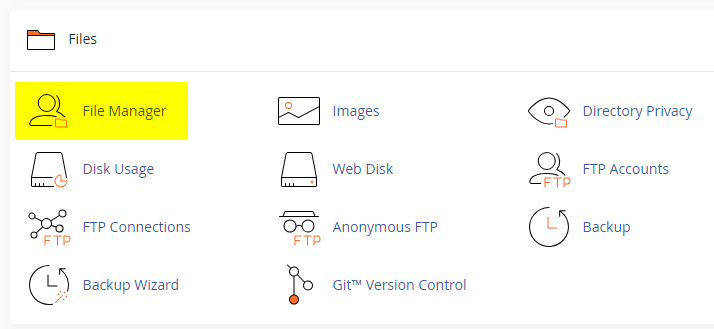
  2. Click on the "File Manager" icon. It's usually under the "Files" section.
  3. You are now in the "File Manager". Open the public_html folder, which is your website's root directory.
  4. Locate the wp-content folder inside "public_html," then open the themes folder inside of it.
  5. In the File Manager interface, click the "Upload" button and choose the theme's .zip file from your local drive.
  6. After it has been uploaded, right-click the .zip file and choose "Extract" or "Unzip".
  7. You can now delete the uploaded .zip file, but it's optional.
  8. Log in to your WordPress dashboard through your web browser.
  9. Go to Appearance → Themes. Now you will see the newly extracted theme.
  10. Make it your active theme by clicking the "Activate" button next to it.

Note: If your hosting provider doesn't offer cPanel, look for a File Manager option in your hosting dashboard (like DirectAdmin, Plesk, or CyberPanel). The process is usually very similar—just find the wp-content/themes folder and upload/extract the theme ZIP file there.

Method 3: Install using FTP

Installing a WordPress theme via FTP is straightforward, though it involves a few more steps compared to using the built-in theme uploader. Here's how to install a WordPress theme using FTP:

  1. Unzip the theme's .zip file you have downloaded.
  2. Connect to your hosting account using an FTP client such as "FileZilla" or "Core FTP".
  3. Navigate to the /wp-content/themes folder in the "Remote site" section.
  4. In the "Local site" section, locate the unzipped theme folder.
  5. Drag and drop the unzipped theme folder from the "Local site" section to the "Remote site" section.
  6. Be patient and let the transfer finish.
  7. Once the transfer is complete, log in to your WordPress dashboard and navigate to Appearance > Themes.
  8. Find the theme you just uploaded and click Activate.

Troubleshooting Tips

  • Didn't receive the download email? Wait 5–10 minutes or check your spam/junk folder. But if you still can not find this email or download link is broken, please inform us. we will send it ASAP.
  • "The uploaded file exceeds the upload_max_filesize directive in php.ini." - If you get this error when following the "Method 1", follow this tutorial: https://themesdna.com/blog/increase-maximum-file-upload-size-wordpress/
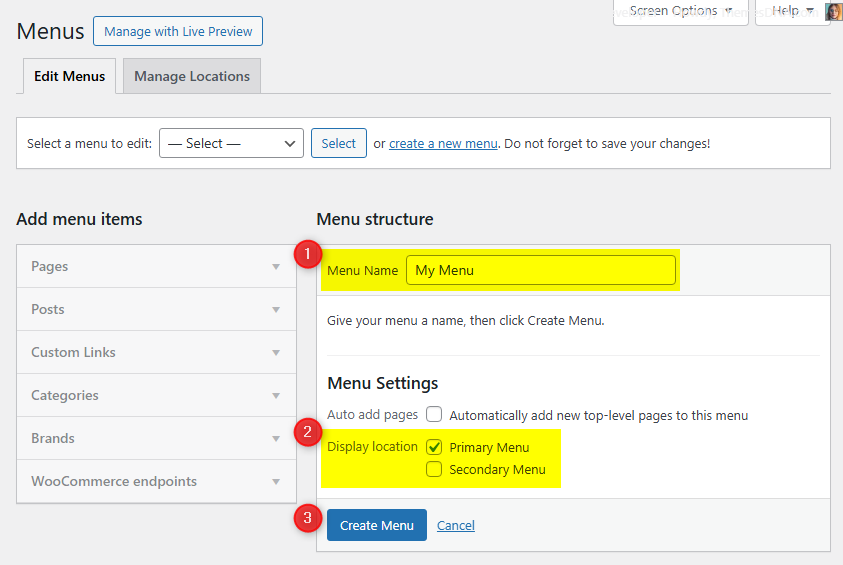
  • My menus disappeared or look different. Go to Appearance → Menus → Manage Locations and reassign your menus to the correct locations.
  • My header text or background color looks different after activating PRO. Reapply your colors in Appearance → Customize → Theme Options → Colors for Header Text Color and Background Color. Then publish.
  • Still can't install the theme? Contact us for help.

Import Demo Content

You can import the demo content, widgets, and Customizer settings shown in the ListMode PRO theme demo using one of the two methods below.

Method 1: One Click Demo Import (Recommended)

  1. Install and activate the One Click Demo Import plugin.
  2. Go to Appearance → Import Demo Data.
  3. Click the “Import” button under ListMode PRO Demo.
  4. Wait a few minutes until the import completes. Do not refresh or close the tab.

All demo content, widgets, and Customizer settings will be imported automatically.

Method 2: Manual Demo Import

You can also import the content, widgets, and Customizer settings manually by following these three steps:

Step 1: Import Main Site Content

This includes: Posts, pages, menus, media, categories, tags, comments, and custom fields.

  1. Download Content File: Download XML File
  2. Go to Tools → Import.
  3. Under "WordPress", click Install Now if not already installed.
  4. Click Run Importer.
  5. Select the downloaded XML file and click Upload file and import.
  6. Map authors to users, check "Download and import file attachments", and click Submit.

Step 2: Import Widgets

  1. Install and activate the Widget Display Conditions plugin (optional, for visibility control).
  2. Install and activate the Widget Importer & Exporter plugin.
  3. Go to Tools → Widget Importer & Exporter.
  4. Click the "copy and paste" link to open a textarea.
  5. Copy content from: Widgets .wie File and paste into the box.
  6. Click Import Widgets.

Step 3: Import Customizer Settings

  1. Download File: Download Customizer File
  2. Install and activate the Customizer Export/Import plugin.
  3. Go to Appearance → Customize → Export/Import.
  4. Select the downloaded `.dat` file, check "Download and import image files?", and click Import.

Regenerate Thumbnails

If your website already has existing posts with featured images, it's highly recommended to regenerate thumbnails after activating the ListMode PRO theme. This ensures that all images match the new theme's layout and display sizes.

Regenerating thumbnails is optional if your site is completely new and doesn't have any uploaded images yet.

However, if you imported the demo content, regenerating thumbnails is essential to display images correctly across the site.

  1. Install and activate the Regenerate Thumbnails plugin.
  2. Go to Tools → Regenerate Thumbnails.
  3. Click the "Regenerate Thumbnails for All x Attachments" button to start the process.
  4. Wait until all images are regenerated. This may take a few minutes depending on your media library size.
  5. If you want, you can deactivate and delete the plugin once the process is complete.

This step ensures clean image alignment and sharp visuals throughout your website using the ListMode PRO theme.

Header Image

Quick Start Guide

ListMode PRO theme allows users to upload their very own site-wide custom header image with custom title and description to obtain a much more personalized look and feel. Also they can upload an unique header image for each post/page with unique title and description replacing the site-wide header image and its title/description.

There are many header image options in ListMode PRO:

  1. Header image options in Theme Customizer
  2. Header image options in post edit screen
  3. Header image options in page edit screen

How to Add a Header Image?

There are 3 types of header images in this theme:

  1. Site-wide Header Image : Appearance → Customize → Theme Options → Header Image
  2. Header Images of Posts : Post’s Edit Screen → “Post Settings – ListMode PRO” Meta Box → Site Header Image
  3. Header Images of Pages : Page’s Edit Screen → “Page Settings – ListMode PRO” Meta Box → Site Header Image

How to Add a Site-wide Header Image?

Site-wide header image will be displayed everywhere on your website. But if you add a header image to a post/page using settings of that post/page, site-wide header image will be replaced by that header image.

  1. Go to AppearanceCustomizeTheme OptionsHeader Image
  2. Upload your header image using Add new image button.

How to Add a Header Image to a Post?

You can set a different header image for each post.

  1. To set a header image to a post, go to edit screen of that post.
  2. Find the Post Settings - ListMode PRO meta box.
  3. Add your image URL or upload an image using Site Header Image option.

How to Add a Header Image to a Page?

You can set a different header image for each page. To set a header image to a page, go to edit screen of that page. Find the Page Settings - ListMode PRO meta box.
Add your image URL or upload an image using Site Header Image option.

How to Add a Custom Title/Description to Header Image?

By default, the theme displays your website's title as the header image title and the tagline as the header image description. However, you can replace both with custom title and description.

First, you need to enable the display of custom header image title and description sitewide. To do this, go to AppearanceCustomizeTheme OptionsHeader Image and check the option Add Custom Title/Custom Description to Header Image and save settings.

Add a Custom Title/Description to Site-wide Header Image:

  1. Go to AppearanceCustomizeTheme OptionsHeader Image
  2. Add your custom header image title to Header Image Custom Title text field.
  3. Add your custom header image description title to Header Image Custom Description text field.
  4. Save settings.

How to Add a Custom Title/Description to the Header Image of a Post?

You can assign a unique title and description to the header image of each post. These will override the sitewide header image title and description.

  1. Go to the edit screen of that post.
  2. Find the Post Settings - ListMode PRO meta box.
  3. Use Site Header Image Title and Site Header Image Description options for adding a title and a description.
  4. Update the post.

How to Add a Custom Title and Description to the Header Image of a Page?

You can assign a unique title and description to the header image of each page. These will override the sitewide header image title and description.

  1. Go to the edit screen of that page.
  2. Find the Page Settings - ListMode PRO meta box.
  3. Use Site Header Image Title and Site Header Image Description options for adding a title and a description.
  4. Update the page.

How to Hide Title/Description from Header Image?

  1. Go to AppearanceCustomizeTheme OptionsHeader Image.
  2. Check the option Hide both Title and Description from Header Image and save settings.
  3. Save settings.

Note: This option will hide both header image title and header image description sitewide.

News Ticker

The News Ticker in the ListMode PRO theme is a lightweight, eye-catching feature that displays your posts in a smooth, horizontal scrolling format at the top of your site. It's perfect for highlighting breaking news, trending updates, or featured content with a continuous stream of headlines that captures visitors' attention. Fully customizable via the WordPress Theme Customizer, you can easily enable or disable the ticker, set a custom label, define the number of posts to display, and filter content by recent posts, a specific category, a specific tag, or manually entered post IDs. This feature adds a dynamic touch to your website while keeping readers informed of key updates.

How to Configure the News Ticker

You can activate and customize it via the WordPress Theme Customizer.

Step 1: Access the News Ticker Options

  1. Go to your WordPress Dashboard.
  2. Navigate to Appearance → Customize.
  3. Click on Theme Options → News Ticker Options.

Step 2: Enable the News Ticker

Find the option Enable News Ticker and toggle the switch to Yes to activate the news ticker on your site.

Step 3: Configure Ticker Options

👉 Check the complete list of "News Ticker Options" available

Step 4: Save Changes

Once you've configured the settings, click the Publish button at the top of the Customizer to apply the changes.

Tips

  • Use Posts by IDs to curate exactly which headlines appear.
  • Use Tag Posts or Category Posts for automated updates within a topic.
  • Adjust duration and width values for responsiveness and readability.

Custom Widgets

Quick Start Guide

To see available widgets and widget areas please navigate to WordPress DashboardAppearanceWidgets. You can drag and drop widgets into widget areas you like. The Widgets page will look like this: ListMode PRO Widgets and Widget Areas

There are 3 custom widgets bundled with the ListMode PRO theme.

  1. ListMode Featured Posts Widget
  2. ListMode Tabbed Widget
  3. ListMode About and Social Widget

ListMode Featured Posts Widget

Displays a list of posts from recent posts, a chosen category, a chosen tag, or specific post IDs. Sorting supports published date, modified date, comment count, random, likes, and views. Includes toggles for title, meta, snippet, share, and pagination.

Typical use

Homepage or sidebar feature block with 1 to 5 columns, small thumbnails, and quick meta.

Options available in the “ListMode Featured Posts Widget”:

Option ID Option Name Description Control Type Accepted Value Default
titleTitleWidget title shown above the block.TextPlain textFeatured Posts Widget
post_columnColumnsNumber of columns in the layout.Selectlistmode-fpw-1-column, listmode-fpw-2-columns, listmode-fpw-3-columns, listmode-fpw-4-columns, listmode-fpw-5-columnslistmode-fpw-1-column
thumb_styleThumbnail SizeImage size used for thumbnails.Select72:72, 100:100, 120:80, 125:125, 150:150, and other ListMode predefined sizeslistmode-100w-100h-image
posts_per_pageNumber of PostsTotal posts to show.TextPositive integer5
post_typeSourceWhere to pull posts from.Selectrecentposts, catposts, tagposts, postsbyidsrecentposts
featured_catCategoryCategory to display when Source is Category Posts.SelectAny category(empty)
featured_tagTagTag to display when Source is Tag Posts.SelectAny tag(empty)
include_postsInclude Posts (IDs)Only show these post IDs when Source is Posts by IDs.TextComma separated IDs (e.g., 12,45,130)(empty)
exclude_postsExclude Posts (IDs)Hide these post IDs.TextComma separated IDs(empty)
orderbyOrder BySort method.Selectdate, modified, comment_count, rand, post_likes, post_viewsdate
orderOrderAscending or descending order.SelectASC, DESCDESC
date_typeDate TypeWhich date to show.Selectpublished, updatedpublished
dateformatDate FormatPHP date format pattern.Texte.g., Y-m-dY-m-d
show_thumbnailShow ThumbnailShow featured image.Checkboxtrue or falsetrue
show_default_imageShow Default ImageFallback when no thumbnail exists.Checkboxtrue or falsetrue
no_thumbnail_linkDisable Thumbnail LinkDo not link the thumbnail to the post.Checkboxtrue or falsefalse
show_titleShow TitleDisplay the post title.Checkboxtrue or falsetrue
no_title_linkDisable Title LinkDo not link the title to the post.Checkboxtrue or falsefalse
limit_titleLimit Title LengthTrim title to a number of words.Checkboxtrue or falsefalse
title_lengthTitle LengthWord count when limiting titles.TextPositive integer6
show_authorShow AuthorDisplay author name.Checkboxtrue or falsetrue
no_author_linkDisable Author LinkShow author without link.Checkboxtrue or falsefalse
show_dateShow DateDisplay post date.Checkboxtrue or falsetrue
show_commentsShow Comments CountDisplay total comments.Checkboxtrue or falsefalse
show_catsShow CategoriesDisplay category list.Checkboxtrue or falsefalse
no_cats_linkDisable Category LinksShow category text without links.Checkboxtrue or falsefalse
show_tagsShow TagsDisplay tag list.Checkboxtrue or falsefalse
no_tags_linkDisable Tag LinksShow tags without links.Checkboxtrue or falsefalse
show_snippetShow SnippetDisplay excerpt or content snippet.Checkboxtrue or falsetrue
snippet_typeSnippet SourceSource for the snippet text.Selectpostcontent, postexcerptpostcontent
snippet_lengthSnippet LengthNumber of words in snippet.TextPositive integer15
show_likesShow LikesDisplay like count.Checkboxtrue or falsefalse
show_viewsShow ViewsDisplay view count.Checkboxtrue or falsefalse
show_sharebtnsShow Share ButtonsOverlay share buttons on thumbnails or near meta.Checkboxtrue or falsefalse
show_readmoreShow Read MoreDisplay a read more button.Checkboxtrue or falsefalse
readmore_textRead More TextButton label for Read More.TextPlain textContinue Reading
show_viewallShow View AllDisplay a view all button.Checkboxtrue or falsefalse
viewall_textView All TextButton label for View All.TextPlain textView All
cat_links_textCategory Links TextPrefix text before category links.TextPlain text(empty)
tag_links_textTag Links TextPrefix text before tag links.TextPlain text(empty)
ajax_navigationUse Ajax NavigationEnable Ajax loading for pagination.Checkboxtrue or falsetrue
page_numbersShow Page NumbersShow numeric pagination.Checkboxtrue or falsetrue
post_title_font_sizeTitle Font SizePost title font size.TextCSS size value15px
post_title_mobile_font_sizeTitle Font Size (Mobile)Post title font size on mobile.TextCSS size value14px
post_meta_font_sizeMeta Font SizeFont size for meta.TextCSS size value12px
read_more_font_sizeRead More Font SizeFont size for read more button.TextCSS size value12px
post_snippet_font_sizeSnippet Font SizeFont size for snippet text.TextCSS size value13px

Usage notes

  • Likes and Views require ListMode like and view counters to be active.
  • Ajax Navigation and Page Numbers control pagination behavior inside the widget block.
  • Thumbnail style keys are ListMode image sizes registered by the theme.

ListMode Tabbed Widget

Shows three tabs of posts. Each tab can use a different data source and sorting. Common display toggles control thumbnails, title, meta, snippet, likes, views, and share buttons.

Typical use

Compact sidebar module to mix Popular, Recent, and Random lists.

Options available in the “ListMode Tabbed Widget”:

Option ID Option Name Description Control Type Accepted Value Default
titleTitleWidget title shown above the tabs.TextPlain textTabbed Widget
post_columnColumnsNumber of columns inside each tab.Selectlistmode-fpw-1-column, listmode-fpw-2-columns, listmode-fpw-3-columns, listmode-fpw-4-columns, listmode-fpw-5-columnslistmode-fpw-1-column
thumb_styleThumbnail SizeImage size for thumbnails in tabs.Select72:72, 100:100, 120:80, 125:125, 150:150, and other ListMode sizeslistmode-100w-100h-image
posts_per_pageNumber of Posts per TabTotal posts to show on each tab.TextPositive integer3
show_taboneShow Tab 1Toggle visibility for first tab.Checkboxtrue or falsetrue
show_tabtwoShow Tab 2Toggle visibility for second tab.Checkboxtrue or falsetrue
show_tabthreeShow Tab 3Toggle visibility for third tab.Checkboxtrue or falsetrue
tabone_nameTab 1 NameLabel for Tab 1.TextPlain textPopular
tabtwo_nameTab 2 NameLabel for Tab 2.TextPlain textRecent
tabthree_nameTab 3 NameLabel for Tab 3.TextPlain textRandom
show_thumbnailShow ThumbnailDisplay featured image.Checkboxtrue or falsetrue
show_default_imageShow Default ImageFallback thumbnail when missing.Checkboxtrue or falsetrue
no_thumbnail_linkDisable Thumbnail LinkDo not link thumbnail to the post.Checkboxtrue or falsefalse
show_titleShow TitleDisplay post title.Checkboxtrue or falsetrue
no_title_linkDisable Title LinkDo not link title to the post.Checkboxtrue or falsefalse
limit_titleLimit Title LengthTrim title to a number of words.Checkboxtrue or falsefalse
title_lengthTitle LengthWord count when limiting titles.TextPositive integer6
show_authorShow AuthorDisplay author name.Checkboxtrue or falsefalse
show_dateShow DateDisplay post date.Checkboxtrue or falsetrue
date_typeDate TypeWhich date to show.Selectpublished, updatedpublished
dateformatDate FormatPHP date format pattern.Texte.g., Y-m-dY-m-d
show_commentsShow Comments CountDisplay total comments.Checkboxtrue or falsetrue
show_catsShow CategoriesDisplay categories.Checkboxtrue or falsefalse
no_cats_linkDisable Category LinksShow categories without links.Checkboxtrue or falsefalse
show_tagsShow TagsDisplay tags.Checkboxtrue or falsefalse
no_tags_linkDisable Tag LinksShow tags without links.Checkboxtrue or falsefalse
show_snippetShow SnippetDisplay excerpt or content snippet.Checkboxtrue or falsetrue
snippet_typeSnippet SourceSource for the snippet text.Selectpostcontent, postexcerptpostcontent
snippet_lengthSnippet LengthNumber of words in snippet.TextPositive integer15
show_likesShow LikesDisplay like count.Checkboxtrue or falsefalse
show_viewsShow ViewsDisplay view count.Checkboxtrue or falsefalse
show_sharebtnsShow Share ButtonsOverlay share buttons on thumbnails or near meta.Checkboxtrue or falsefalse
readmore_textRead More TextButton label for read more when enabled via template.TextPlain textContinue Reading
center_tabsCenter Tab LabelsCenter the tab headings.Checkboxtrue or falsefalse
tabone_post_typeTab 1 SourceData source for Tab 1.Selectrecentposts, catposts, tagposts, postsbyidsrecentposts
tabone_orderbyTab 1 Order BySort method for Tab 1.Selectcomment_count, date, modified, rand, post_likes, post_viewscomment_count
tabone_orderTab 1 OrderAscending or descending.SelectASC, DESCDESC
tabone_featured_catTab 1 CategoryCategory when Tab 1 uses category source.SelectAny category(empty)
tabone_featured_tagTab 1 TagTag when Tab 1 uses tag source.SelectAny tag(empty)
tabone_include_postsTab 1 Include (IDs)IDs when Tab 1 uses IDs source.TextComma separated IDs(empty)
tabone_exclude_postsTab 1 Exclude (IDs)IDs to hide on Tab 1.TextComma separated IDs(empty)
tabtwo_post_typeTab 2 SourceData source for Tab 2.Selectrecentposts, catposts, tagposts, postsbyidsrecentposts
tabtwo_orderbyTab 2 Order BySort method for Tab 2.Selectdate, modified, comment_count, rand, post_likes, post_viewsdate
tabtwo_orderTab 2 OrderAscending or descending.SelectASC, DESCDESC
tabtwo_featured_catTab 2 CategoryCategory when Tab 2 uses category source.SelectAny category(empty)
tabtwo_featured_tagTab 2 TagTag when Tab 2 uses tag source.SelectAny tag(empty)
tabtwo_include_postsTab 2 Include (IDs)IDs when Tab 2 uses IDs source.TextComma separated IDs(empty)
tabtwo_exclude_postsTab 2 Exclude (IDs)IDs to hide on Tab 2.TextComma separated IDs(empty)
tabthree_post_typeTab 3 SourceData source for Tab 3.Selectrecentposts, catposts, tagposts, postsbyidsrecentposts
tabthree_orderbyTab 3 Order BySort method for Tab 3.Selectrand, date, modified, comment_count, post_likes, post_viewsrand
tabthree_orderTab 3 OrderAscending or descending.SelectASC, DESCDESC
tabthree_featured_catTab 3 CategoryCategory when Tab 3 uses category source.SelectAny category(empty)
tabthree_featured_tagTab 3 TagTag when Tab 3 uses tag source.SelectAny tag(empty)
tabthree_include_postsTab 3 Include (IDs)IDs when Tab 3 uses IDs source.TextComma separated IDs(empty)
tabthree_exclude_postsTab 3 Exclude (IDs)IDs to hide on Tab 3.TextComma separated IDs(empty)
ajax_navigationUse Ajax NavigationEnable Ajax for pagination inside tabs.Checkboxtrue or falsetrue
page_numbersShow Page NumbersShow numeric pagination inside tabs.Checkboxtrue or falsetrue
post_title_font_sizeTitle Font SizePost title font size.TextCSS size value15px
post_title_mobile_font_sizeTitle Font Size (Mobile)Post title font size on mobile.TextCSS size value15px
post_meta_font_sizeMeta Font SizeFont size for meta.TextCSS size value12px
read_more_font_sizeRead More Font SizeFont size for read more button if used.TextCSS size value12px
post_snippet_font_sizeSnippet Font SizeFont size for snippet text.TextCSS size value13px

Usage notes

  • Popular tab uses comment count by default. You can switch to likes or views.
  • Center Tabs aligns tab labels. Helpful when using short labels.
  • Ajax and page numbers behave per tab data source.

ListMode About and Social Widget

Add an image and description about you with a large set of social profile links. Leave any profile blank to hide its icon.

Typical use

Sidebar author box with round or square social icons linking to your profiles.

Option ID Option Name Description Control Type Accepted Value Default
titleTitleWidget title shown above the block.TextPlain textAbout and Social Widget
imageProfile Image URLURL to your avatar or logo.TextFull URL(empty)
descriptionDescriptionShort bio or tagline shown under the image.TextareaPlain text or safe HTML(empty)
round_buttonsUse Round ButtonsToggle round icon style.Checkboxtrue or falsefalse
Social Profiles
facebookFacebook URLLink to your Facebook page/profile.TextFull URL(empty)
twitterX URLLink to your X profile.TextFull URL(empty)
threadsThreads URLLink to your Threads profile.TextFull URL(empty)
pinterestPinterest URLPinterest profile link.TextFull URL(empty)
linkedinLinkedIn URLLinkedIn profile or page.TextFull URL(empty)
instagramInstagram URLInstagram profile link.TextFull URL(empty)
flickrFlickr URLFlickr profile link.TextFull URL(empty)
youtubeYouTube URLChannel link.TextFull URL(empty)
vimeoVimeo URLVimeo profile link.TextFull URL(empty)
soundcloudSoundCloud URLSoundCloud profile link.TextFull URL(empty)
messengerMessenger URLMessenger link.TextFull URL(empty)
whatsappWhatsApp URLClick to chat link.TextFull URL(empty)
tiktokTikTok URLTikTok profile link.TextFull URL(empty)
lastfmLast.fm URLLast.fm profile link.TextFull URL(empty)
mediumMedium URLMedium profile or publication.TextFull URL(empty)
githubGitHub URLGitHub profile link.TextFull URL(empty)
bitbucketBitbucket URLBitbucket profile link.TextFull URL(empty)
tumblrTumblr URLTumblr blog link.TextFull URL(empty)
diggDigg URLDigg profile link.TextFull URL(empty)
deliciousDelicious URLDelicious profile link.TextFull URL(empty)
stumbleuponStumbleUpon URLLegacy StumbleUpon profile.TextFull URL(empty)
mixMix URLMix.com profile link.TextFull URL(empty)
redditReddit URLReddit profile or subreddit.TextFull URL(empty)
dribbbleDribbble URLDribbble portfolio link.TextFull URL(empty)
flipboardFlipboard URLFlipboard magazine profile.TextFull URL(empty)
bloggerBlogger URLBlogger blog link.TextFull URL(empty)
etsyEtsy URLEtsy shop link.TextFull URL(empty)
behanceBehance URLBehance portfolio link.TextFull URL(empty)
amazonAmazon URLAmazon profile or storefront.TextFull URL(empty)
meetupMeetup URLMeetup group or profile.TextFull URL(empty)
mixcloudMixcloud URLMixcloud page link.TextFull URL(empty)
slackSlack URLSlack invite link.TextFull URL(empty)
snapchatSnapchat URLSnapchat profile link.TextFull URL(empty)
spotifySpotify URLArtist or profile link.TextFull URL(empty)
vkVK URLVK profile link.TextFull URL(empty)
yelpYelp URLYelp listing link.TextFull URL(empty)
wpWordPress URLWordPress.org profile link.TextFull URL(empty)
twitchTwitch URLTwitch channel link.TextFull URL(empty)
telegramTelegram URLPublic channel or group link.TextFull URL(empty)
bandcampBandcamp URLBandcamp page link.TextFull URL(empty)
quoraQuora URLQuora profile link.TextFull URL(empty)
foursquareFoursquare URLFoursquare profile link.TextFull URL(empty)
deviantartDeviantArt URLDeviantArt profile link.TextFull URL(empty)
imdbIMDb URLIMDb page link.TextFull URL(empty)
codepenCodePen URLCodePen profile link.TextFull URL(empty)
jsfiddleJSFiddle URLJSFiddle profile link.TextFull URL(empty)
stackoverflowStack Overflow URLStack Overflow profile link.TextFull URL(empty)
stackexchangeStack Exchange URLStack Exchange profile link.TextFull URL(empty)
buyselladsBuySellAds URLBuySellAds account link.TextFull URL(empty)
web500px500px URL500px portfolio link.TextFull URL(empty)
elloEllo URLEllo profile link.TextFull URL(empty)
discordDiscord URLDiscord profile or server link.TextFull URL(empty)
goodreadsGoodreads URLGoodreads profile link.TextFull URL(empty)
odnoklassnikiOdnoklassniki URLOK profile link.TextFull URL(empty)
houzzHouzz URLHouzz profile link.TextFull URL(empty)
pocketPocket URLPocket profile link.TextFull URL(empty)
xingXING URLXING profile link.TextFull URL(empty)
mastodonMastodon URLMastodon profile link.TextFull URL(empty)
blueskyBluesky URLBluesky profile link.TextFull URL(empty)
googleplayGoogle Play URLGoogle Play developer page.TextFull URL(empty)
slideshareSlideShare URLSlideShare profile link.TextFull URL(empty)
dropboxDropbox URLPublic Dropbox folder or profile link.TextFull URL(empty)
paypalPayPal URLPayPal.me or donation link.TextFull URL(empty)
viadeoViadeo URLViadeo profile link.TextFull URL(empty)
wikipediaWikipedia URLWikipedia page link.TextFull URL(empty)
skypeSkypeSkype URI like skype:username?chat.TextSkype URI or username(empty)
envelopeEmailContact email link.Textmailto:your@email(empty)
rssRSS URLRSS or Atom feed URL.TextFull URL(empty)

Usage notes

  • Round Buttons applies a rounded style to all icons.
  • Leave any profile blank to hide its icon.
  • Use a square image for best avatar results.

Widgets Areas

There are 37 widget areas in the ListMode PRO theme.


  1. Header Right Widgets

    This widget area is located on the right side of the header of your web page. You can drag and drop a Custom HTML widget here and add your banner ad code into that widget.

  2. Sidebar 1 Widgets

    This widget area is located on the left-hand side of your web page.

  3. Sidebar 2 Widgets

    This widget area is located on the right-hand side of your web page.

  4. Top Full Width Widgets (Everywhere)

    This full-width widget area is located after the header of your website. Widgets of this widget area are displayed on every page of your website.

  5. Top Full Width Widgets (Default HomePage)

    This full-width widget area is located after the header of your website. Widgets of this widget area are displayed on the default homepage of your website (when you are showing your latest posts on homepage).

  6. Top Full Width Widgets (Static HomePage)

    This full-width widget area is located after the header of your website. Widgets of this widget area are displayed on the static homepage of your website (when you are using a static page as your homepage).

  7. Top Full Width Widgets (not Static HomePage)

    This full-width widget area is located after the header of your website. Widgets of this widget area are displayed on every page except on static homepage of your website.

  8. Top Full Width Widgets (Single Pages)

    This full-width widget area is located after the header of your website. Widgets of this widget area are displayed on single post of any post type (except attachments and pages) of your website.

  9. Top Full Width Widgets (Singular Pages)

    This full-width widget area is located after the header of your website. Widgets of this widget area are displayed on single post of any post type (including attachments and pages) of your website.

  10. Above Content Widgets (Everywhere)

    This widget area is located above the main content area. Widgets of this widget area are displayed on every page of your website.

  11. Above Content Widgets (Default HomePage)

    This widget area is located above the main content area. Widgets of this widget area are displayed on the default homepage of your website (when you are showing your latest posts on homepage).

  12. Above Content Widgets (Static HomePage)

    This widget area is located above the main content area. Widgets of this widget area are displayed on the static homepage of your website (when you are using a static page as your homepage).

  13. Above Content Widgets (not Static HomePage)

    This widget area is located above the main content area. Widgets of this widget area are displayed on every page except on static homepage of your website.

  14. Above Content Widgets (Single Pages)

    This widget area is located above the main content area. Widgets of this widget area are displayed on single post of any post type (except attachments and pages) of your website.

  15. Above Content Widgets (Singular Pages)

    This widget area is located above the main content area. Widgets of this widget area are displayed on single post of any post type (including attachments and pages) of your website.

  16. Below Content Widgets (Everywhere)

    This widget area is located below the main content area. Widgets of this widget area are displayed on every page of your website.

  17. Below Content Widgets (Default HomePage)

    This widget area is located below the main content area. Widgets of this widget area are displayed on the default homepage of your website (when you are showing your latest posts on homepage).

  18. Below Content Widgets (Static HomePage)

    This widget area is located below the main content area. Widgets of this widget area are displayed on the static homepage of your website (when you are using a static page as your homepage).

  19. Below Content Widgets (not Static HomePage)

    This widget area is located below the main content area. Widgets of this widget area are displayed on every page except on static homepage of your website.

  20. Below Content Widgets (Single Pages)

    This widget area is located below the main content area. Widgets of this widget area are displayed on single post of any post type (except attachments and pages) of your website.

  21. Below Content Widgets (Singular Pages)

    This widget area is located below the main content area. Widgets of this widget area are displayed on single post of any post type (including attachments and pages) of your website.

  22. Bottom Full Width Widgets (Everywhere)

    This full-width widget area is located before the footer of your website. Widgets of this widget area are displayed on every page of your website.

  23. Bottom Full Width Widgets (Default HomePage)

    This full-width widget area is located before the footer of your website. Widgets of this widget area are displayed on the default homepage of your website (when you are showing your latest posts on homepage).

  24. Bottom Full Width Widgets (Static HomePage)

    This full-width widget area is located before the footer of your website. Widgets of this widget area are displayed on the static homepage of your website (when you are using a static page as your homepage).

  25. Bottom Full Width Widgets (not Static HomePage)

    This full-width widget area is located before the footer of your website. Widgets of this widget area are displayed on every page except on static homepage of your website.

  26. Bottom Full Width Widgets (Single Pages)

    This full-width widget area is located before the footer of your website. Widgets of this widget area are displayed on single post of any post type (except attachments and pages) of your website.

  27. Bottom Full Width Widgets (Singular Pages)

    This full-width widget area is located before the footer of your website. Widgets of this widget area are displayed on single post of any post type (including attachments and pages) of your website.

  28. Single Post Bottom Widgets

    This widget area is located at the bottom of single post of any post type (except attachments and pages).

  29. Footer Top

    This widget area is located on the top of the footer of your website.

  30. Footer 1

    This widget area is the column 1 of the footer of your website.

  31. Footer 2

    This widget area is the column 2 of the footer of your website.

  32. Footer 3

    This widget area is the column 3 of the footer of your website.

  33. Footer 4

    This widget area is the column 4 of the footer of your website.

  34. Footer 5

    This widget area is the column 5 of the footer of your website.

  35. Footer 6

    This widget area is the column 6 of the footer of your website.

  36. Footer Bottom

    This widget area is located on the bottom of the footer of your website.

  37. 404 Page Widgets

    This widget area is located on the 404(not found) page of your website.

How to Control Widget Visibility by Location

1. If you'd like to display a widget in specific locations only, please begin by installing and activating the Widget Display Conditions or Widget Context plugin.

2. Drag and drop your widget into any of the widget areas below:

  1. Header Right Widgets
  2. Sidebar 1 Widgets
  3. Sidebar 2 Widgets
  4. Top Full Width Widgets (Everywhere)
  5. Above Content Widgets (Everywhere)
  6. Below Content Widgets (Everywhere)
  7. Bottom Full Width Widgets (Everywhere)
  8. Footer Top
  9. Footer 1
  10. Footer 2
  11. Footer 3
  12. Footer 4
  13. Footer 5
  14. Footer 6
  15. Footer Bottom

3. If you are using Widget Display Conditions plugin, you will see a button called Display conditions at the bottom of your widget settings. Click on that button.

4. Now click on Add group button.

5. Set your widget display conditions and click save.

Custom Page Templates

ListMode PRO includes several ready made templates for pages and posts. These let you build common layouts without touching code. You can switch templates any time while editing.

How to Assign a Template

  1. Open Pages or Posts and create or edit an item.
  2. Find the Template setting.
    • Gutenberg: Right sidebar → Page or Post tab → Template.
    • Classic Editor: Turn on Page Attributes or Post Attributes from Screen Options, then use the Template dropdown.
  3. Pick a template and click Publish or Update.

Contact Form (Page Template)

  • Purpose: Adds a simple contact form so visitors can email you.
  • Where to find it: Choose Contact Form in the Template dropdown when editing a page.
  • Key options: Set the email address that should receive messages in Appearance → Customize → Theme Options → Page Templates Options.
  • Notable behaviors: Includes basic spam checks. Fields are Name, Email, Subject, and Message.

Authors (Page Template)

  • Purpose: Shows a clean directory of your site authors with avatars, bios, and links to their posts.
  • Where to find it: Choose Authors in the Template dropdown when editing a page.
  • Key options: Optional toggles in Appearance → Customize → Theme Options → Page Templates Options. You can hide administrators and hide users who have zero posts.
  • Notable behaviors: Author bios and social links come from each user profile under Users → Profile.

Sitemap (Page Template)

  • Purpose: Creates a human friendly sitemap that helps visitors find content quickly.
  • Where to find it: Choose Sitemap in the Template dropdown when editing a page.
  • Key options: No extra settings. It pulls your latest content automatically.
  • Notable behaviors: Lists pages, categories, tags, archives, and more in a simple two column layout.

Full Width Templates

  • Full Width, no sidebar
    • Purpose: One wide column with no sidebar. Great for long reads, product pages, or hero sections.
    • Where to find it: Pick Full Width, no sidebar for a page or for a post.
    • Notable behaviors: Hides the sidebar to give your content maximum width.
  • Full Width, bottom sidebar
    • Purpose: Main content first, then the sidebar appears below it. Helpful on mobile where sidebars at the bottom feel more natural.
    • Where to find it: Pick Full Width, bottom sidebar for a page or for a post.
    • Notable behaviors: Keeps focus on the article while still letting you show widgets after the content.

Two and Three Column Templates

These templates let you choose where the sidebars sit compared to the content. Each layout is available for pages and for posts.

Template name Layout Best for
Sidebar 1 + Content Left sidebar, content on the right Classic blog feel with navigation on the left
Content + Sidebar 1 Content on the left, right sidebar Standard blog layout with a right rail
Sidebar 2 + Content Alt left sidebar, content on the right Use when you want a different set of widgets on the left
Content + Sidebar 2 Content on the left, alt right sidebar Keep main widgets separate from special ones
Sidebar 1 + Content + Sidebar 2 Two sidebars with content in the middle Magazine style layouts with lots of widgets
Content + Sidebar 1 + Sidebar 2 Content first, then two right sidebars Maximum focus on content while still showing extras
Sidebar 1 + Sidebar 2 + Content Two left sidebars, content on the right Heavy navigation or filters on the left side
Sidebar 2 + Content + Sidebar 1 Alt left sidebar, content, then right sidebar Highlight a special sidebar before the main one
Sidebar 2 + Sidebar 1 + Content Alt left sidebar outside, then main left sidebar, then content When the secondary sidebar holds site wide tools
Content + Sidebar 2 + Sidebar 1 Content first, then alt right sidebar, then main right sidebar Show extra widgets closer to the article

Tips:

  • For a simple blog, start with Content + Sidebar 1.
  • For a magazine look, try Sidebar 1 + Content + Sidebar 2.
  • For landing pages, use a Full Width template.

Customizer Theme Options

To see available WordPress Customizer theme options:

  1. Go to your WordPress Dashboard.
  2. Navigate to Appearance → Customize.
  3. Click on Theme Options.

Site Identity Options

Below is the complete list of Site Identity Options available:

Option ID Option Name Description Control Type Accepted Value Default
logo_locationLogo LocationSelect how you want to display the site logo with site title and tagline.Dropdown
  • Before Site Title and Tagline
  • Above Site Title and Tagline
Above Site Title and Tagline
no_limit_logo_widthDo not Limit the Logo WidthTurn on or off do not Limit the Logo Width.Checkboxtrue / falsefalse
logo_max_widthMax Width of the LogoEnter the max-width value for the logo. Default value is "320px". Note: This option has no effect if you check the "Do not Limit the Logo Width" option.Text InputText string320px

Header Image Options

Below is the complete list of Header Image Options available:

Option ID Option Name Description Control Type Accepted Value Default
hide_header_imageHide Header Image from EverywhereTurn on or off hide Header Image from Everywhere.Checkboxtrue / falsefalse
remove_header_image_linkRemove Link from Header ImageTurn on or off remove Link from Header Image.Checkboxtrue / falsefalse
hide_header_image_detailsHide both Title and Description from Header ImageIf you checked this option, header image title and description will be hidden from all screen sizes.Checkboxtrue / falsefalse
hide_header_image_titleHide Title from Header ImageIf you checked this option, header image title will be hidden from all screen sizes. This option has no effect if you have checked the option: "Hide both Title and Description from Header Image"Checkboxtrue / falsefalse
hide_header_image_descriptionHide Description from Header ImageIf you checked this option, header image description will be hidden from all screen sizes. This option has no effect if you have checked the option: "Hide both Title and Description from Header Image"Checkboxtrue / falsefalse
header_image_title_mobileShow Header Image Title on Smaller ScreensThis option has no effect if you have checked any of these options: "Hide both Title and Description from Header Image", "Hide Title from Header Image"Checkboxtrue / falsefalse
header_image_description_mobileShow Header Image Description on Smaller ScreensThis option has no effect if you have checked any of these options: "Hide both Title and Description from Header Image", "Hide Description from Header Image"Checkboxtrue / falsefalse
header_image_custom_textAdd Custom Title/Custom Description to Header ImageTurn on or off add Custom Title/Custom Description to Header Image.Checkboxtrue / falsefalse
header_image_custom_titleHeader Image Custom TitleSet the header Image Custom Title.Text InputText string(empty)
header_image_custom_descriptionHeader Image Custom DescriptionSet the header Image Custom Description.Text InputText string(empty)
header_image_destinationHeader Image Destination URLEnter the URL a visitor should go when he/she click on the header image. If you did not enter a URL below, header image will be linked to the homepage of your website.URL InputValid URL(empty)
header_image_coverAdd a Minimum Height to Header Image on Smaller ScreensTurn on or off add a Minimum Height to Header Image on Smaller Screens.Checkboxtrue / falsefalse
header_image_height_mobileHeader Image Minimum Height on Smaller ScreensEnter the minimum height value for header image height. Default is 200px
Note: This option has no effect until you check "Add a Minimum Height to Header Image on Smaller Screens" option.
Text InputText string200px
header_image_alt_textHeader Image Alt TextSet the header Image Alt Text.Text InputText string(empty)

Colors Options

Below is the complete list of Colors Options available:

Option ID Option Name Description Control Type Accepted Value Default
header_text_hover_colorHeader Hover Text ColorPick the Header Hover Text Color.Color PickerHex color code (e.g. #ffffff)#e1f5fe
body_text_colorMain Text ColorPick the Main Text Color.Color PickerHex color code (e.g. #ffffff)#444444
link_colorMain Link ColorPick the Main Link Color.Color PickerHex color code (e.g. #ffffff)#666666
link_hover_colorMain Link Hover ColorPick the Main Link Hover Color.Color PickerHex color code (e.g. #ffffff)#000000
headings_colorGeneral Headings ColorPick the General Headings Color.Color PickerHex color code (e.g. #ffffff)#111111
header_bg_colorHeader Background ColorPick the Header Background Color.Color PickerHex color code (e.g. #ffffff)#262626
header_image_title_colorHeader Image Area Title ColorPick the Header Image Area Title Color.Color PickerHex color code (e.g. #ffffff)#ffffff
header_image_title_hover_colorHeader Image Area Title Hover ColorPick the Header Image Area Title Hover Color.Color PickerHex color code (e.g. #ffffff)#ffffff
header_image_desc_colorHeader Image Area Description ColorPick the Header Image Area Description Color.Color PickerHex color code (e.g. #ffffff)#ffffff
primary_menu_colors_textPrimary Menu ColorsSet the primary Menu Colors.Text InputText string(empty)
primary_menu_colorPrimary Menu Link ColorPick the Primary Menu Link Color.Color PickerHex color code (e.g. #ffffff)#ffffff
primary_menu_shadow_colorPrimary Menu Link Shadow ColorPick the Primary Menu Link Shadow Color.Color PickerHex color code (e.g. #ffffff)#000000
primary_menu_hover_colorPrimary Menu Link Hover ColorPick the Primary Menu Link Hover Color.Color PickerHex color code (e.g. #ffffff)#ffffff
primary_menu_hover_bg_colorPrimary Menu Link Hover Background ColorPick the Primary Menu Link Hover Background Color.Color PickerHex color code (e.g. #ffffff)#000000
primary_submenu_one_bg_colorPrimary Sub Menu Background ColorPick the Primary Sub Menu Background Color.Color PickerHex color code (e.g. #ffffff)#444444
primary_submenu_bd_colorPrimary Sub Menu Border ColorPick the Primary Sub Menu Border Color.Color PickerHex color code (e.g. #ffffff)#666666
primary_menu_icon_colorPrimary Responsive Menu Icon ColorPick the Primary Responsive Menu Icon Color.Color PickerHex color code (e.g. #ffffff)#ffffff
secondary_menu_colors_textSecondary Menu ColorsSet the secondary Menu Colors.Text InputText string(empty)
secondary_menu_bg_colorSecondary Menu Background ColorPick the Secondary Menu Background Color.Color PickerHex color code (e.g. #ffffff)#000000
secondary_menu_bd_colorSecondary Menu Border ColorPick the Secondary Menu Border Color.Color PickerHex color code (e.g. #ffffff)#404040
secondary_menu_colorSecondary Menu Link ColorPick the Secondary Menu Link Color.Color PickerHex color code (e.g. #ffffff)#ffffff
disable_secondary_menu_shadowDisable Secondary Menu Link Text-Shadow ColorDisable Secondary Menu Link Text-Shadow ColorCheckboxtrue / falsefalse
secondary_menu_shadow_colorSecondary Menu Link Text-Shadow ColorPick the Secondary Menu Link Text-Shadow Color.Color PickerHex color code (e.g. #ffffff)#000000
secondary_menu_hover_colorSecondary Menu Link Hover ColorPick the Secondary Menu Link Hover Color.Color PickerHex color code (e.g. #ffffff)#eeeeee
secondary_menu_hover_bg_colorSecondary Menu Link Hover Background ColorPick the Secondary Menu Link Hover Background Color.Color PickerHex color code (e.g. #ffffff)#000000
secondary_submenu_one_bg_colorSecondary Sub Menu Background ColorPick the Secondary Sub Menu Background Color.Color PickerHex color code (e.g. #ffffff)#222222
secondary_submenu_one_bd_colorSecondary Sub Menu Border ColorPick the Secondary Sub Menu Border Color.Color PickerHex color code (e.g. #ffffff)#444444
secondary_menu_icon_colorSecondary Responsive Menu Icon ColorPick the Secondary Responsive Menu Icon Color.Color PickerHex color code (e.g. #ffffff)#ffffff
header_social_colors_textHeader Social Icons ColorsSet the header Social Icons Colors.Text InputText string(empty)
header_social_colorHeader Social Buttons ColorPick the Header Social Buttons Color.Color PickerHex color code (e.g. #ffffff)#ffffff
header_social_hover_colorHeader Social Buttons Hover ColorPick the Header Social Buttons Hover Color.Color PickerHex color code (e.g. #ffffff)#ffffff
header_social_hover_bg_colorHeader Social Buttons Hover Background ColorPick the Header Social Buttons Hover Background Color.Color PickerHex color code (e.g. #ffffff)#000000
header_social_hover_bd_colorHeader Social Buttons Hover Border ColorPick the Header Social Buttons Hover Border Color.Color PickerHex color code (e.g. #ffffff)#444444
news_ticker_colors_textNews Ticker ColorsSet the news Ticker Colors.Text InputText string(empty)
news_ticker_bg_colorNews Ticker Background ColorPick the News Ticker Background Color.Color PickerHex color code (e.g. #ffffff)#b8b8b8
news_ticker_heading_colorNews Ticker Heading ColorPick the News Ticker Heading Color.Color PickerHex color code (e.g. #ffffff)#ffffff
news_ticker_heading_bg_colorNews Ticker Heading Background ColorPick the News Ticker Heading Background Color.Color PickerHex color code (e.g. #ffffff)#409bd4
news_ticker_date_colorNews Ticker Dates Text ColorPick the News Ticker Dates Text Color.Color PickerHex color code (e.g. #ffffff)#ffffff
news_ticker_date_bg_colorNews Ticker Dates Background ColorPick the News Ticker Dates Background Color.Color PickerHex color code (e.g. #ffffff)#222222
news_ticker_text_colorNews Ticker Text ColorPick the News Ticker Text Color.Color PickerHex color code (e.g. #ffffff)#000000
news_ticker_hover_text_colorNews Ticker Hover Text ColorPick the News Ticker Hover Text Color.Color PickerHex color code (e.g. #ffffff)#555555
slider_posts_colors_textSlider Posts ColorsSet the slider Posts Colors.Text InputText string(empty)
slider_area_bg_colorSlider Area Background ColorPick the Slider Area Background Color.Color PickerHex color code (e.g. #ffffff)#f5f5f5
slider_area_bd_colorSlider Area Border ColorPick the Slider Area Border Color.Color PickerHex color code (e.g. #ffffff)#dddddd
slider_heading_colorSlider Heading ColorPick the Slider Heading Color.Color PickerHex color code (e.g. #ffffff)#000000
slider_heading_shadow_colorSlider Heading Shadow ColorPick the Slider Heading Shadow Color.Color PickerHex color code (e.g. #ffffff)#ffffff
slider_post_title_colorSlider Post Title ColorPick the Slider Post Title Color.Color PickerHex color code (e.g. #ffffff)#000000
slider_post_title_hover_colorSlider Post Title Hover ColorPick the Slider Post Title Hover Color.Color PickerHex color code (e.g. #ffffff)#222222
slider_post_snippet_colorSlider Post Snippets Text ColorPick the Slider Post Snippets Text Color.Color PickerHex color code (e.g. #ffffff)#444444
slider_post_snippet_link_colorSlider Post Snippets Link ColorPick the Slider Post Snippets Link Color.Color PickerHex color code (e.g. #ffffff)#409bd4
slider_post_snippet_link_hover_colorSlider Post Snippets Link Hover ColorPick the Slider Post Snippets Link Hover Color.Color PickerHex color code (e.g. #ffffff)#08acd5
slider_post_meta_colorSlider Post Meta Text ColorPick the Slider Post Meta Text Color.Color PickerHex color code (e.g. #ffffff)#555555
slider_post_meta_link_colorSlider Post Meta Link ColorPick the Slider Post Meta Link Color.Color PickerHex color code (e.g. #ffffff)#ff9800
slider_post_meta_link_hover_colorSlider Post Meta Link Hover ColorPick the Slider Post Meta Link Hover Color.Color PickerHex color code (e.g. #ffffff)#000000
slider_post_taxonomies_colorSlider Post Taxonomies Text ColorPick the Slider Post Taxonomies Text Color.Color PickerHex color code (e.g. #ffffff)#555555
slider_post_taxonomies_link_colorSlider Post Taxonomies Link ColorPick the Slider Post Taxonomies Link Color.Color PickerHex color code (e.g. #ffffff)#666666
slider_post_taxonomies_link_hover_colorSlider Post Taxonomies Link Hover ColorPick the Slider Post Taxonomies Link Hover Color.Color PickerHex color code (e.g. #ffffff)#000000
slider_navi_bg_colorSlider Navigation Buttons Background ColorPick the Slider Navigation Buttons Background Color.Color PickerHex color code (e.g. #ffffff)#000000
slider_navi_bd_colorSlider Navigation Buttons Border ColorPick the Slider Navigation Buttons Border Color.Color PickerHex color code (e.g. #ffffff)#555555
slider_navi_colorSlider Navigation Buttons Text ColorPick the Slider Navigation Buttons Text Color.Color PickerHex color code (e.g. #ffffff)#ffffff
slider_navi_hover_bg_colorSlider Navigation Buttons Hover Background ColorPick the Slider Navigation Buttons Hover Background Color.Color PickerHex color code (e.g. #ffffff)#257abd
slider_navi_hover_bd_colorSlider Navigation Buttons Hover Border ColorPick the Slider Navigation Buttons Hover Border Color.Color PickerHex color code (e.g. #ffffff)#000000
slider_navi_hover_colorSlider Navigation Buttons Hover Text ColorPick the Slider Navigation Buttons Hover Text Color.Color PickerHex color code (e.g. #ffffff)#ffffff
post_summaries_colors_textPost Summaries ColorsSet the post Summaries Colors.Text InputText string(empty)
post_summaries_bg_colorPost Summaries Background ColorPick the Post Summaries Background Color.Color PickerHex color code (e.g. #ffffff)#ffffff
post_summaries_sticky_bg_colorSticky Post Summaries Background ColorPick the Sticky Post Summaries Background Color.Color PickerHex color code (e.g. #ffffff)#fffaf0
post_summaries_bd_one_colorPost Summaries Border ColorPick the Post Summaries Border Color.Color PickerHex color code (e.g. #ffffff)#ffffff
post_summaries_bsh_colorPost Summaries Box-Shadow ColorDefault value is: rgba(0, 0, 0, 0.05) 0px 6px 24px 0px, rgba(0, 0, 0, 0.08) 0px 0px 0px 1px

To remove this box-shadow, enter value: none
Text InputText stringrgba(0, 0, 0, 0.05) 0px 6px 24px 0px, rgba(0, 0, 0, 0.08) 0px 0px 0px 1px
mini_post_title_colorPost Summaries Titles ColorPick the Post Summaries Titles Color.Color PickerHex color code (e.g. #ffffff)#000000
mini_post_title_hover_colorPost Summaries Titles Hover ColorPick the Post Summaries Titles Hover Color.Color PickerHex color code (e.g. #ffffff)#222222
mini_post_meta_colorPost Summaries Post Meta Text ColorPick the Post Summaries Post Meta Text Color.Color PickerHex color code (e.g. #ffffff)#555555
mini_post_meta_link_colorPost Summaries Post Meta Link ColorPick the Post Summaries Post Meta Link Color.Color PickerHex color code (e.g. #ffffff)#ff9800
mini_post_meta_link_hover_colorPost Summaries Post Meta Link Hover ColorPick the Post Summaries Post Meta Link Hover Color.Color PickerHex color code (e.g. #ffffff)#000000
mini_post_taxonomies_colorPost Summaries Post Taxonomies Text ColorPick the Post Summaries Post Taxonomies Text Color.Color PickerHex color code (e.g. #ffffff)#555555
mini_post_taxonomies_link_colorPost Summaries Post Taxonomies Link ColorPick the Post Summaries Post Taxonomies Link Color.Color PickerHex color code (e.g. #ffffff)#666666
mini_post_taxonomies_link_hover_colorPost Summaries Post Taxonomies Link Hover ColorPick the Post Summaries Post Taxonomies Link Hover Color.Color PickerHex color code (e.g. #ffffff)#000000
rmore_colorRead More Button ColorPick the Read More Button Color.Color PickerHex color code (e.g. #ffffff)#ffffff
rmore_bg_colorRead More Button Background ColorPick the Read More Button Background Color.Color PickerHex color code (e.g. #ffffff)#333333
rmore_bd_colorRead More Button Border ColorPick the Read More Button Border Color.Color PickerHex color code (e.g. #ffffff)#555555
rmore_hover_colorRead More Button Hover ColorPick the Read More Button Hover Color.Color PickerHex color code (e.g. #ffffff)#ffffff
rmore_bg_hover_colorRead More Button Hover Background ColorPick the Read More Button Hover Background Color.Color PickerHex color code (e.g. #ffffff)#000000
rmore_bd_hover_colorRead More Button Hover Border ColorPick the Read More Button Hover Border Color.Color PickerHex color code (e.g. #ffffff)#555555
post_singular_colors_textSingle Posts ColorsSet the single Posts Colors.Text InputText string(empty)
post_singular_bg_colorSingle Posts Background ColorPick the Single Posts Background Color.Color PickerHex color code (e.g. #ffffff)#ffffff
post_singular_bd_one_colorSingle Posts Border ColorPick the Single Posts Border Color.Color PickerHex color code (e.g. #ffffff)#ffffff
post_singular_bsh_colorSingle Posts Box-Shadow ColorDefault value is: rgba(0, 0, 0, 0.05) 0px 6px 24px 0px, rgba(0, 0, 0, 0.08) 0px 0px 0px 1px

To remove this box-shadow, enter value: none
Text InputText stringrgba(0, 0, 0, 0.05) 0px 6px 24px 0px, rgba(0, 0, 0, 0.08) 0px 0px 0px 1px
post_title_colorSingle Post Title ColorPick the Single Post Title Color.Color PickerHex color code (e.g. #ffffff)#000000
post_title_hover_colorSingle Post Title Hover ColorPick the Single Post Title Hover Color.Color PickerHex color code (e.g. #ffffff)#333333
disable_post_title_shadowDisable Single Post Title Text-Shadow ColorDisable Single Post Title Text-Shadow ColorCheckboxtrue / falsefalse
post_title_shadow_colorSingle Post Title Text-Shadow ColorPick the Single Post Title Text-Shadow Color.Color PickerHex color code (e.g. #ffffff)#ffffff
post_body_link_colorPost Content Link ColorPick the Post Content Link Color.Color PickerHex color code (e.g. #ffffff)#409bd4
post_body_link_hover_colorPost Content Link Hover ColorPick the Post Content Link Hover Color.Color PickerHex color code (e.g. #ffffff)#08acd5
post_meta_colorSingle Post Meta Text ColorPick the Single Post Meta Text Color.Color PickerHex color code (e.g. #ffffff)#666666
post_meta_link_colorSingle Post Meta Link ColorPick the Single Post Meta Link Color.Color PickerHex color code (e.g. #ffffff)#666666
post_meta_link_hover_colorSingle Post Meta Link Hover ColorPick the Single Post Meta Link Hover Color.Color PickerHex color code (e.g. #ffffff)#000000
author_bio_bg_colorAuthor Bio Box Background ColorPick the Author Bio Box Background Color.Color PickerHex color code (e.g. #ffffff)#f2f2f2
author_bio_bd_colorAuthor Bio Box Border 1 ColorPick the Author Bio Box Border 1 Color.Color PickerHex color code (e.g. #ffffff)#dddddd
author_bio_bd_two_colorAuthor Bio Box Border 2 ColorPick the Author Bio Box Border 2 Color.Color PickerHex color code (e.g. #ffffff)#ffffff
author_bio_colorAuthor Bio Box Text ColorPick the Author Bio Box Text Color.Color PickerHex color code (e.g. #ffffff)#555555
author_bio_link_colorAuthor Bio Box Link ColorPick the Author Bio Box Link Color.Color PickerHex color code (e.g. #ffffff)#111111
author_bio_link_hover_colorAuthor Bio Box Link Hover ColorPick the Author Bio Box Link Hover Color.Color PickerHex color code (e.g. #ffffff)#409bd4
navigation_colors_textPost/Posts Navigation ColorsSet the post/Posts Navigation Colors.Text InputText string(empty)
pagination_colorPosts Pagination Links ColorPick the Posts Pagination Links Color.Color PickerHex color code (e.g. #ffffff)#444444
pagination_bg_colorPosts Pagination Links Background ColorPick the Posts Pagination Links Background Color.Color PickerHex color code (e.g. #ffffff)#eeeeee
pagination_bd_colorPosts Pagination Links Border ColorPick the Posts Pagination Links Border Color.Color PickerHex color code (e.g. #ffffff)#cccccc
pagination_hover_colorPosts Pagination Links Hover ColorPick the Posts Pagination Links Hover Color.Color PickerHex color code (e.g. #ffffff)#000000
pagination_bg_hover_colorPosts Pagination Links Hover Background ColorPick the Posts Pagination Links Hover Background Color.Color PickerHex color code (e.g. #ffffff)#dddddd
pagination_bd_hover_colorPosts Pagination Links Hover Border ColorPick the Posts Pagination Links Hover Border Color.Color PickerHex color code (e.g. #ffffff)#bbbbbb
loadmore_colorAjax Load More Button / Navigation Links ColorPick the Ajax Load More Button / Navigation Links Color.Color PickerHex color code (e.g. #ffffff)#ffffff
loadmore_bg_colorAjax Load More Button / Navigation Links Background ColorPick the Ajax Load More Button / Navigation Links Background Color.Color PickerHex color code (e.g. #ffffff)#000000
loadmore_bd_colorAjax Load More Button / Navigation Links Border ColorPick the Ajax Load More Button / Navigation Links Border Color.Color PickerHex color code (e.g. #ffffff)#555555
loadmore_hover_colorAjax Load More Button / Navigation Links Hover ColorPick the Ajax Load More Button / Navigation Links Hover Color.Color PickerHex color code (e.g. #ffffff)#ffffff
loadmore_bg_hover_colorAjax Load More Button / Navigation Links Hover Background ColorPick the Ajax Load More Button / Navigation Links Hover Background Color.Color PickerHex color code (e.g. #ffffff)#409bd4
loadmore_bd_hover_colorAjax Load More Button / Navigation Links Hover Border ColorPick the Ajax Load More Button / Navigation Links Hover Border Color.Color PickerHex color code (e.g. #ffffff)#000000
loading_bg_colorAjax Loading Animation Background ColorPick the Ajax Loading Animation Background Color.Color PickerHex color code (e.g. #ffffff)#409bd4
likes_views_colors_textPost Likes and Views ColorsSet the post Likes and Views Colors.Text InputText string(empty)
likes_views_bg_colorPost Likes/Views Data Background ColorDefault value is: rgba(0, 0, 0, 0.4)Text InputText stringrgba(0, 0, 0, 0.4)
likes_colorPost Likes Button / Post Views ColorPick the Post Likes Button / Post Views Color.Color PickerHex color code (e.g. #ffffff)#ffffff
likes_hover_colorPost Likes Button Hover ColorPick the Post Likes Button Hover Color.Color PickerHex color code (e.g. #ffffff)#ff0000
widgets_colors_textSidebar ColorsSet the sidebar Colors.Text InputText string(empty)
widgets_bg_colorSidebar Widgets Background ColorPick the Sidebar Widgets Background Color.Color PickerHex color code (e.g. #ffffff)#ffffff
widgets_bd_one_colorSidebar Widgets Border ColorPick the Sidebar Widgets Border Color.Color PickerHex color code (e.g. #ffffff)#ffffff
widgets_bsh_colorSidebar Widgets Box-Shadow ColorDefault value is: rgba(0, 0, 0, 0.05) 0px 6px 24px 0px, rgba(0, 0, 0, 0.08) 0px 0px 0px 1px

To remove this box-shadow, enter value: none
Text InputText stringrgba(0, 0, 0, 0.05) 0px 6px 24px 0px, rgba(0, 0, 0, 0.08) 0px 0px 0px 1px
sidebar_title_bg_colorSidebar Widgets Title Background ColorPick the Sidebar Widgets Title Background Color.Color PickerHex color code (e.g. #ffffff)#eeeeee
sidebar_title_bd_colorSidebar Widgets Title Border ColorPick the Sidebar Widgets Title Border Color.Color PickerHex color code (e.g. #ffffff)#dee2e6
sidebar_title_colorSidebar Widgets Title ColorPick the Sidebar Widgets Title Color.Color PickerHex color code (e.g. #ffffff)#000000
disable_sidebar_title_shadowDisable Sidebar Widgets Title Text-Shadow ColorDisable Sidebar Widgets Title Text-Shadow ColorCheckboxtrue / falsefalse
sidebar_title_shadow_colorSidebar Widgets Title Text-Shadow ColorPick the Sidebar Widgets Title Text-Shadow Color.Color PickerHex color code (e.g. #ffffff)#ffffff
sidebar_link_colorSidebar Widgets Link ColorPick the Sidebar Widgets Link Color.Color PickerHex color code (e.g. #ffffff)#444444
sidebar_link_hover_colorSidebar Widgets Link Hover ColorPick the Sidebar Widgets Link Hover Color.Color PickerHex color code (e.g. #ffffff)#666666
archive_title_colorArchive Page Titles ColorPick the Archive Page Titles Color.Color PickerHex color code (e.g. #ffffff)#000000
archive_title_shadow_colorArchive Page Titles Shadow ColorPick the Archive Page Titles Shadow Color.Color PickerHex color code (e.g. #ffffff)#ffffff
tag_cloud_colorTag Cloud Link ColorPick the Tag Cloud Link Color.Color PickerHex color code (e.g. #ffffff)#ffffff
tag_cloud_bg_colorTag Cloud Link BackgroundPick the tag Cloud Link Background color.Color PickerHex color code (e.g. #ffffff)#888888
tag_cloud_hover_colorTag Cloud Link Hover ColorPick the Tag Cloud Link Hover Color.Color PickerHex color code (e.g. #ffffff)#ffffff
tag_cloud_hover_bg_colorTag Cloud Link Hover BackgroundPick the tag Cloud Link Hover Background color.Color PickerHex color code (e.g. #ffffff)#000000
tabnames_colorTabbed Widget Names ColorPick the Tabbed Widget Names Color.Color PickerHex color code (e.g. #ffffff)#ffffff
tabnames_bg_colorTabbed Widget Names Background ColorPick the Tabbed Widget Names Background Color.Color PickerHex color code (e.g. #ffffff)#000000
tabnames_bd_colorTabbed Widget Names Border ColorPick the Tabbed Widget Names Border Color.Color PickerHex color code (e.g. #ffffff)#555555
tabnames_hover_colorTabbed Widget Names Hover ColorPick the Tabbed Widget Names Hover Color.Color PickerHex color code (e.g. #ffffff)#ffffff
tabnames_bg_hover_colorTabbed Widget Names Hover Background ColorPick the Tabbed Widget Names Hover Background Color.Color PickerHex color code (e.g. #ffffff)#409bd4
tabnames_bd_hover_colorTabbed Widget Names Hover Border ColorPick the Tabbed Widget Names Hover Border Color.Color PickerHex color code (e.g. #ffffff)#555555
footer_colors_textFooter ColorsSet the footer Colors.Text InputText string(empty)
footer_bg_colorFooter Background ColorPick the Footer Background Color.Color PickerHex color code (e.g. #ffffff)#f6f8f8
footer_bd_colorFooter Border ColorPick the Footer Border Color.Color PickerHex color code (e.g. #ffffff)#e5e3e3
footer_title_colorFooter Title ColorPick the Footer Title Color.Color PickerHex color code (e.g. #ffffff)#000000
footer_text_colorFooter Text ColorPick the Footer Text Color.Color PickerHex color code (e.g. #ffffff)#555555
footer_link_colorFooter Link ColorPick the Footer Link Color.Color PickerHex color code (e.g. #ffffff)#666666
footer_link_hover_colorFooter Link Hover ColorPick the Footer Link Hover Color.Color PickerHex color code (e.g. #ffffff)#222222
cp_bg_colorCopyrights Background ColorPick the Copyrights Background Color.Color PickerHex color code (e.g. #ffffff)#000000
cp_colorCopyrights Text ColorPick the Copyrights Text Color.Color PickerHex color code (e.g. #ffffff)#ffffff
comment_colors_textComments ColorsSet the comments Colors.Text InputText string(empty)
comments_title_colorComments Titles ColorPick the Comments Titles Color.Color PickerHex color code (e.g. #ffffff)#000000
comments_title_shadow_colorComments Titles Shadow ColorPick the Comments Titles Shadow Color.Color PickerHex color code (e.g. #ffffff)#ffffff
comment_bd_color_oneComments Border ColorPick the Comments Border Color.Color PickerHex color code (e.g. #ffffff)#eaeaea
comment_bg_color_oneComments Background Color 1Pick the Comments Background Color 1.Color PickerHex color code (e.g. #ffffff)#f5f5f5
comment_bg_color_twoComments Background Color 2Pick the Comments Background Color 2.Color PickerHex color code (e.g. #ffffff)#fbfbfb
comment_meta_colorComments Meta ColorPick the Comments Meta Color.Color PickerHex color code (e.g. #ffffff)#888888
table_colors_textHTML Table ColorsSet the hTML Table Colors.Text InputText string(empty)
table_caption_bg_colorTable Caption Background ColorPick the Table Caption Background Color.Color PickerHex color code (e.g. #ffffff)#eeeeee
table_header_bg_colorTable Header Background ColorPick the Table Header Background Color.Color PickerHex color code (e.g. #ffffff)#000000
table_header_bd_colorTable Header Border ColorPick the Table Header Border Color.Color PickerHex color code (e.g. #ffffff)#444444
table_header_text_colorTable Header Text ColorPick the Table Header Text Color.Color PickerHex color code (e.g. #ffffff)#ffffff
table_header_link_colorTable Header Link ColorPick the Table Header Link Color.Color PickerHex color code (e.g. #ffffff)#ffffff
table_header_link_hover_colorTable Header Link Hover ColorPick the Table Header Link Hover Color.Color PickerHex color code (e.g. #ffffff)#409bd4
table_border_colorTable Border ColorPick the Table Border Color.Color PickerHex color code (e.g. #ffffff)#dddddd
table_odd_bg_colorTable Odd Rows Background ColorPick the Table Odd Rows Background Color.Color PickerHex color code (e.g. #ffffff)#ffffff
table_even_bg_colorTable Even Rows Background ColorPick the Table Even Rows Background Color.Color PickerHex color code (e.g. #ffffff)#f8f8f8
table_raw_hover_bg_colorTable Rows Hover Background ColorPick the Table Rows Hover Background Color.Color PickerHex color code (e.g. #ffffff)#dddddd
table_text_colorTable Text ColorPick the Table Text Color.Color PickerHex color code (e.g. #ffffff)#444444
table_link_colorTable Link ColorPick the Table Link Color.Color PickerHex color code (e.g. #ffffff)#409bd4
table_link_hover_colorTable Link Hover ColorPick the Table Link Hover Color.Color PickerHex color code (e.g. #ffffff)#08acd5
disable_table_colorsDisable Color Styles from HTML TablesIf you check this option, all HTML Table color styles coming with the theme will be disabled. You can check this option if you are using a table plugin with its own table CSS styles or if you are using your own custom CSS for tables.Checkboxtrue / falsefalse
input_colors_textInput Elements ColorsSet the input Elements Colors.Text InputText string(empty)
button_text_colorButton Text ColorPick the Button Text Color.Color PickerHex color code (e.g. #ffffff)#ffffff
button_bg_colorButton Background ColorPick the Button Background Color.Color PickerHex color code (e.g. #ffffff)#333333
button_bd_colorButton Border ColorPick the Button Border Color.Color PickerHex color code (e.g. #ffffff)#6f6f6f
button_hover_bg_colorButton Hover Background ColorPick the Button Hover Background Color.Color PickerHex color code (e.g. #ffffff)#7f181b
input_text_colorInput Text ColorPick the Input Text Color.Color PickerHex color code (e.g. #ffffff)#666666
input_bd_colorInput Border ColorPick the Input Border Color.Color PickerHex color code (e.g. #ffffff)#dddddd
input_hover_text_colorInput Hover Text ColorPick the Input Hover Text Color.Color PickerHex color code (e.g. #ffffff)#111111
fieldset_bd_colorFieldset Border ColorPick the Fieldset Border Color.Color PickerHex color code (e.g. #ffffff)#444444
select_text_colorDrop-Down List Text ColorPick the Drop-Down List Text Color.Color PickerHex color code (e.g. #ffffff)#666666
placeholder_text_colorPlaceholder Text ColorPick the Placeholder Text Color.Color PickerHex color code (e.g. #ffffff)#888888
selected_text_colors_textSelected Text ColorsSet the selected Text Colors.Text InputText string(empty)
selected_text_colorSelected Text ColorPick the Selected Text Color.Color PickerHex color code (e.g. #ffffff)#ffffff
selected_text_bg_colorSelected Text Background ColorPick the Selected Text Background Color.Color PickerHex color code (e.g. #ffffff)#05689a
hr_colors_texthr (horizontal rule) tag ColorsSet the hr (horizontal rule) tag Colors.Text InputText string(empty)
hr_bg_colorhr Tag Background ColorPick the hr Tag Background Color.Color PickerHex color code (e.g. #ffffff)#ffffff
hr_bd_top_colorhr Tag Top Border ColorPick the hr Tag Top Border Color.Color PickerHex color code (e.g. #ffffff)#e6e6e6
hr_bd_bottom_colorhr Tag Bottom Border ColorPick the hr Tag Bottom Border Color.Color PickerHex color code (e.g. #ffffff)#f6f6f6
hr_shadow_colorhr Tag Box Shadow ColorPick the hr Tag Box Shadow Color.Color PickerHex color code (e.g. #ffffff)#f2f2f2
pre_colors_textpre Tag ColorsSet the pre Tag Colors.Text InputText string(empty)
pre_bg_colorpre Tag Background ColorPick the pre Tag Background Color.Color PickerHex color code (e.g. #ffffff)#1d1f21
pre_colorpre Tag Text ColorPick the pre Tag Text Color.Color PickerHex color code (e.g. #ffffff)#ffffff
code_colors_textcode Tag ColorsSet the code Tag Colors.Text InputText string(empty)
code_bg_colorcode Tag Background ColorPick the code Tag Background Color.Color PickerHex color code (e.g. #ffffff)#ffff6c
code_colorcode Tag Text ColorPick the code Tag Text Color.Color PickerHex color code (e.g. #ffffff)#222222
mark_colors_textmark and ins Tag ColorsSet the mark and ins Tag Colors.Text InputText string(empty)
mark_bg_colorMarked and Inserted Tag Background ColorPick the Marked and Inserted Tag Background Color.Color PickerHex color code (e.g. #ffffff)#efef00
mark_colorMarked and Inserted Tag Text ColorPick the Marked and Inserted Tag Text Color.Color PickerHex color code (e.g. #ffffff)#222222
captions_bg_colorImage Captions Background ColorPick the Image Captions Background Color.Color PickerHex color code (e.g. #ffffff)#000000
disable_color_optionsDisable All Color OptionsIf you check this option, all above colors options will have no effect. Default colors of the theme will be used. It may be help to improve the speed of the site. You can still change colors adding custom CSS to "Additional CSS" area in Customizer.

Note: After activating/deactivating this option, click on "Publish" button to save Customizer options. After that refresh Customizer before doing other changes in Customizer.
Checkboxtrue / falsefalse

Font Options

Below is the complete list of Font Options available:

Option ID Option Name Description Control Type Accepted Value Default
body_fontsBody Font-FamilyPick a font for body text. Default is Rubik.DropdownMixed (depends on setting)Rubik
body_font_sizeBody Font-SizeChoose body font size. Default is 13px.Dropdown8px - 72px13px
body_font_weightBody Font-WeightChoose body font weight. Default is 400.Dropdown
  • 400
  • 700
400
body_font_styleBody Font-StyleChoose body font style. Default is normal.Dropdown
  • Normal
  • Italic
Normal
body_line_heightBody Line-HeightEnter body line height. Default is 1.6.Text InputText string1.6
site_title_fontsSite Title Font-FamilyPick a font for site title. Default is Oswald.DropdownMixed (depends on setting)Oswald
site_title_font_sizeSite Title Font-SizeChoose site title font size. Default is 24px.Dropdown8px - 72px24px
site_title_font_weightSite Title Font-WeightChoose site title font weight. Default is 400.Dropdown
  • 400
  • 700
400
site_title_font_styleSite Title Font-StyleChoose site title font style. Default is normal.Dropdown
  • Normal
  • Italic
Normal
site_title_line_heightSite Title Line-HeightEnter site title line height. Default is 1.Text InputText string1
site_title_text_transformSite Title Text TransformSelect the text-transform property value for site title.Dropdown
  • None
  • Capitalize
  • Uppercase
  • Lowercase
  • Initial
  • Inherit
Uppercase
site_desc_fontsSite Description Font-FamilyPick a font for site description. Default is Oswald.DropdownMixed (depends on setting)Oswald
site_desc_font_sizeSite Description Font-SizeChoose site description font size. Default is 12px.Dropdown8px - 72px12px
site_desc_font_weightSite Description Font-WeightChoose site description font weight. Default is 400.Dropdown
  • 400
  • 700
400
site_desc_font_styleSite Description Font-StyleChoose site description font style. Default is normal.Dropdown
  • Normal
  • Italic
Normal
site_desc_line_heightSite Description Line-HeightEnter site description line height. Default is 1.Text InputText string1
site_desc_text_transformSite Description Text TransformSelect the text-transform property value for site description.Dropdown
  • None
  • Capitalize
  • Uppercase
  • Lowercase
  • Initial
  • Inherit
Uppercase
header_image_title_fontsHeader Image Title Font-FamilyPick a font for header image title. Default is Rubik.DropdownMixed (depends on setting)Rubik
header_image_title_font_sizeHeader Image Title Font-SizeChoose header image title font size. Default is 24px.Dropdown8px - 72px24px
header_image_title_font_weightHeader Image Title Font-WeightChoose header image title font weight. Default is 700.Dropdown
  • 400
  • 700
700
header_image_title_font_styleHeader Image Title Font-StyleChoose header image title font style. Default is normal.Dropdown
  • Normal
  • Italic
Normal
header_image_title_line_heightHeader Image Title Line-HeightEnter header image title line height. Default is 1.Text InputText string1
header_image_title_text_transformHeader Image Title Text TransformSelect the text-transform property value for header image title.Dropdown
  • None
  • Capitalize
  • Uppercase
  • Lowercase
  • Initial
  • Inherit
None
header_image_desc_fontsHeader Image Description Font-FamilyPick a font for header image description. Default is Rubik.DropdownMixed (depends on setting)Rubik
header_image_desc_font_sizeHeader Image Description Font-SizeChoose header image description font size. Default is 13px.Dropdown8px - 72px13px
header_image_desc_font_weightHeader Image Description Font-WeightChoose header image description font weight. Default is 400.Dropdown
  • 400
  • 700
400
header_image_desc_font_styleHeader Image Description Font-StyleChoose header image description font style. Default is normal.Dropdown
  • Normal
  • Italic
Normal
header_image_desc_line_heightHeader Image Description Line-HeightEnter header image description line height. Default is 1.Text InputText string1
header_image_desc_text_transformHeader Image Description Text TransformSelect the text-transform property value for header image description.Dropdown
  • None
  • Capitalize
  • Uppercase
  • Lowercase
  • Initial
  • Inherit
None
primary_menu_fontsPrimary Menu Font-FamilyPick a font for the primary menu. Default is Oswald.DropdownMixed (depends on setting)Oswald
primary_menu_font_sizePrimary Menu Font-SizeChoose primary menu font size. Default is 13px.Dropdown8px - 72px13px
primary_menu_font_weightPrimary Menu Font-WeightChoose primary menu font weight. Default is 400.Dropdown
  • 400
  • 700
400
primary_menu_font_stylePrimary Menu Font-StyleChoose primary menu font style. Default is normal.Dropdown
  • Normal
  • Italic
Normal
primary_menu_text_transformPrimary Menu Text TransformSelect the text-transform property value for primary menu.Dropdown
  • None
  • Capitalize
  • Uppercase
  • Lowercase
  • Initial
  • Inherit
Uppercase
secondary_menu_fontsSecondary Menu Font-FamilyPick a font for the secondary menu. Default is Oswald.DropdownMixed (depends on setting)Oswald
secondary_menu_font_sizeSecondary Menu Font-SizeChoose secondary menu font size. Default is 13px.Dropdown8px - 72px13px
secondary_menu_font_weightSecondary Menu Font-WeightChoose secondary menu font weight. Default is 400.Dropdown
  • 400
  • 700
400
secondary_menu_font_styleSecondary Menu Font-StyleChoose secondary menu font style. Default is normal.Dropdown
  • Normal
  • Italic
Normal
secondary_menu_text_transformSecondary Menu Text TransformSelect the text-transform property value for secondary menu.Dropdown
  • None
  • Capitalize
  • Uppercase
  • Lowercase
  • Initial
  • Inherit
Uppercase
news_ticker_fontsNews Ticker Font-FamilyPick a font for the news ticker. Default is Rubik.DropdownMixed (depends on setting)Rubik
news_ticker_font_sizeNews Ticker Font-SizeChoose news ticker font size. Default is 13px.Dropdown8px - 72px13px
news_ticker_font_weightNews Ticker Font-WeightChoose news ticker font weight. Default is 400.Dropdown
  • 400
  • 700
400
news_ticker_font_styleNews Ticker Font-StyleChoose news ticker font style. Default is normal.Dropdown
  • Normal
  • Italic
Normal
news_ticker_text_transformNews Ticker Text TransformSelect the text-transform property value for news ticker.Dropdown
  • None
  • Capitalize
  • Uppercase
  • Lowercase
  • Initial
  • Inherit
None
slider_post_title_fontsSlider Post Titles Font-FamilyPick a font for slider post titles. Default is Rubik.DropdownMixed (depends on setting)Rubik
slider_post_title_font_sizeSlider Post Titles Font-SizeChoose slider post titles font size for screens larger than 767px. Default is 15px.Dropdown8px - 72px15px
slider_post_title_mobile_font_sizeSlider Post Titles Font-Size (Small Screen)Choose slider post titles font size for screens smaller than 768px. Default is 15px.Dropdown8px - 72px15px
slider_post_title_font_weightSlider Post Titles Font-WeightChoose slider post titles font weight. Default is 700.Dropdown
  • 400
  • 700
700
slider_post_title_font_styleSlider Post Titles Font-StyleChoose slider post titles font style. Default is normal.Dropdown
  • Normal
  • Italic
Normal
slider_post_title_line_heightSlider Post Titles Line-HeightEnter slider post titles line height. Default is 1.2.Text InputText string1.2
slider_post_title_text_transformSlider Post Titles Text TransformSelect the text-transform property value for slider post titles.Dropdown
  • None
  • Capitalize
  • Uppercase
  • Lowercase
  • Initial
  • Inherit
None
slider_snippets_font_sizeSlider Post Snippets Font-SizeChoose slider post snippets font size. Default is 13px.Dropdown8px - 72px13px
slider_snippets_line_heightSlider Post Snippets Line-HeightEnter slider post snippets line height. Default is 1.6.Text InputText string1.6
slider_post_taxonomies_fontsSlider Post Taxonomies Font-FamilyPick a font for slider post taxonomies. Default is Rubik.DropdownMixed (depends on setting)Rubik
slider_post_taxonomies_font_sizeSlider Post Taxonomies Font-SizeChoose slider post taxonomies font size. Default is 12px.Dropdown8px - 72px12px
slider_post_taxonomies_font_weightSlider Post Taxonomies Font-WeightChoose slider post taxonomies font weight. Default is 400.Dropdown
  • 400
  • 700
400
slider_post_taxonomies_font_styleSlider Post Taxonomies Font-StyleChoose slider post taxonomies font style. Default is normal.Dropdown
  • Normal
  • Italic
Normal
slider_post_taxonomies_text_transformSlider Post Taxonomies Text TransformSelect the text-transform property value for slider post taxonomies.Dropdown
  • None
  • Capitalize
  • Uppercase
  • Lowercase
  • Initial
  • Inherit
None
slider_post_taxonomies_line_heightSlider Post Taxonomies Line-HeightEnter slider post taxonomies line height. Default is 1.2.Text InputText string1.2
slider_post_meta_fontsSlider Post Meta Font-FamilyPick a font for slider post meta. Default is Rubik.DropdownMixed (depends on setting)Rubik
slider_post_meta_font_sizeSlider Post Meta Font-SizeChoose slider post meta font size. Default is 12px.Dropdown8px - 72px12px
slider_post_meta_font_weightSlider Post Meta Font-WeightChoose slider post meta font weight. Default is 400.Dropdown
  • 400
  • 700
400
slider_post_meta_font_styleSlider Post Meta Font-StyleChoose slider post meta font style. Default is normal.Dropdown
  • Normal
  • Italic
Normal
slider_post_meta_text_transformSlider Post Meta Text TransformSelect the text-transform property value for slider post meta.Dropdown
  • None
  • Capitalize
  • Uppercase
  • Lowercase
  • Initial
  • Inherit
None
slider_post_meta_line_heightSlider Post Meta Line-HeightEnter slider post meta line height. Default is 1.Text InputText string1
mini_post_title_fontsPost Summaries Post Title Font-FamilyPick a font for post titles of post summaries. Default is Rubik.DropdownMixed (depends on setting)Rubik
mini_post_title_font_sizePost Summaries Post Title Font-SizeChoose a font size for post titles of post summaries. Default is 15px.Dropdown8px - 72px15px
mini_post_title_mobile_font_sizePost Summaries Post Title Font-Size (Small Screen)Choose a font size for post titles of post summaries on small screens. Default is 15px.Dropdown8px - 72px15px
mini_post_title_font_weightPost Summaries Post Title Font-WeightChoose a font weight for post titles of post summaries. Default is 700.Dropdown
  • 400
  • 700
700
mini_post_title_font_stylePost Summaries Post Title Font-StyleChoose a font style for post titles of post summaries. Default is normal.Dropdown
  • Normal
  • Italic
Normal
mini_post_title_line_heightPost Summaries Post Title Line-HeightEnter a line height for post titles of post summaries. Default is 1.2.Text InputText string1.2
mini_post_title_text_transformPost Summaries Post Title Text TransformSelect the text-transform property value for post titles of post summaries.Dropdown
  • None
  • Capitalize
  • Uppercase
  • Lowercase
  • Initial
  • Inherit
None
mini_post_meta_fontsPost Summaries Post Meta Font-FamilyPick a font for post meta of post summaries. Default is Rubik.DropdownMixed (depends on setting)Rubik
mini_post_meta_font_sizePost Summaries Post Meta Font-SizeChoose a font size for post meta of post summaries. Default is 12px.Dropdown8px - 72px12px
mini_post_meta_font_weightPost Summaries Post Meta Font-WeightChoose a font weight for post meta of post summaries. Default is 400.Dropdown
  • 400
  • 700
400
mini_post_meta_font_stylePost Summaries Post Meta Font-StyleChoose a font style for post meta of post summaries. Default is normal.Dropdown
  • Normal
  • Italic
Normal
mini_post_meta_text_transformPost Summaries Post Meta Text TransformSelect the text-transform property value for post meta of post summaries.Dropdown
  • None
  • Capitalize
  • Uppercase
  • Lowercase
  • Initial
  • Inherit
None
mini_post_taxonomies_fontsPost Summaries Taxonomies Font-FamilyPick a font for post taxonomies of post summaries. Default is Rubik.DropdownMixed (depends on setting)Rubik
mini_post_taxonomies_font_sizePost Summaries Taxonomies Font-SizeChoose a font size for post taxonomies of post summaries. Default is 12px.Dropdown8px - 72px12px
mini_post_taxonomies_font_weightPost Summaries Taxonomies Font-WeightChoose a font weight for post taxonomies of post summaries. Default is 400.Dropdown
  • 400
  • 700
400
mini_post_taxonomies_font_stylePost Summaries Taxonomies Font-StyleChoose a font style for post taxonomies of post summaries. Default is normal.Dropdown
  • Normal
  • Italic
Normal
mini_post_taxonomies_line_heightPost Summaries Taxonomies Line-HeightEnter a line height for post taxonomies of post summaries. Default is 1.2.Text InputText string1.2
mini_post_taxonomies_text_transformPost Summaries Taxonomies Text TransformSelect the text-transform property value for post taxonomies of post summaries.Dropdown
  • None
  • Capitalize
  • Uppercase
  • Lowercase
  • Initial
  • Inherit
None
mini_post_snippets_font_sizePost Summaries Snippets Font-SizeChoose post summaries snippets font size. Default is 13px.Dropdown8px - 72px13px
mini_post_snippets_line_heightPost Summaries Snippets Line-HeightEnter post summaries snippets line height. Default is 1.6.Text InputText string1.6
post_meta_fontsSingle Post Meta Font-FamilyPick a font for single post meta. Default is Oswald.DropdownMixed (depends on setting)Oswald
post_meta_font_sizeSingle Post Meta Font-SizeChoose single post meta font size. Default is 12px.Dropdown8px - 72px12px
post_meta_font_weightSingle Post Meta Font-WeightChoose single post meta font weight. Default is 400.Dropdown
  • 400
  • 700
400
post_meta_font_styleSingle Post Meta Font-StyleChoose single post meta font style. Default is normal.Dropdown
  • Normal
  • Italic
Normal
post_meta_text_transformSingle Post Meta Text TransformSelect the text-transform property value for single post meta fonts.Dropdown
  • None
  • Capitalize
  • Uppercase
  • Lowercase
  • Initial
  • Inherit
Uppercase
read_more_fontsRead More Button Font-FamilyPick a font for read more buttons. Default is Rubik.DropdownMixed (depends on setting)Rubik
read_more_font_sizeRead More Button Font-SizeChoose read more buttons font size. Default is 12px.Dropdown8px - 72px12px
read_more_font_weightRead More Button Font-WeightChoose read more buttons font weight. Default is 400.Dropdown
  • 400
  • 700
400
read_more_font_styleRead More Button Font-StyleChoose read more buttons font style. Default is normal.Dropdown
  • Normal
  • Italic
Normal
read_more_text_transformRead More Button Text TransformSelect the text-transform property value for read more button.Dropdown
  • None
  • Capitalize
  • Uppercase
  • Lowercase
  • Initial
  • Inherit
None
post_title_fontsSingle Post Title Font-FamilyPick a font for single post titles. Default is Merriweather.DropdownMixed (depends on setting)Merriweather
post_title_font_sizeSingle Post Title Font-SizeChoose single post title font size. Default is 24px.Dropdown8px - 72px24px
post_title_font_weightSingle Post Title Font-WeightChoose single post title font weight. Default is 700.Dropdown
  • 400
  • 700
700
post_title_font_styleSingle Post Title Font-StyleChoose single post title font style. Default is normal.Dropdown
  • Normal
  • Italic
Normal
post_title_line_heightSingle Post Title Line-HeightEnter single post title line height. Default is 1.1.Text InputText string1.1
post_title_text_transformSingle Post Titles Text TransformSelect the text-transform property value for single post titles.Dropdown
  • None
  • Capitalize
  • Uppercase
  • Lowercase
  • Initial
  • Inherit
None
post_content_font_sizeSingle Post Content Font-SizeChoose single post content font size. Default is 14px.Dropdown8px - 72px14px
post_content_line_heightSingle Post Content Line-HeightEnter single post content line height. Default is 1.7.Text InputText string1.7
widget_title_fontsMain/Sidebar Widget Titles Font-FamilyPick a font for sidebar widget titles. Default is Rubik.DropdownMixed (depends on setting)Rubik
widget_title_font_sizeMain/Sidebar Widget Titles Font-SizeChoose main/sidebar title font size. Default is 17px.Dropdown8px - 72px17px
widget_title_font_weightMain/Sidebar Widget Titles Font-WeightChoose main/sidebar title font weight. Default is 700.Dropdown
  • 400
  • 700
700
widget_title_font_styleMain/Sidebar Widget Titles Font-StyleChoose main/sidebar title font style. Default is normal.Dropdown
  • Normal
  • Italic
Normal
widget_title_line_heightMain/Sidebar Widget Titles Line-HeightEnter main/sidebar title line height. Default is 1.Text InputText string1
widget_title_text_transformMain/Sidebar Widget Titles Text TransformSelect the text-transform property value for main/sidebars titles.Dropdown
  • None
  • Capitalize
  • Uppercase
  • Lowercase
  • Initial
  • Inherit
None
footer_title_fontsFooter Widget Titles Font-FamilyPick a font for footer widget titles. Default is Rubik.DropdownMixed (depends on setting)Rubik
footer_title_font_sizeFooter Widget Titles Font-SizeChoose footer title font size. Default is 16px.Dropdown8px - 72px16px
footer_title_font_weightFooter Widget Titles Font-WeightChoose footer title font weight. Default is 700.Dropdown
  • 400
  • 700
700
footer_title_font_styleFooter Widget Titles Font-StyleChoose footer title font style. Default is normal.Dropdown
  • Normal
  • Italic
Normal
footer_title_line_heightFooter Widget Titles Line-HeightEnter footer title line height. Default is 1.Text InputText string1
footer_title_text_transformFooter Widget Titles Text TransformSelect the text-transform property value for footer title.Dropdown
  • None
  • Capitalize
  • Uppercase
  • Lowercase
  • Initial
  • Inherit
None
tag_cloud_fontsTag Cloud Widget Font-FamilyPick a font for the tag cloud widget. Default is Oswald.DropdownMixed (depends on setting)Oswald
tag_cloud_font_sizeTag Cloud Widget Font-SizeChoose tag cloud widget font size. Default is 13px.Dropdown8px - 72px13px
tag_cloud_font_weightTag Cloud Widget Font-WeightChoose tag cloud widget font weight. Default is 400.Dropdown
  • 400
  • 700
400
tag_cloud_font_styleTag Cloud Widget Font-StyleChoose tag cloud widget font style. Default is normal.Dropdown
  • Normal
  • Italic
Normal
tag_cloud_text_transformTag Cloud Widget Text TransformSelect the text-transform property value for tag cloud widget.Dropdown
  • None
  • Capitalize
  • Uppercase
  • Lowercase
  • Initial
  • Inherit
Uppercase
rpost_title_fontsRelated Posts Heading Font-FamilyPick a font for related posts heading. Default is Merriweather.DropdownMixed (depends on setting)Merriweather
rpost_title_font_sizeRelated Posts Heading Font-SizeChoose related posts heading font size. Default is 18px.Dropdown8px - 72px18px
rpost_title_font_weightRelated Posts Heading Font-WeightChoose related posts heading font weight. Default is 700.Dropdown
  • 400
  • 700
700
rpost_title_font_styleRelated Posts Heading Font-StyleChoose related posts heading font style. Default is normal.Dropdown
  • Normal
  • Italic
Normal
rpost_title_line_heightRelated Posts Heading Line-HeightEnter related posts heading line height. Default is 1.2.Text InputText string1.2
rpost_title_text_transformRelated Posts Heading Text TransformSelect the text-transform property value for related posts heading.Dropdown
  • None
  • Capitalize
  • Uppercase
  • Lowercase
  • Initial
  • Inherit
None
navigation_fontsPosts Navigation Font-FamilyPick a font for posts navigation. Default is Rubik.DropdownMixed (depends on setting)Rubik
navigation_font_sizePosts Navigation Font-SizeChoose posts navigation font size. Default is 14px.Dropdown8px - 72px14px
navigation_font_weightPosts Navigation Font-WeightChoose posts navigation font weight. Default is 400.Dropdown
  • 400
  • 700
400
navigation_font_stylePosts Navigation Font-StyleChoose posts navigation font style. Default is normal.Dropdown
  • Normal
  • Italic
Normal
navigation_text_transformPosts Navigation Text TransformSelect the text-transform property value for posts navigation.Dropdown
  • None
  • Capitalize
  • Uppercase
  • Lowercase
  • Initial
  • Inherit
None
tabbed_widget_title_fontsTabbed Widget Titles Font-FamilyPick a font for tabbed widget titles. Default is Rubik.DropdownMixed (depends on setting)Rubik
tabbed_widget_title_font_sizeTabbed Widget Titles Font-SizeChoose tabbed widget titles font size. Default is 15px.Dropdown8px - 72px15px
tabbed_widget_title_font_weightTabbed Widget Titles Font-WeightChoose tabbed widget titles font weight. Default is 400.Dropdown
  • 400
  • 700
400
tabbed_widget_title_font_styleTabbed Widget Titles Font-StyleChoose tabbed widget titles font style. Default is normal.Dropdown
  • Normal
  • Italic
Normal
tabbed_widget_title_text_transformTabbed Widget Titles Text TransformSelect the text-transform property value for tabbed widget titles.Dropdown
  • None
  • Capitalize
  • Uppercase
  • Lowercase
  • Initial
  • Inherit
None
headings_fontsGeneral Headings Font-FamilyPick a font for general headings. Default is Merriweather.DropdownMixed (depends on setting)Merriweather
headings_line_heightGeneral Headings Line-HeightEnter general headings line height. Default is 1.Text InputText string1
h1_font_sizeH1 Font-SizeChoose H1 font size. Default is 32px.Dropdown8px - 72px32px
h1_font_weightH1 Font-WeightChoose H1 font weight. Default is 700.Dropdown
  • 400
  • 700
700
h1_font_styleH1 Font-StyleChoose H1 font style. Default is normal.Dropdown
  • Normal
  • Italic
Normal
h2_font_sizeH2 Font-SizeChoose H2 font size. Default is 28px.Dropdown8px - 72px28px
h2_font_weightH2 Font-WeightChoose H2 font weight. Default is 700.Dropdown
  • 400
  • 700
700
h2_font_styleH2 Font-StyleChoose H2 font style. Default is normal.Dropdown
  • Normal
  • Italic
Normal
h3_font_sizeH3 Font-SizeChoose H3 font size. Default is 24px.Dropdown8px - 72px24px
h3_font_weightH3 Font-WeightChoose H3 font weight. Default is 700.Dropdown
  • 400
  • 700
700
h3_font_styleH3 Font-StyleChoose H3 font style. Default is normal.Dropdown
  • Normal
  • Italic
Normal
h4_font_sizeH4 Font-SizeChoose H4 font size. Default is 20px.Dropdown8px - 72px20px
h4_font_weightH4 Font-WeightChoose H4 font weight. Default is 700.Dropdown
  • 400
  • 700
700
h4_font_styleH4 Font-StyleChoose H4 font style. Default is normal.Dropdown
  • Normal
  • Italic
Normal
h5_font_sizeH5 Font-SizeChoose H5 font size. Default is 18px.Dropdown8px - 72px18px
h5_font_weightH5 Font-WeightChoose H5 font weight. Default is 700.Dropdown
  • 400
  • 700
700
h5_font_styleH5 Font-StyleChoose H5 font style. Default is normal.Dropdown
  • Normal
  • Italic
Normal
h6_font_sizeH6 Font-SizeChoose H6 font size. Default is 16px.Dropdown8px - 72px16px
h6_font_weightH6 Font-WeightChoose H6 font weight. Default is 700.Dropdown
  • 400
  • 700
700
h6_font_styleH6 Font-StyleChoose H6 font style. Default is normal.Dropdown
  • Normal
  • Italic
Normal
button_fontsButtons Font-FamilyPick a font for buttons. Default is Oswald.DropdownMixed (depends on setting)Oswald
button_font_sizeButtons Font-SizeChoose buttons font size. Default is 13px.Dropdown8px - 72px13px
button_font_weightButtons Font-WeightChoose buttons font weight. Default is 400.Dropdown
  • 400
  • 700
400
button_font_styleButtons Font-StyleChoose buttons font style. Default is normal.Dropdown
  • Normal
  • Italic
Normal
button_text_transformButtons Text TransformSelect the text-transform property value for buttons.Dropdown
  • None
  • Capitalize
  • Uppercase
  • Lowercase
  • Initial
  • Inherit
Uppercase
pre_fontspre/code Tags Font-FamilyPick a font for pre/code tags. Default is Consolas.DropdownMixed (depends on setting)Consolas, "Andale Mono WT", "Andale Mono", "Lucida Console", "Lucida Sans Typewriter", "DejaVu Sans Mono", "Bitstream Vera Sans Mono", "Liberation Mono", "Nimbus Mono L", Monaco, "Courier New", Courier, monospace
pre_font_sizepre/code Tags Font-SizeChoose pre/code tags font size. Default is 15px.Dropdown8px - 72px15px
pre_font_weightpre/code Tags Font-WeightChoose pre/code tags font weight. Default is 400.Dropdown
  • 400
  • 700
400
pre_font_stylepre/code Tags Font-StyleChoose pre/code tags font style. Default is normal.Dropdown
  • Normal
  • Italic
Normal
disable_google_fontsDisable Google FontsIf you check this option, theme will stop loading Google fonts. You can select non Google fonts from font options. Check this option if you do not like Google fonts or need to improve the speed of your website.

Note: After activating/deactivating this option, click on "Publish" button to save Customizer options. After that refresh Customizer before doing other changes in Customizer.
Checkboxtrue / falsefalse
disable_font_optionsDisable All Font OptionsIf you check this option, all above fonts options will have no effect. Default fonts of the theme will be used. It may be help to improve the speed of the site. You can still change fonts adding custom CSS to "Additional CSS" area in Customizer.

Note: After activating/deactivating this option, click on "Publish" button to save Customizer options. After that refresh Customizer before doing other changes in Customizer.
Checkboxtrue / falsefalse

Menu Options

Below is the complete list of Menu Options available:

Option ID Option Name Description Control Type Accepted Value Default
primary_menu_textPrimary Menu Mobile TextSet the primary Menu Mobile Text.Text InputText string(empty)
disable_primary_menuDisable Primary MenuDisable Primary MenuCheckboxtrue / falsefalse
disable_responsive_primary_menuDisable Responsiveness(Mobile View) from Primary MenuDisable Responsiveness(Mobile View) from Primary MenuCheckboxtrue / falsefalse
secondary_menu_textSecondary Menu Mobile TextSet the secondary Menu Mobile Text.Text InputText string(empty)
secondary_menu_container_plural_widthSecondary Menu Width (non-singular pages)Enter the width of the secondary menu of your website on the screens larger than 1277px (secondary menu width of non-single post types).
Default is 1650px
Text InputText string1650px
secondary_menu_container_singular_widthSecondary Menu Width (singular pages)Enter the width of the secondary menu of your website on the screens larger than 1277px (secondary menu width of single post of any post type (post, attachment, page, custom post types)).
Default is 1650px
Text InputText string1650px
enable_secondary_menuEnable Secondary MenuEnable Secondary MenuCheckboxtrue / falsefalse
disable_responsive_secondary_menuDisable Responsiveness(Mobile View) from Secondary MenuDisable Responsiveness(Mobile View) from Secondary MenuCheckboxtrue / falsefalse
center_secondary_menuCenter Secondary MenuTurn on or off center Secondary Menu.Checkboxtrue / falsefalse

Header Options

Below is the complete list of Header Options available:

Option ID Option Name Description Control Type Accepted Value Default
hide_taglineHide TaglineTurn on or off hide Tagline.Checkboxtrue / falsefalse
enable_sticky_headerEnable Sticky HeaderEnable Sticky HeaderCheckboxtrue / falsefalse
enable_sticky_mobile_headerEnable Sticky Header on Small ScreenEnable Sticky Header on Small ScreenCheckboxtrue / falsefalse
hide_header_contentHide Header ContentTurn on or off hide Header Content.Checkboxtrue / falsefalse
hide_social_buttonsHide Header Social + Search + Login/Logout ButtonsIf you checked this option, all buttons will disappear from header. There is no any effect from these option: "Show Random Post Button", "Show Login/Logout Button", "Hide Search Button".Checkboxtrue / falsefalse
show_rp_buttonShow Random Post ButtonThis option has no effect if you checked the option: "Hide Header Social + Search + Login/Logout Buttons"Checkboxtrue / falsefalse
show_login_buttonShow Login/Logout ButtonThis option has no effect if you checked the option: "Hide Header Social + Search + Login/Logout Buttons"Checkboxtrue / falsefalse
hide_search_buttonHide Search ButtonThis option has no effect if you checked the option: "Hide Header Social + Search + Login/Logout Buttons"Checkboxtrue / falsefalse
header_container_plural_widthHeader Width (non-singular pages)Enter the width of the header of your website on the screens larger than 1277px (header width of non-single post types).
Default is 1650px
Text InputText string1650px
header_container_singular_widthHeader Width (singular pages)Enter the width of the header of your website on the screens larger than 1277px (header width of single post of any post type (post, attachment, page, custom post types)).
Default is 1650px
Text InputText string1650px
header_paddingHeader PaddingEnter the padding value for header content. Default is 10pxText InputText string10px
header_layoutHeader LayoutSelect the header layout style.Dropdown
  • Logo + Primary Menu + Social Buttons
  • Logo + Header Banner
  • Full Width Header
Logo + Primary Menu + Social Buttons

News Ticker Options

Below is the complete list of News Ticker Options available:

Option ID Option Name Description Control Type Accepted Value Default
enable_news_tickerEnable News TickerEnable News TickerCheckboxtrue / falsefalse
news_ticker_headingNews Ticker HeadingSet the news Ticker Heading.Text InputText string(empty)
news_ticker_lengthNumber of News Ticker PostsEnter the number of posts you need to display in the news ticker area. Default is 5 posts.Number InputInteger5
news_ticker_post_typeNews Ticker Posts TypeSelect a post type to display in news ticker.Dropdown
  • Recent Posts
  • Category Posts
  • Tag Posts
  • Posts by IDs
Recent Posts
news_ticker_include_postsDisplay these Posts on News TickerIf you have selected "News Ticker Posts Type" as "Posts by IDs", then specify post ids separated by commas.
Important: do not keep spaces. Example: 3511,946,559,562,3446
Text InputText string(empty)
news_ticker_post_orderbyNews Ticker Posts OrderbySelect a posts orderby value for news ticker.Dropdown
  • Published Date
  • Modified Date
  • Number of Comments
  • Random
  • Post Likes
  • Post Views
Published Date
news_ticker_post_orderNews Ticker Posts OrderSelect a posts order value for news ticker.Dropdown
  • Ascending order
  • Descending order
Descending order
news_ticker_catNews Ticker Posts CategorySelect a category if Posts Type option is Category PostsNumber InputInteger0
news_ticker_tagNews Ticker Posts TagSelect a tag if Posts Type option is Tag PostsNumber InputInteger0
news_ticker_durationNews Ticker DurationEnter the news ticker duration in milliseconds. Default is 60000.Number InputInteger60000
news_ticker_exclude_postsExclude these posts from News Ticker (specify post ids separated by commas)Important: do not keep spaces. Example: 8,12,18,20Text InputText string(empty)
news_ticker_dateformatNews Ticker Date FormatDefault value: Y-m-d
Check this URL for date formats: Formatting Date and Time
Text InputText stringY-m-d
hide_date_news_tickerHide Dates from News TickerTurn on or off hide Dates from News Ticker.Checkboxtrue / falsefalse
news_ticker_container_plural_widthNews Ticker Width (non-singular pages)Enter the width of the news ticker of your website on the screens larger than 1277px (news ticker width of non-single post types).
Default is 1650px
Text InputText string1650px
news_ticker_container_singular_widthNews Ticker Width (singular pages)Enter the width of the news ticker of your website on the screens larger than 1277px (news ticker width of single post of any post type (post, attachment, page, custom post types)).
Default is 1650px
Text InputText string1650px

Slider Options

Below is the complete list of Slider Options available:

Option ID Option Name Description Control Type Accepted Value Default
enable_sliderEnable SliderEnable SliderCheckboxtrue / falsefalse
show_slider_headingShow Slider HeadingTurn on or off show Slider Heading.Checkboxtrue / falsefalse
slider_headingSlider HeadingSet the slider Heading.Text InputText string(empty)
slider_displaySlider Display LocationSelect the slider display location.Dropdown
  • Home Page
  • Static Home Page
  • Blog Posts Index Page
  • Post Pages
  • Static Pages
  • Post/Static Pages
  • Category Pages
  • Tag Pages
  • Author Pages
  • All Archive Pages
  • Search Pages
  • 404 Pages
  • Everywhere
Home Page
slider_lengthNumber of Posts on SliderEnter the number of posts you need to display in the slider area. Default is 10 posts.Number InputInteger10
slider_post_typeSlider Posts TypeSelect a post type to display in slider.Dropdown
  • Recent Posts
  • Category Posts
  • Tag Posts
  • Posts by IDs
Recent Posts
slider_include_postsDisplay these Posts on SliderIf you have selected "Posts by IDs" value for "Slider Posts Type" option, then specify post ids separated by commas.
Important: do not keep spaces.
Example: 3511,946,559,562,3446
Text InputText string(empty)
slider_catSlider Posts CategorySelect a category if "Slider Posts Type" option is Category PostsNumber InputInteger0
slider_tagSlider Posts TagSelect a tag if "Slider Posts Type" option is Tag PostsNumber InputInteger0
slider_post_orderbySlider Posts OrderbySelect a posts orderby value for slider.Dropdown
  • Published Date
  • Modified Date
  • Number of Comments
  • Random
  • Post Likes
  • Post Views
Published Date
slider_post_orderSlider Posts OrderSelect a posts order value for slider.Dropdown
  • Ascending order
  • Descending order
Descending order
slider_exclude_postsExclude these posts from SliderSpecify post ids separated by commas.
Important: do not keep spaces.
Example: 8,12,18,20
Text InputText string(empty)
hide_thumbnail_sliderHide Featured Images from SliderTurn on or off hide Featured Images from Slider.Checkboxtrue / falsefalse
hide_default_thumbnail_sliderHide Default Featured Image from SliderThe default thumbnail image is shown when there is no featured image is set.Checkboxtrue / falsefalse
remove_thumbnail_slider_linkRemove Links from Slider Featured ImagesTurn on or off remove Links from Slider Featured Images.Checkboxtrue / falsefalse
slider_thumb_styleFeatured Images Size of SliderSelect the thumbnail size you need for the slider.Dropdown
  • 72:72
  • 100:100
  • 125:125
  • 150:150
100:100
hide_post_title_sliderHide Post Titles from SliderTurn on or off hide Post Titles from Slider.Checkboxtrue / falsefalse
remove_post_title_slider_linkRemove Links from Slider Post TitlesTurn on or off remove Links from Slider Post Titles.Checkboxtrue / falsefalse
limit_slider_post_titlesLimit the Length of Slider Post TitlesTurn on or off limit the Length of Slider Post Titles.Checkboxtrue / falsefalse
post_title_length_sliderMaximum Length of Slider Post TitlesEnter the maximum number of words need to display in slider post titles. Default is 6 words. This option only work if you have check the option "Limit the Length of Slider Post Titles".Number InputInteger6
hide_slide_authorHide Post Authors from SliderTurn on or off hide Post Authors from Slider.Checkboxtrue / falsefalse
remove_slide_author_linkRemove Links from Slider Post AuthorsTurn on or off remove Links from Slider Post Authors.Checkboxtrue / falsefalse
hide_slide_dateHide Posted Dates from SliderTurn on or off hide Posted Dates from Slider.Checkboxtrue / falsefalse
slider_dateformatSlider Date FormatDefault value: F j, Y
Check this URL for date formats: Formatting Date and Time
Text InputText stringF j, Y
slide_date_typeSlider Post Date TypeYou can choose to display published or updated date of your post.Dropdown
  • Published
  • Updated
Published
show_slide_commentsShow Post Comments on SliderTurn on or off show Post Comments on Slider.Checkboxtrue / falsefalse
show_slide_catsShow Post Categories on SliderTurn on or off show Post Categories on Slider.Checkboxtrue / falsefalse
remove_slide_cats_linkRemove Links from Slider Post CategoriesTurn on or off remove Links from Slider Post Categories.Checkboxtrue / falsefalse
slide_cat_links_textSlider Post Categories Pre TextEnter a text to display before post categories. For example, you can add the text "Posted in:".Text InputText string(empty)
show_slide_tagsShow Post Tags on SliderTurn on or off show Post Tags on Slider.Checkboxtrue / falsefalse
remove_slide_tags_linkRemove Links from Slider Post TagsTurn on or off remove Links from Slider Post Tags.Checkboxtrue / falsefalse
slide_tag_links_textSlider Post Tags Pre TextEnter a text to display before post tags. For example, you can add the text "Tagged:".Text InputText string(empty)
hide_post_snippet_sliderHide Post Snippets from SliderTurn on or off hide Post Snippets from Slider.Checkboxtrue / falsefalse
snippet_type_sliderPost Snippets Type of SliderChoose post Snippets Type of Slider.Dropdown
  • Post Excerpt
  • Post Content
Post Excerpt
snippet_length_sliderPost Snippets Length of SliderEnter the number of words need to display in slider post summaries. Default is 20 words. This option only work if you have selected "Post Content" value for "Post Snippets Type of Slider" option. To change "Post Excerpt" length, go to Appearance : Customize : Theme Options : Posts Summaries Options : Post Snippets Length of Posts Summaries.Number InputInteger20
show_share_buttons_sliderShow Share Buttons on SliderTurn on or off show Share Buttons on Slider.Checkboxtrue / falsefalse
slider_autoplayEnable Autoplay for SliderEnable Autoplay for SliderCheckboxtrue / falsefalse
slider_autoplayhoverpauseEnable "Pause on Mouse Hover" Feature for SliderWhen you enable this feature, slides will pause on mouse hover. This option has no effect until you check the option "Enable Autoplay for Slider".Checkboxtrue / falsefalse
slider_autoplaytimeoutSlider "Autoplay Interval Timeout"Enter the slider autoplay interval timeout in milliseconds. Default is 1000. This option has no effect until you check the option "Enable Autoplay for Slider".Number InputInteger1000
slider_autoplayspeedSlider "Autoplay Speed"Enter the slider autoplay speed in milliseconds. Default is 200. This option has no effect until you check the option "Enable Autoplay for Slider".Number InputInteger200
slider_loopEnable "Loop" Feature for SliderWhen you enable this feature, it will duplicate last and first slide items to get loop illusion.Checkboxtrue / falsefalse
show_dots_paginationShow Dots Navigation(Pagination) on SliderTurn on or off show Dots Navigation(Pagination) on Slider.Checkboxtrue / falsefalse
dots_pagination_speedSlider Dots Navigation(Pagination) SpeedEnter the slider dots navigation(pagination) speed in milliseconds. Default is 100. This option has no effect if you check the option "Show Dots Navigation(Pagination) on Slider".Number InputInteger100
hide_next_prev_navigationHide next/prev Buttons(Navigation) from SliderTurn on or off hide next/prev Buttons(Navigation) from Slider.Checkboxtrue / falsefalse
next_prev_navigation_speedSlider next/prev Buttons(Navigation) SpeedEnter the slider next/prev buttons(navigation) speed in milliseconds. Default is 100. This option has no effect if you check the option "Hide next/prev Buttons(Navigation) from Slider".Number InputInteger100
enable_autoheightEnable "Auto Height" Feature on SliderEnable "Auto Height" Feature on SliderCheckboxtrue / falsefalse
disable_mousedragDisable "Mouse Drag" Feature from SliderDisable "Mouse Drag" Feature from SliderCheckboxtrue / falsefalse
disable_touchdragDisable "Touch Drag" Feature from SliderDisable "Touch Drag" Feature from SliderCheckboxtrue / falsefalse
slider_items_marginSlider Items MarginEnter a numberic pixel value for "margin-right" value of slider items. Default is 15.Number InputInteger15
slider_items_level_1Number of Items on Screen (screen size >= 1277px)Number of posts displaying at once on screens which are similar or larger than 1277px. Default value is 4.Number InputInteger4
slider_items_level_2Number of Items on Screen (screen size >= 1113px)Number of posts displaying at once on screens which are similar or larger than 1113px. Default value is 4.Number InputInteger4
slider_items_level_3Number of Items on Screen (screen size >= 1024px)Number of posts displaying at once on screens which are similar or larger than 1024px. Default value is 4.Number InputInteger4
slider_items_level_4Number of Items on Screen (screen size >= 890px)Number of posts displaying at once on screens which are similar or larger than 890px. Default value is 3.Number InputInteger3
slider_items_level_5Number of Items on Screen (screen size >= 680px)Number of posts displaying at once on screens which are similar or larger than 680px. Default value is 2.Number InputInteger2
slider_items_level_6Number of Items on Screen (screen size >= 412px)Number of posts displaying at once on screens which are similar or larger than 320px. Default value is 1.Number InputInteger1
slider_items_level_7Number of Items on Screen (screen size >= 320px)Number of posts displaying at once on screens which are similar or larger than 320px. Default value is 1.Number InputInteger1
slider_container_plural_widthSlider Width (non-singular pages)Enter the width of the slider of your website on the screens larger than 1277px (slider width of non-single post types).
Default is 1650px
Text InputText string1650px
slider_container_singular_widthSlider Width (singular pages)Enter the width of the slider of your website on the screens larger than 1277px (slider width of single post of any post type (post, attachment, page, custom post types)).
Default is 1650px
Text InputText string1650px

Layout Options

Below is the complete list of Layout Options available:

Option ID Option Name Description Control Type Accepted Value Default
main_area_container_plural_widthMain Area Width (non-singular pages)Enter the width of the main area of your website on the screens larger than 1277px (website width of non-single post types).
Default is 1650px
Text InputText string1650px
main_area_container_singular_widthMain Area Width (singular pages)Enter the width of the main area of your website on the screens larger than 1277px (website width of single post of any post type (post, attachment, page, custom post types)).
Default is 1350px
Text InputText string1350px
singular_layoutSingular Layout StyleSelect your layout style for single post of any post type (post, attachment, page, custom post types).Radio Buttons
  • Sidebar 1 + Content + Sidebar 2
  • Sidebar 2 + Content + Sidebar 1
  • Content + Sidebar 1 + Sidebar 2
  • Content + Sidebar 2 + Sidebar 1
  • Sidebar 1 + Sidebar 2 + Content
  • Sidebar 2 + Sidebar 1 + Content
  • Sidebar 1 + Content
  • Content + Sidebar 1
  • Content + Sidebar 2
  • Sidebar 2 + Content
  • One Column
  • One Column + Bottom Sidebar
Content + Sidebar 1
plural_layoutNon-Singular Layout StyleSelect your non-singular layout style.Radio Buttons
  • Sidebar 1 + Content + Sidebar 2
  • Sidebar 2 + Content + Sidebar 1
  • Content + Sidebar 1 + Sidebar 2
  • Content + Sidebar 2 + Sidebar 1
  • Sidebar 1 + Sidebar 2 + Content
  • Sidebar 2 + Sidebar 1 + Content
  • Sidebar 1 + Content
  • Content + Sidebar 1
  • Content + Sidebar 2
  • Sidebar 2 + Content
  • One Column
  • One Column + Bottom Sidebar
One Column
three_columns_widths_text3 Columns Layout WidthsWhen you are using a 3 column layout style using above settings, you can change widths of main content and sidebars changing values given below.

Note: (Main Content Width + Sidebar 1 Width + Sidebar 2 Width) value must be less than 100 to prevent layout break.
Text InputText string(empty)
main_content_width_3Main Content Width (3 Columns Layout)Enter the width of the main content(without percentage mark) if you have selected a 3 columns layout as your layout style.
Default is 50 percent.
Text InputText string50
sidebar_one_width_3Sidebar 1 Width (3 Columns Layout)Enter the width of the sidebar 1(without percentage mark) if you have selected a 3 columns layout as your layout style.
Default is 24.8 percent.
Text InputText string24
sidebar_two_width_3Sidebar 2 Width (3 Columns Layout)Enter the width of the sidebar 2(without percentage mark) if you have selected a 3 columns layout as your layout style.
Default is 24.8 percent.
Text InputText string24
two_columns_widths_text2 Columns Layout WidthsWhen you are using a 2 column layout style using above settings, you can change widths of main content and sidebars changing values given below.

Note: (Main Content Width + Sidebar 1 Width) or (Main Content Width + Sidebar 2 Width) value must be less than 100 to prevent layout break.
Text InputText string(empty)
main_content_width_2Main Content Width (2 Columns Layout)Enter the width of the main content(without percentage mark) if you have selected a 2 columns layout as your layout style.
Default is 70 percent.
Text InputText string70
sidebar_one_width_2Sidebar 1 Width (2 Columns Layout)Enter the width of the sidebar 1(without percentage mark) if you have selected a 2 columns layout as your layout style.
Default is 28 percent.
Text InputText string28
sidebar_two_width_2Sidebar 2 Width (2 Columns Layout)Enter the width of the sidebar 2(without percentage mark) if you have selected a 2 columns layout as your layout style.
Default is 28 percent.
Text InputText string28
woocommerce_full_widthForce "One Column" Layout Style for All WooCommerce PagesTurn on or off force "One Column" Layout Style for All WooCommerce Pages.Checkboxtrue / falsefalse

Posts Summaries Options

Below is the complete list of Posts Summaries Options available:

Option ID Option Name Description Control Type Accepted Value Default
hide_posts_homeHide Recent Blog Posts from Home PageTurn on or off hide Recent Blog Posts from Home Page.Checkboxtrue / falsefalse
hide_posts_headingHide HomePage Posts HeadingTurn on or off hide HomePage Posts Heading.Checkboxtrue / falsefalse
posts_headingHomePage Posts HeadingSet the homePage Posts Heading.Text InputText string(empty)
mini_post_columnPosts Summaries Columns NumberSelect the number of columns of posts summaries.Dropdown
  • 1 Column
  • 2 Columns
  • 3 Columns
  • 4 Columns
  • 5 Columns
4 Columns
hide_thumbnail_homeHide Thumbnails from Posts SummariesTurn on or off hide Thumbnails from Posts Summaries.Checkboxtrue / falsefalse
hide_default_thumbnail_homeHide Default Images from Posts SummariesTurn on or off hide Default Images from Posts Summaries.Checkboxtrue / falsefalse
remove_thumbnail_home_linkRemove Links from Thumbnails of Posts SummariesTurn on or off remove Links from Thumbnails of Posts Summaries.Checkboxtrue / falsefalse
mini_thumb_stylePosts Summaries Thumbnail SizeSelect the post thumbnails size of posts summaries.Dropdown
  • 72:72
  • 100:100
  • 125:125
  • 150:150
100:100
hide_post_title_homeHide Post Titles from Posts SummariesTurn on or off hide Post Titles from Posts Summaries.Checkboxtrue / falsefalse
remove_post_title_home_linkRemove Links from Post Titles of Posts SummariesTurn on or off remove Links from Post Titles of Posts Summaries.Checkboxtrue / falsefalse
limit_post_titles_homeLimit the Length of Post Titles of Posts SummariesTurn on or off limit the Length of Post Titles of Posts Summaries.Checkboxtrue / falsefalse
post_title_home_lengthMaximum Length of Post Titles of Posts SummariesEnter the maximum number of words need to display in post titles of posts summaries. Default is 6 words. This option only work if you have check the option "Limit the Length of Post Titles of Posts Summaries".Number InputInteger6
hide_post_author_homeHide Post Authors from Posts SummariesTurn on or off hide Post Authors from Posts Summaries.Checkboxtrue / falsefalse
remove_post_author_home_linkRemove Links from Post Authors of Posts SummariesTurn on or off remove Links from Post Authors of Posts Summaries.Checkboxtrue / falsefalse
hide_post_date_homeHide Post Dates from Posts SummariesTurn on or off hide Post Dates from Posts Summaries.Checkboxtrue / falsefalse
post_date_home_typePost Date Type of Posts SummariesYou can choose to display published or updated date on your post summaries.Dropdown
  • Published
  • Updated
Published
show_comments_link_homeShow Comment Links from Posts SummariesTurn on or off show Comment Links from Posts Summaries.Checkboxtrue / falsefalse
show_post_categories_homeShow Post Categories on Posts SummariesTurn on or off show Post Categories on Posts Summaries.Checkboxtrue / falsefalse
remove_post_categories_home_linkRemove Links from Post Categories of Posts SummariesTurn on or off remove Links from Post Categories of Posts Summaries.Checkboxtrue / falsefalse
cat_links_textPost Categories Pre TextEnter a text to display before post categories. For example, you can add the text "Posted in:".Text InputText string(empty)
show_post_tags_homeShow Post Tags on Posts SummariesTurn on or off show Post Tags on Posts Summaries.Checkboxtrue / falsefalse
remove_post_tags_home_linkRemove Links from Post Tags of Posts SummariesTurn on or off remove Links from Post Tags of Posts Summaries.Checkboxtrue / falsefalse
tag_links_textPost Tags Pre TextEnter a text to display before post tags. For example, you can add the text "Tagged:".Text InputText string(empty)
hide_post_snippetHide Post Snippets from Posts SummariesTurn on or off hide Post Snippets from Posts Summaries.Checkboxtrue / falsefalse
read_more_lengthPost Snippets Length of Posts SummariesEnter the number of words need to display in the post summary. Default is 15 words.Number InputInteger15
show_read_more_buttonShow Read More Buttons on Posts SummariesTurn on or off show Read More Buttons on Posts Summaries.Checkboxtrue / falsefalse
read_more_textRead More TextSet the read More Text.Text InputText string(empty)
mini_post_paddingPosts Summaries PaddingEnter the padding value for post summaries. Default is 8pxText InputText string8px

Singular Post Options

Below is the complete list of Singular Post Options available:

Option ID Option Name Description Control Type Accepted Value Default
thumbnail_linkFeatured Image LinkDo you want single post thumbnail to be linked to their post?Dropdown
  • Yes
  • No
Yes
hide_thumbnail_singleHide Featured Image from Single PostsTurn on or off hide Featured Image from Single Posts.Checkboxtrue / falsefalse
full_thumbnail_singleActivate Full Width Featured Image for Single PostsIf your full post featured image width is smaller than its post content, clicking this option it will display as full width image.Checkboxtrue / falsefalse
hide_post_breadcrumbsHide Breadcrumbs from Single PostsNote: You need to install and activate Yoast SEO plugin to display breadcrumbs.Checkboxtrue / falsefalse
hide_post_titleHide Post Header from Single PostsTurn on or off hide Post Header from Single Posts.Checkboxtrue / falsefalse
remove_post_title_linkRemove Links from Single Post TitlesTurn on or off remove Links from Single Post Titles.Checkboxtrue / falsefalse
hide_post_dateHide Post Date from Single PostsTurn on or off hide Post Date from Single Posts.Checkboxtrue / falsefalse
post_date_typePost Date TypeYou can choose to display published or updated date on your post.Dropdown
  • Published
  • Updated
Published
hide_post_authorHide Post Author from Single PostsTurn on or off hide Post Author from Single Posts.Checkboxtrue / falsefalse
hide_post_categoriesHide Post Categories from Single PostsTurn on or off hide Post Categories from Single Posts.Checkboxtrue / falsefalse
hide_post_tagsHide Post Tags from Single PostsTurn on or off hide Post Tags from Single Posts.Checkboxtrue / falsefalse
hide_comments_linkHide Comment Link from Single PostsTurn on or off hide Comment Link from Single Posts.Checkboxtrue / falsefalse
hide_comment_formHide Comments/Comment Form from Single PostsTurn on or off hide Comments/Comment Form from Single Posts.Checkboxtrue / falsefalse
show_post_editShow Post Edit Link on Single PostsTurn on or off show Post Edit Link on Single Posts.Checkboxtrue / falsefalse
hide_author_bio_boxHide Author Bio Box from Single PostsTurn on or off hide Author Bio Box from Single Posts.Checkboxtrue / falsefalse
post_ad_one_codePost Ad 1 CodeThis ad is located under post title.TextareaHTML (balanced tags)(empty)
hide_post_ad_oneHide Post Ad 1Turn on or off hide Post Ad 1.Checkboxtrue / falsefalse
post_ad_two_codePost Ad 2 CodeThis ad is located under post content.TextareaHTML (balanced tags)(empty)
hide_post_ad_twoHide Post Ad 2Turn on or off hide Post Ad 2.Checkboxtrue / falsefalse

Post/Posts Navigation Options

Below is the complete list of Post/Posts Navigation Options available:

Option ID Option Name Description Control Type Accepted Value Default
hide_post_navigationHide Post Navigation from Single PostsTurn on or off hide Post Navigation from Single Posts.Checkboxtrue / falsefalse
hide_post_navigation_thumbnailHide Thumbnails from Advanced Post NavigationTurn on or off hide Thumbnails from Advanced Post Navigation.Checkboxtrue / falsefalse
post_navigation_typePost Navigation TypeSelect post navigation type you need.Dropdown
  • Navigation with Thumbnails
  • Navigation without Thumbnails
Navigation without Thumbnails
hide_posts_navigationHide Posts Navigation from Home/Archive/Search PagesTurn on or off hide Posts Navigation from Home/Archive/Search Pages.Checkboxtrue / falsefalse
posts_navigation_typePosts Navigation TypeSelect posts navigation type you need. If you activate WP-PageNavi plugin, this navigation will be replaced by WP-PageNavi navigation.Dropdown
  • Link Navigation
  • Numbered Navigation
  • Load More Button
  • Infinite Scroll
Numbered Navigation
loadmore_button_textLoad More ButtonSet the load More Button.Text InputText string(empty)
loadmore_textLoadMore Button Normal TextEnter a text to display on load more button.Text InputText string(empty)
loading_textLoadMore Button Loading TextEnter a text to display on load more button when posts are loading.Text InputText string(empty)
loadfailed_textLoadMore Button Load Failed TextEnter a text to display on load more button when posts loading failed.Text InputText string(empty)

Page Options

Below is the complete list of Page Options available:

Option ID Option Name Description Control Type Accepted Value Default
thumbnail_link_pageFeatured Image LinkDo you want the featured image in a page to be linked to its page?Dropdown
  • Yes
  • No
Yes
hide_thumbnail_pageHide Featured Image from Single PagesTurn on or off hide Featured Image from Single Pages.Checkboxtrue / falsefalse
hide_page_titleHide Page Header from Single PagesTurn on or off hide Page Header from Single Pages.Checkboxtrue / falsefalse
remove_page_title_linkRemove Link from Single Page TitlesTurn on or off remove Link from Single Page Titles.Checkboxtrue / falsefalse
hide_page_dateHide Page Date from Single PagesTurn on or off hide Page Date from Single Pages.Checkboxtrue / falsefalse
page_date_typePage Date TypeYou can choose to display published or updated date on your page.Dropdown
  • Published
  • Updated
Published
hide_page_authorHide Page Author from Single PagesTurn on or off hide Page Author from Single Pages.Checkboxtrue / falsefalse
hide_page_commentsHide Comment Link from Single PagesTurn on or off hide Comment Link from Single Pages.Checkboxtrue / falsefalse
hide_page_comment_formHide Comments/Comment Form from Single PagesTurn on or off hide Comments/Comment Form from Single Pages.Checkboxtrue / falsefalse
hide_page_editHide Edit Link from Single PagesTurn on or off hide Edit Link from Single Pages.Checkboxtrue / falsefalse
hide_static_page_titleHide Page Header from Static HomepageTurn on or off hide Page Header from Static Homepage.Checkboxtrue / falsefalse
hide_static_page_metaHide Page Meta Data (Page Date, Page Author, Comment Link) from Static HomepageTurn on or off hide Page Meta Data (Page Date, Page Author, Comment Link) from Static Homepage.Checkboxtrue / falsefalse

Likes and Views Options

Below is the complete list of Likes and Views Options available:

Option ID Option Name Description Control Type Accepted Value Default
show_post_likes_homeShow Post Likes on Posts SummariesTurn on or off show Post Likes on Posts Summaries.Checkboxtrue / falsefalse
hide_post_likesHide Post Likes from Single PostsTurn on or off hide Post Likes from Single Posts.Checkboxtrue / falsefalse
show_post_likes_sliderShow Post Likes on SliderTurn on or off show Post Likes on Slider.Checkboxtrue / falsefalse
likes_textLikes TextEnter a text to display with likes count. Default text is "Likes".Text InputText string(empty)
post_likes_cookie_lengthPost Likes Cookie LengthThis is the number of seconds a same user needs to wait if he/she is going to like the same post again. Default is 86400 seconds(1 day).Number InputInteger86400
reset_post_likesDelete all previous posts likes by clicking the button below.Set the delete all previous posts likes by clicking the button below..Listmode-Submit-ButtonMixed (depends on setting)(empty)
show_post_views_homeShow Post Views on Posts SummariesTurn on or off show Post Views on Posts Summaries.Checkboxtrue / falsefalse
hide_post_viewsHide Post Views from Single PostsTurn on or off hide Post Views from Single Posts.Checkboxtrue / falsefalse
show_post_views_sliderShow Post Views on SliderTurn on or off show Post Views on Slider.Checkboxtrue / falsefalse
views_textViews TextEnter a text to display with views count. Default text is "Views".Text InputText string(empty)
post_views_cookie_lengthPost Views Cookie LengthWhen a user visit to a post, it consider as a new post view. This is the number of seconds that user needs to wait since his first visit to that post, to consider his/her another visit to the same post as a new post view. Default is 3600 seconds(1 hour).Number InputInteger3600
reset_post_viewsDelete all previous posts views by clicking the button below.Set the delete all previous posts views by clicking the button below..Listmode-Submit-ButtonMixed (depends on setting)(empty)

Social Links Options

Below is the complete list of Social Links Options available:

Option ID Option Name Description Control Type Accepted Value Default
twitterlinkX URLEnter the x URL.URL InputValid URL(empty)
facebooklinkFacebook URLEnter the facebook URL.URL InputValid URL(empty)
threadslinkThreads URLEnter the threads URL.URL InputValid URL(empty)
pinterestlinkPinterest URLEnter the pinterest URL.URL InputValid URL(empty)
linkedinlinkLinkedin LinkEnter the linkedin Link.URL InputValid URL(empty)
instagramlinkInstagram LinkEnter the instagram Link.URL InputValid URL(empty)
vklinkVK LinkEnter the vK Link.URL InputValid URL(empty)
flickrlinkFlickr LinkEnter the flickr Link.URL InputValid URL(empty)
youtubelinkYoutube URLEnter the youtube URL.URL InputValid URL(empty)
vimeolinkVimeo URLEnter the vimeo URL.URL InputValid URL(empty)
soundcloudlinkSoundcloud URLEnter the soundcloud URL.URL InputValid URL(empty)
messengerlinkMessenger URLEnter the messenger URL.URL InputValid URL(empty)
whatsapplinkWhatsApp URLEnter the whatsApp URL.URL InputValid URL(empty)
tiktoklinkTikTok URLEnter the tikTok URL.URL InputValid URL(empty)
lastfmlinkLastfm URLEnter the lastfm URL.URL InputValid URL(empty)
mediumlinkMedium URLEnter the medium URL.URL InputValid URL(empty)
githublinkGithub URLEnter the github URL.URL InputValid URL(empty)
bitbucketlinkBitbucket URLEnter the bitbucket URL.URL InputValid URL(empty)
tumblrlinkTumblr URLEnter the tumblr URL.URL InputValid URL(empty)
digglinkDigg URLEnter the digg URL.URL InputValid URL(empty)
deliciouslinkDelicious URLEnter the delicious URL.URL InputValid URL(empty)
stumblelinkStumbleupon URLEnter the stumbleupon URL.URL InputValid URL(empty)
mixlinkMix URLEnter the mix URL.URL InputValid URL(empty)
redditlinkReddit URLEnter the reddit URL.URL InputValid URL(empty)
dribbblelinkDribbble URLEnter the dribbble URL.URL InputValid URL(empty)
flipboardlinkFlipboard URLEnter the flipboard URL.URL InputValid URL(empty)
bloggerlinkBlogger URLEnter the blogger URL.URL InputValid URL(empty)
etsylinkEtsy URLEnter the etsy URL.URL InputValid URL(empty)
behancelinkBehance URLEnter the behance URL.URL InputValid URL(empty)
amazonlinkAmazon URLEnter the amazon URL.URL InputValid URL(empty)
meetuplinkMeetup URLEnter the meetup URL.URL InputValid URL(empty)
mixcloudlinkMixcloud URLEnter the mixcloud URL.URL InputValid URL(empty)
slacklinkSlack URLEnter the slack URL.URL InputValid URL(empty)
snapchatlinkSnapchat URLEnter the snapchat URL.URL InputValid URL(empty)
spotifylinkSpotify URLEnter the spotify URL.URL InputValid URL(empty)
yelplinkYelp URLEnter the yelp URL.URL InputValid URL(empty)
wordpresslinkWordPress URLEnter the wordPress URL.URL InputValid URL(empty)
twitchlinkTwitch URLEnter the twitch URL.URL InputValid URL(empty)
telegramlinkTelegram URLEnter the telegram URL.URL InputValid URL(empty)
bandcamplinkBandcamp URLEnter the bandcamp URL.URL InputValid URL(empty)
quoralinkQuora URLEnter the quora URL.URL InputValid URL(empty)
foursquarelinkFoursquare URLEnter the foursquare URL.URL InputValid URL(empty)
deviantartlinkDeviantArt URLEnter the deviantArt URL.URL InputValid URL(empty)
imdblinkIMDB URLEnter the iMDB URL.URL InputValid URL(empty)
codepenlinkCodepen URLEnter the codepen URL.URL InputValid URL(empty)
jsfiddlelinkJSFiddle URLEnter the jSFiddle URL.URL InputValid URL(empty)
stackoverflowlinkStack Overflow URLEnter the stack Overflow URL.URL InputValid URL(empty)
stackexchangelinkStack Exchange URLEnter the stack Exchange URL.URL InputValid URL(empty)
bsalinkBuySellAds URLEnter the buySellAds URL.URL InputValid URL(empty)
web500pxlink500px URLEnter the 500px URL.URL InputValid URL(empty)
ellolinkEllo URLEnter the ello URL.URL InputValid URL(empty)
discordlinkDiscord URLEnter the discord URL.URL InputValid URL(empty)
goodreadslinkGoodreads URLEnter the goodreads URL.URL InputValid URL(empty)
odnoklassnikilinkOdnoklassniki URLEnter the odnoklassniki URL.URL InputValid URL(empty)
houzzlinkHouzz URLEnter the houzz URL.URL InputValid URL(empty)
pocketlinkPocket URLEnter the pocket URL.URL InputValid URL(empty)
xinglinkXING URLEnter the xING URL.URL InputValid URL(empty)
mastodonlinkMastodon URLEnter the mastodon URL.URL InputValid URL(empty)
blueskylinkBluesky URLEnter the bluesky URL.URL InputValid URL(empty)
googleplaylinkGoogle Play URLEnter the google Play URL.URL InputValid URL(empty)
slidesharelinkSlideShare URLEnter the slideShare URL.URL InputValid URL(empty)
dropboxlinkDropbox URLEnter the dropbox URL.URL InputValid URL(empty)
paypallinkPayPal URLEnter the payPal URL.URL InputValid URL(empty)
viadeolinkViadeo URLEnter the viadeo URL.URL InputValid URL(empty)
wikipedialinkWikipedia URLEnter the wikipedia URL.URL InputValid URL(empty)
skypeusernameSkype UsernameSet the skype Username.Text InputText string(empty)
emailaddressEmail AddressEnter the email Address.Email InputValid email address(empty)
rsslinkRSS Feed URLEnter the rSS Feed URL.URL InputValid URL(empty)

Share Buttons Options

Below is the complete list of Share Buttons Options available:

Option ID Option Name Description Control Type Accepted Value Default
share_buttons_home_textShare Buttons on Posts SummariesSet the share Buttons on Posts Summaries.Text InputText string(empty)
show_share_buttons_homeShow Share Buttons on Posts SummariesTurn on or off show Share Buttons on Posts Summaries.Checkboxtrue / falsefalse
hide_share_twitter_homeHide X Share Button from Posts SummariesTurn on or off hide X Share Button from Posts Summaries.Checkboxtrue / falsefalse
hide_share_facebook_homeHide Facebook Share Button from Posts SummariesTurn on or off hide Facebook Share Button from Posts Summaries.Checkboxtrue / falsefalse
hide_share_pinterest_homeHide Pinterest Share Button from Posts SummariesTurn on or off hide Pinterest Share Button from Posts Summaries.Checkboxtrue / falsefalse
share_buttons_textShare Buttons on Single PostsSet the share Buttons on Single Posts.Text InputText string(empty)
hide_share_buttonsHide Share Buttons from Single PostsTurn on or off hide Share Buttons from Single Posts.Checkboxtrue / falsefalse
hide_share_textHide Share Text from Single PostsTurn on or off hide Share Text from Single Posts.Checkboxtrue / falsefalse
share_textShare Text for Single PostsSet the share Text for Single Posts.Text InputText string(empty)
hide_share_twitterHide X Share Button from Single PostsTurn on or off hide X Share Button from Single Posts.Checkboxtrue / falsefalse
hide_share_facebookHide Facebook Share Button from Single PostsTurn on or off hide Facebook Share Button from Single Posts.Checkboxtrue / falsefalse
hide_share_pinterestHide Pinterest Share Button from Single PostsTurn on or off hide Pinterest Share Button from Single Posts.Checkboxtrue / falsefalse
hide_share_linkedinHide Linkedin Share Button from Single PostsTurn on or off hide Linkedin Share Button from Single Posts.Checkboxtrue / falsefalse
hide_share_mixHide Mix Share Button from Single PostsTurn on or off hide Mix Share Button from Single Posts.Checkboxtrue / falsefalse
hide_share_redditHide Reddit Share Button from Single PostsTurn on or off hide Reddit Share Button from Single Posts.Checkboxtrue / falsefalse
hide_share_diggHide Digg Share Button from Single PostsTurn on or off hide Digg Share Button from Single Posts.Checkboxtrue / falsefalse
hide_share_vkHide VK Share Button from Single PostsTurn on or off hide VK Share Button from Single Posts.Checkboxtrue / falsefalse
show_share_lineShow LINE Share Button in Single PostsTurn on or off show LINE Share Button in Single Posts.Checkboxtrue / falsefalse
show_share_flipboardShow Flipboard Share Button in Single PostsTurn on or off show Flipboard Share Button in Single Posts.Checkboxtrue / falsefalse
show_share_telegramShow Telegram Share Button in Single PostsTurn on or off show Telegram Share Button in Single Posts.Checkboxtrue / falsefalse
show_share_pocketShow Pocket Share Button in Single PostsTurn on or off show Pocket Share Button in Single Posts.Checkboxtrue / falsefalse
show_share_odnoklassnikiShow OK.RU Share Button in Single PostsTurn on or off show OK.RU Share Button in Single Posts.Checkboxtrue / falsefalse
show_share_whatsappShow WhatsApp Share Button in Single PostsTurn on or off show WhatsApp Share Button in Single Posts.Checkboxtrue / falsefalse
show_share_tumblrShow Tumblr Share Button in Single PostsTurn on or off show Tumblr Share Button in Single Posts.Checkboxtrue / falsefalse
show_share_evernoteShow Evernote Share Button in Single PostsTurn on or off show Evernote Share Button in Single Posts.Checkboxtrue / falsefalse
show_share_wordpressShow WordPress Share Button in Single PostsTurn on or off show WordPress Share Button in Single Posts.Checkboxtrue / falsefalse
show_share_bloggerShow Blogger Share Button in Single PostsTurn on or off show Blogger Share Button in Single Posts.Checkboxtrue / falsefalse
show_share_xingShow XING Share Button in Single PostsTurn on or off show XING Share Button in Single Posts.Checkboxtrue / falsefalse
show_share_skypeShow Skype Share Button in Single PostsTurn on or off show Skype Share Button in Single Posts.Checkboxtrue / falsefalse
show_share_gmailShow Gmail This Button in Single PostsTurn on or off show Gmail This Button in Single Posts.Checkboxtrue / falsefalse
show_share_yahoomailShow Yahoo! Mail This Button in Single PostsTurn on or off show Yahoo! Mail This Button in Single Posts.Checkboxtrue / falsefalse
show_share_emailShow Email This Button in Single PostsTurn on or off show Email This Button in Single Posts.Checkboxtrue / falsefalse
show_share_bufferShow Add to Buffer Button in Single PostsTurn on or off show Add to Buffer Button in Single Posts.Checkboxtrue / falsefalse
show_share_googlebookmarkShow Google Bookmark Button in Single PostsTurn on or off show Google Bookmark Button in Single Posts.Checkboxtrue / falsefalse

Page Templates Options

Below is the complete list of Page Templates Options available:

Option ID Option Name Description Control Type Accepted Value Default
contact_page_textContact Page ConfigurationFollow these steps to create a contact page with a built-in contact form:Text InputText string(empty)
contact_form_emailContact Form Email AddressWhen a user contacts you using the built-in contact form of the theme, this is your email address to get these messages.Email InputValid email address(empty)
authors_page_textAuthors Page ConfigurationFollow these steps to create a authors page:Text InputText string(empty)
hide_admin_authors_pageHide site administrators from Authors pageTurn on or off hide site administrators from Authors page.Checkboxtrue / falsefalse
hide_noposts_authors_pageHide authors with zero posts from Authors pageTurn on or off hide authors with zero posts from Authors page.Checkboxtrue / falsefalse

Archive Pages Options

Below is the complete list of Archive Pages Options available:

Option ID Option Name Description Control Type Accepted Value Default
hide_cats_titleHide Category Title + Category Description from Category Archive PagesTurn on or off hide Category Title + Category Description from Category Archive Pages.Checkboxtrue / falsefalse
hide_cats_descriptionHide Category Description from Category Archive PagesTurn on or off hide Category Description from Category Archive Pages.Checkboxtrue / falsefalse
hide_category_wordRemove Word "Category:" from Category Archive Pages TitlesTurn on or off remove Word "Category:" from Category Archive Pages Titles.Checkboxtrue / falsefalse
hide_tags_titleHide Tag Title + Tag Description from Tag Archive PagesTurn on or off hide Tag Title + Tag Description from Tag Archive Pages.Checkboxtrue / falsefalse
hide_tags_descriptionHide Tag Description from Tag Archive PagesTurn on or off hide Tag Description from Tag Archive Pages.Checkboxtrue / falsefalse
hide_tag_wordRemove Word "Tag:" from Tag Archive Pages TitlesTurn on or off remove Word "Tag:" from Tag Archive Pages Titles.Checkboxtrue / falsefalse
hide_author_titleHide Author Title + Author Description from Author Archive PagesTurn on or off hide Author Title + Author Description from Author Archive Pages.Checkboxtrue / falsefalse
hide_author_descriptionHide Author Description from Author Archive PagesTurn on or off hide Author Description from Author Archive Pages.Checkboxtrue / falsefalse
hide_author_wordRemove Word "Author:" from Author Archive Pages TitlesTurn on or off remove Word "Author:" from Author Archive Pages Titles.Checkboxtrue / falsefalse
hide_date_titleHide Title from Year/Month/Day Archive PagesTurn on or off hide Title from Year/Month/Day Archive Pages.Checkboxtrue / falsefalse
hide_date_wordRemove Words "Year:"/"Month:"/"Day:" from Year/Month/Day Archive Pages TitlesTurn on or off remove Words "Year:"/"Month:"/"Day:" from Year/Month/Day Archive Pages Titles.Checkboxtrue / falsefalse

Search and 404 Pages Options

Below is the complete list of Search and 404 Pages Options available:

Option ID Option Name Description Control Type Accepted Value Default
hide_search_results_headingHide Search Results HeadingTurn on or off hide Search Results Heading.Checkboxtrue / falsefalse
search_results_headingSearch Results HeadingEnter a sentence to display before the search query.Text InputText string(empty)
no_search_headingNo Search Results HeadingEnter a heading to display when no search results are found.Text InputText string(empty)
no_search_resultsNo Search Results MessageEnter a message to display when no search results are found.TextareaMultiline text(empty)
error_404_heading404 Error Page HeadingEnter the heading for the 404 error page.Text InputText string(empty)
error_404_messageError 404 MessageEnter a message to display on the 404 error page.TextareaMultiline text(empty)
hide_404_searchHide Search Box from 404 PageTurn on or off hide Search Box from 404 Page.Checkboxtrue / falsefalse

Other Options

Below is the complete list of Other Options available:

Option ID Option Name Description Control Type Accepted Value Default
full_width_widgets_plural_widthFull Width Widget Areas Width (non-singular pages)Enter the width of the full width widget areas of your website on the screens larger than 1277px (full width widget areas width of non-single post types).
Default is 1650px
Text InputText string1650px
full_width_widgets_singular_widthFull Width Widget Areas Width (singular pages)Enter the width of the full width widget areas of your website on the screens larger than 1277px (full width widget areas width of single post of any post type (post, attachment, page, custom post types)).
Default is 1650px
Text InputText string1650px
enable_widgets_block_editorEnable Gutenberg Widget Block EditorEnable Gutenberg Widget Block EditorCheckboxtrue / falsefalse
disable_lazy_loadDisable WP Lazy Load FeatureDisable WP Lazy Load FeatureCheckboxtrue / falsefalse
disable_loading_animationDisable Site Loading AnimationDisable Site Loading AnimationCheckboxtrue / falsefalse
disable_sticky_sidebarDisable Sticky Feature from SidebarDisable Sticky Feature from SidebarCheckboxtrue / falsefalse
disable_fitvidsDisable FitVids.JSYou can disable fitvids.js script if you are not using videos on your website or if you do not want fluid width videos in your post content.Checkboxtrue / falsefalse
disable_backtotopDisable Back to Top ButtonDisable Back to Top ButtonCheckboxtrue / falsefalse
reset_settingsReset all theme options made for this theme to their default values by clicking the button below.Set the reset all theme options made for this theme to their default values by clicking the button below..Listmode-Submit-ButtonMixed (depends on setting)(empty)
disable_thumbnail_sizes_textDisable Thumbnail SizesYou can disable below thumbnail sizes if you do not wish to use them. You can still select disabled thumbnail sizes thorugh different theme options/widget options, but that thumbnails sizes will not work until you enable them again here.

Important: Do not disable any thumbnail if you have no idea what you are doing.

Note: Use Force Regenerate Thumbnails plugin after disabling or enabling thumbnails.
Text InputText string(empty)
disable_150w_150h_imageDisable 150:150 ThumbnailDisable 150:150 ThumbnailCheckboxtrue / falsefalse
disable_125w_125h_imageDisable 125:125 ThumbnailDisable 125:125 ThumbnailCheckboxtrue / falsefalse
disable_72w_72h_imageDisable 72:72 ThumbnailDisable 72:72 ThumbnailCheckboxtrue / falsefalse

Post Settings

The Post Settings - ListMode PRO meta box appears below the editor whenever you add or edit a post. It lets you override many global ListMode PRO options on a per-post basis, making it perfect for custom landing pages, sponsored stories, or any content that needs a special layout.

Note: Leave a control in its default state (unchecked, empty, or set to "No selection") to inherit the value configured in the WordPress Customizer. Any changes made here will apply to the current post only.

Available settings

Option ID Option Name Description Control Type Accepted Value Default

Layout Options

_themesdna_options_main_area_width_singularMain Area WidthEnter the width of the main area of your website for this post. Example values are shown in green labels in the theme docs.TextA pixel value or %(empty)
_themesdna_options_singular_layoutLayout StyleSelect a layout style for this post.DropdownOne of: Sidebar 1 + Content + Sidebar 2, Logo + Primary Menu + Social Buttons, Logo + Header Banner, Full Width Header, No selectionNo selection
_themesdna_options_header_width_singularHeader WidthEnter the width of the site header for this post.TextA pixel value or %(empty)
_themesdna_options_single_header_layoutHeader StyleSelect site header style.DropdownOne of: Logo + Primary Menu + Social Buttons, Logo + Header Banner, Full Width Header, No selectionNo selection
_themesdna_options_hide_header_contentHide Header ContentHide everything inside the header bar for this post.Toggletrue / falsefalse
_themesdna_options_news_ticker_width_singularNews Ticker WidthEnter the width of the news ticker for this post.TextA pixel value or %(empty)
_themesdna_options_disable_news_tickerDisable News TickerHide the news ticker for this post.Toggletrue / falsefalse
_themesdna_options_disable_primary_menuDisable Primary MenuDisable the primary menu for this post.Toggletrue / falsefalse
_themesdna_options_disable_responsive_primary_menuDisable Responsiveness from Primary MenuForce desktop layout for the primary menu at all screen sizes for this post.Toggletrue / falsefalse
_themesdna_options_secondary_menu_width_singularSecondary Menu WidthEnter the width of the secondary menu for this post.TextA pixel value or %(empty)
_themesdna_options_disable_secondary_menuDisable Secondary MenuDisable the secondary menu for this post.Toggletrue / falsefalse
_themesdna_options_disable_responsive_secondary_menuDisable Responsiveness from Secondary MenuForce desktop layout for the secondary menu at all screen sizes for this post.Toggletrue / falsefalse
_themesdna_options_disable_sticky_headerDisable Sticky Feature from HeaderRemove sticky feature from the site header for this post.Toggletrue / falsefalse
_themesdna_options_disable_sticky_mobile_headerDisable Sticky Feature from Header on Small ScreenRemove sticky feature from the site header on small screens for this post.Toggletrue / falsefalse

Slider Options

_themesdna_options_slider_width_singularSlider WidthEnter the width of the slider for this post.TextA pixel value or %(empty)
_themesdna_options_disable_sliderDisable SliderHide the slider for this post.Toggletrue / falsefalse
_themesdna_options_full_width_widgets_width_singularFull Width Widget Areas WidthEnter the width of the full width widget areas for this post.TextA pixel value or %(empty)
_themesdna_options_disable_sticky_sidebarDisable Sticky Feature from SidebarDisable sticky behavior for the sidebar on this post.Toggletrue / falsefalse
_themesdna_options_footer_width_singularFooter WidthEnter the width of the site footer for this post.TextA pixel value or %(empty)
_themesdna_options_single_footer_layoutFooter ColumnsSelect number of footer widget columns for this post.DropdownOne of: 1 Column, 2 Columns, 3 Columns, 4 Columns, 5 Columns, 6 Columns, No selectionNo selection
_themesdna_options_hide_footer_widgetsHide Footer WidgetsHide the footer widgets area for this post.Toggletrue / falsefalse

Header Image in Full Post Options

_themesdna_options_hide_header_imageHide Header ImageKeep header image hidden for this post.Toggletrue / falsefalse
_themesdna_options_header_imageSite Header ImageUpload an image or enter an image URL to use as a header image.FileSupported file formats: .gif, .jpg, .png(empty)
_themesdna_options_header_image_destinationSite Header Image Destination URLEnter the URL a visitor should go when the header image is clicked.Text URLA valid URL(empty)
_themesdna_options_remove_header_image_destinationRemove Destination URL from Site Header ImageRemove the link from the header image on this post.Toggletrue / falsefalse
_themesdna_options_header_image_destination_targetOpen Header Image Destination URL in a New Window or TabOpen the header image link in a new tab.Toggletrue / falsefalse
_themesdna_options_header_image_destination_relAdd rel="nofollow" attribute to Header Image Destination URLAdd a rel="nofollow" attribute to the header image destination URL.Toggletrue / falsefalse
_themesdna_options_header_image_titleSite Header Image TitleEnter a title for the header image of this post.TextareaPlain text or HTML(empty)
_themesdna_options_header_image_descriptionSite Header Image DescriptionEnter a description for the header image of this post.TextareaPlain text or HTML(empty)
_themesdna_options_header_image_alt_textSite Header Image Alt TextSet the alt text for the site header image of this post.TextPlain text(empty)

Single Post View Options

_themesdna_options_hide_single_thumbnailHide Featured Image from Single Post ViewHide the featured image in single view for this post.Toggletrue / falsefalse
_themesdna_options_thumbnail_alignmentFeatured Image AlignmentSelect how wide the featured image should span within this post.DropdownOne of: Center, Wide, Full, No selectionNo selection
_themesdna_options_featured_media_under_post_titleMove Featured Image to Bottom of Single Post TitleShow the featured image beneath the post title for this post.Toggletrue / falsefalse
_themesdna_options_hide_post_titleHide Post Header from Single Post ViewHide the entire post header area for this post.Toggletrue / falsefalse
_themesdna_options_remove_post_title_linkRemove Link from Post Title in Single Post ViewUnlink the post title for this post.Toggletrue / falsefalse
_themesdna_options_hide_post_authorHide Post Author from Single Post ViewHide the post author in single view for this post.Toggletrue / falsefalse
_themesdna_options_hide_post_dateHide Posted Date from Single Post ViewHide the post date in single view for this post.Toggletrue / falsefalse
_themesdna_options_hide_comments_linkHide Comment Link from Single Post ViewHide the comment link in single view for this post.Toggletrue / falsefalse
_themesdna_options_hide_comment_formHide Comments or Comment Form from Single Post ViewHide comments and comment form for this post.Toggletrue / falsefalse
_themesdna_options_hide_post_categoriesHide Post Categories from Single Post ViewHide post categories in single view for this post.Toggletrue / falsefalse
_themesdna_options_hide_post_tagsHide Post Tags from Single Post ViewHide post tags in single view for this post.Toggletrue / falsefalse
_themesdna_options_hide_post_likesHide Post Likes from Single Post ViewHide post likes in single view for this post.Toggletrue / falsefalse
_themesdna_options_hide_post_viewsHide Post Views from Single Post ViewHide post views in single view for this post.Toggletrue / falsefalse
_themesdna_options_hide_share_buttonsHide Share Buttons from Single Post ViewHide share buttons in single view for this post.Toggletrue / falsefalse
_themesdna_options_hide_breadcrumbsHide Breadcrumbs from Single Post ViewHide breadcrumbs for this post.Toggletrue / falsefalse
_themesdna_options_hide_author_bio_boxHide Author Bio Box from Single Post ViewHide the author bio box for this post.Toggletrue / falsefalse
_themesdna_options_hide_post_editHide Post Edit Link from Single Post ViewHide the post edit link in single view for this post.Toggletrue / falsefalse
_themesdna_options_hide_post_navigationHide Post NavigationHide the next and previous post navigation on this post.Toggletrue / falsefalse

Post Summaries Options

_themesdna_options_hide_grid_thumbnailHide Featured Image from Grid ViewHide the featured image in grid or archive views for this post.Toggletrue / falsefalse
_themesdna_options_hide_grid_post_titleHide Post Title from Grid ViewHide the post title in grid or archive views for this post.Toggletrue / falsefalse
_themesdna_options_remove_grid_post_title_linkRemove Link of Post Title from Grid ViewUnlink the post title in grid or archive views for this post.Toggletrue / falsefalse
_themesdna_options_hide_grid_post_snippetHide Post Snippet from Grid ViewHide the post snippet in grid or archive views for this post.Toggletrue / falsefalse
_themesdna_options_hide_grid_post_dateHide Posted Date from Grid ViewHide the post date in grid or archive views for this post.Toggletrue / falsefalse
_themesdna_options_hide_grid_post_authorHide Post Author from Grid ViewHide the post author in grid or archive views for this post.Toggletrue / falsefalse
_themesdna_options_hide_grid_comments_linkHide Comment Link from Grid ViewHide the comment link in grid or archive views for this post.Toggletrue / falsefalse
_themesdna_options_hide_grid_post_categoriesHide Post Categories from Grid ViewHide post categories in grid or archive views for this post.Toggletrue / falsefalse
_themesdna_options_hide_post_likes_homeHide Post Likes from Grid ViewHide post likes counter in grid or archive views for this post.Toggletrue / falsefalse
_themesdna_options_hide_post_views_homeHide Post Views from Grid ViewHide post views counter in grid or archive views for this post.Toggletrue / falsefalse
_themesdna_options_hide_share_buttons_homeHide Share Buttons from Grid ViewHide share buttons in grid or archive views for this post.Toggletrue / falsefalse

Related Posts Settings

_themesdna_options_hide_related_postsHide Related Posts from Single Post ViewHide the related posts section for this post.Toggletrue / falsefalse
_themesdna_options_related_posts_headingRelated Posts HeadingCustom heading text for the related posts section.TextPlain text(empty)
_themesdna_options_related_posts_idsPosts Ids of Related PostsPosts to display as related posts for this post. Enter comma separated post IDs.Texte.g. 123,456(empty)
_themesdna_options_related_posts_numberNumber of Related PostsSelect the number of related posts to display.DropdownOne of: 1 Post, 2 Posts, 3 Posts, 4 Posts, 5 Posts, 6 Posts, 7 Posts, 8 Posts, 9 Posts, 10 Posts, 11 Posts, 12 Posts, 13 Posts, 14 Posts, 15 Posts, 16 Posts, 17 Posts, 18 Posts, 19 Posts, 20 Posts, 21 Posts, 22 Posts, 23 Posts, 24 Posts, 25 Posts, 26 Posts, 27 Posts, 28 Posts, No selectionNo selection
_themesdna_options_related_posts_taxonomyTaxonomy for Related PostsChoose the taxonomy used to find related posts. Ignored if specific IDs are provided.DropdownOne of: Categories, Tags, Tags and Categories, Same Author, No selectionNo selection
_themesdna_options_related_posts_orderbyOrderby Value for Related PostsField used to sort the related posts query.DropdownOne of: Published Date, Modified Date, Number of Comments, Random, Post Likes, Post Views, No selectionNo selection
_themesdna_options_related_posts_orderOrder Value for Related PostsAscending or descending sort for the related posts query.DropdownOne of: Ascending order, Descending order, No selectionNo selection
_themesdna_options_hide_related_thumbnailHide Featured Images from Related PostsHide featured images in the related posts section for this post.Toggletrue / falsefalse
_themesdna_options_hide_related_post_titleHide Post Titles from Related PostsHide post titles in the related posts section for this post.Toggletrue / falsefalse
_themesdna_options_remove_related_post_title_linkRemove Links from Post Titles of Related PostsUnlink post titles in the related posts section for this post.Toggletrue / falsefalse
_themesdna_options_hide_related_post_dateHide Post Dates from Related PostsHide post dates in the related posts section for this post.Toggletrue / falsefalse
_themesdna_options_hide_related_post_authorHide Post Authors from Related PostsHide post authors in the related posts section for this post.Toggletrue / falsefalse
_themesdna_options_hide_related_post_categoriesHide Post Categories from Related PostsHide post categories in the related posts section for this post.Toggletrue / falsefalse
_themesdna_options_hide_related_comments_linkHide Comment Links from Related PostsHide comment links in the related posts section for this post.Toggletrue / falsefalse
_themesdna_options_hide_related_post_snippetHide Post Snippets from Related PostsHide post snippets in the related posts section for this post.Toggletrue / falsefalse
_themesdna_options_hide_related_post_likesHide Post Likes from Related PostsHide post likes in the related posts section for this post.Toggletrue / falsefalse
_themesdna_options_hide_related_post_viewsHide Post Views from Related PostsHide post views in the related posts section for this post.Toggletrue / falsefalse
_themesdna_options_hide_related_share_buttonsHide Share Buttons from Related PostsHide share buttons in the related posts section for this post.Toggletrue / falsefalse

Ads & Widgets

_themesdna_options_post_ad_one_codePost Ad 1 CodeThis ad is located under post title.TextareaPlain text or HTML(empty)
_themesdna_options_hide_post_ad_oneHide Post Ad 1Disable the ad below the post title for this post.Toggletrue / falsefalse
_themesdna_options_post_ad_two_codePost Ad 2 CodeThis ad is located under post content.TextareaPlain text or HTML(empty)
_themesdna_options_hide_post_ad_twoHide Post Ad 2Disable the ad below the post content for this post.Toggletrue / falsefalse
_themesdna_options_hide_post_bottom_widgetsHide Post Bottom WidgetsDisable the widget area below this post.Toggletrue / falsefalse

Page Settings

The Page Settings - ListMode PRO meta box appears below the editor whenever you add or edit a page. It lets you override many global ListMode PRO options on a per-page basis, making it perfect for custom landing pages, sponsored stories, or any content that needs a special layout.

Note: Leave a control in its default state (unchecked, empty, or set to "No selection") to inherit the value configured in the WordPress Customizer. Any changes made here will apply to the current page only.

Available settings

Option ID Option Name Description Control Type Accepted Value Default

Layout Options

_themesdna_options_main_area_width_singularMain Area WidthSpecify the maximum width of the main area for this page on wide screens.TextA pixel value or %(empty)
_themesdna_options_singular_layoutPage LayoutChoose the sidebar layout for this page.Select

One of the values below:

  • Content Only
  • Content Left Sidebar
  • Content Right Sidebar
  • Content Two Sidebars
  • Content Left Sidebars
  • Content Right Sidebars
  • Content and Menu
  • No selection
No selection
_themesdna_options_header_width_singularHeader WidthSpecify the maximum width of the site header for this page on wide screens.TextA pixel value or %(empty)
_themesdna_options_page_header_layoutHeader StyleSelect a composite header layout that combines the logo, banner, and primary menu.Select

One of the values below:

  • Logo
  • Primary Menu
  • Logo + Primary Menu
  • Logo + Header Banner + Primary Menu
  • Logo + Primary Menu (Full Width)
  • Logo + Header Banner + Primary Menu (Full Width)
  • No selection
No selection
_themesdna_options_hide_header_contentHide Header ContentHide everything inside the header bar for this page.Checkboxtrue / false(empty)
_themesdna_options_news_ticker_width_singularNews Ticker WidthSpecify the maximum width of the news ticker for this page on wide screens.TextA pixel value or %(empty)
_themesdna_options_disable_news_tickerDisable News TickerHide the news ticker on this page.Checkboxtrue / false(empty)
_themesdna_options_disable_primary_menuDisable Primary MenuDisable the primary menu on this page.Checkboxtrue / false(empty)
_themesdna_options_disable_responsive_primary_menuDisable Responsiveness from Primary MenuForce the desktop layout for the primary menu at every screen size on this page.Checkboxtrue / false(empty)
_themesdna_options_secondary_menu_width_singularSecondary Menu WidthSpecify the maximum width of the secondary menu for this page on wide screens.TextA pixel value or %(empty)
_themesdna_options_disable_secondary_menuDisable Secondary MenuDisable the secondary menu on this page.Checkboxtrue / false(empty)
_themesdna_options_disable_responsive_secondary_menuDisable Responsiveness from Secondary MenuForce the desktop layout for the secondary menu at every screen size on this page.Checkboxtrue / false(empty)
_themesdna_options_disable_sticky_headerDisable Sticky HeaderRemove sticky behavior from the site header for this page.Checkboxtrue / false(empty)
_themesdna_options_disable_sticky_mobile_headerDisable Sticky Header on Small ScreenRemove sticky behavior from the header on small screens for this page.Checkboxtrue / false(empty)

Slider Options

_themesdna_options_slider_width_singularSlider WidthSpecify the maximum width of the home slider area for this page on wide screens.TextA pixel value or %(empty)
_themesdna_options_disable_sliderDisable Home SliderHide the home slider area on this page.Checkboxtrue / false(empty)

Header Image Options

_themesdna_options_hide_header_imageHide Header ImageKeep the header image hidden for this page.Checkboxtrue / false(empty)
_themesdna_options_header_imageSite Header ImageUpload an image or enter a URL to set a header image for this page.File

Supported file formats:

  • .gif
  • .jpg
  • .png
(empty)
_themesdna_options_header_image_destinationSite Header Image Destination URLURL to open when visitors click the header image.Text URLA valid URL(empty)
_themesdna_options_remove_header_image_destinationRemove Destination URL from Header ImageRemove the link from the header image on this page.Checkboxtrue / false(empty)
_themesdna_options_header_image_destination_targetOpen Header Image Destination URL in New TabOpen the header image link in a new browser tab.Checkboxtrue / false(empty)
_themesdna_options_header_image_destination_relAdd rel="nofollow" to Header Image LinkAdd a nofollow attribute to the header image link.Checkboxtrue / false(empty)
_themesdna_options_header_image_titleHeader Image TitleCustom title text that can appear over the header image if enabled in the Customizer.TextareaPlain text / HTML(empty)
_themesdna_options_header_image_descriptionHeader Image DescriptionCustom description text that can appear over the header image if enabled in the Customizer.TextareaPlain text / HTML(empty)
_themesdna_options_header_image_alt_textHeader Image Alt TextAlt text for the header image to improve accessibility and SEO.TextA plain text.(empty)

Page Content Settings

_themesdna_options_hide_thumbnail_pageHide Featured ImageHide the page featured image.Checkboxtrue / false(empty)
_themesdna_options_hide_page_titleHide Page HeaderCompletely hide the page header area.Checkboxtrue / false(empty)
_themesdna_options_remove_page_title_linkRemove Link from Page TitleUnlink the page title.Checkboxtrue / false(empty)
_themesdna_options_hide_page_dateHide Posted DateHide the page published date.Checkboxtrue / false(empty)
_themesdna_options_hide_page_authorHide Page AuthorHide the page author.Checkboxtrue / false(empty)
_themesdna_options_hide_page_commentsHide Comment LinkHide the comments link on the page.Checkboxtrue / false(empty)
_themesdna_options_hide_page_comment_formHide Comments and Comment FormHide existing comments and the comment form.Checkboxtrue / false(empty)
_themesdna_options_hide_page_editHide Edit LinkHide the page edit link.Checkboxtrue / false(empty)

Performance & SEO Tips

To get the best out of ListMode PRO, it's important to optimize your website for both performance and search engines. Below are helpful tips to improve loading speed, user experience, and your site's visibility on search engines and social media:

  • Use Optimized & WebP Images: Compress images using tools like TinyPNG and convert them to WebP format for better performance and smaller file sizes.
  • Enable Caching: Use a caching plugin like WP Super Cache or WP Rocket to reduce load times.
  • Use a CDN: Content Delivery Networks like Cloudflare or BunnyCDN help deliver your website content faster across the globe.
  • Minify CSS & JavaScript: Use a plugin like Autoptimize to reduce file sizes and improve performance.
  • Optimize Fonts: Load Google Fonts asynchronously or host them locally to prevent render-blocking. Or use system fonts for maximum speed.
  • Avoid Unnecessary Plugins: Even though ListMode PRO is performance-optimized, using too many plugins can slow down your site. Only install plugins that are essential for your functionality.
  • Set SEO Titles & Meta Descriptions: Use plugins like Yoast SEO or Rank Math to improve on-page SEO and indexability.
  • Display Correct Thumbnails on Social Media: To ensure your post thumbnails appear properly when sharing on Facebook, X (Twitter), or LinkedIn, install an SEO plugin and enable Open Graph and Twitter Card meta tags. Set a featured image for each post.
  • Enable Lazy Loading: Use WordPress’s built-in lazy loading or plugins like a3 Lazy Load to delay off-screen images and speed up initial page load.
  • Clean the Database: Use plugins like WP-Optimize to remove post revisions, spam comments, and transients.
  • Add Structured Data: Enhance search visibility with schema markup using Rank Math or Yoast's advanced schema tools.

Translation & RTL

ListMode PRO is fully translation-ready and supports Right-to-Left (RTL) languages like Arabic, Hebrew, and Persian out of the box.

🌐 Translating the Theme

The theme includes a listmode-pro.pot file located in the /languages folder inside the theme directory. You can use this file to create translations in your own language using any of the following tools:

After translating, save your files as:

  • listmode-pro-[language_code].po
  • listmode-pro-[language_code].mo

Place them inside the /languages folder in the theme.

↔️ RTL Language Support

ListMode PRO includes built-in RTL support. If your WordPress site language is set to an RTL language, the theme will automatically adjust layout direction, alignment, and spacing accordingly. No extra setup required.

If you're customizing your site with RTL content, make sure your text widgets, menus, and custom styles are also RTL-compatible for best results.

FAQ

In this section, you’ll find quick answers to the most frequently asked questions about using the ListMode PRO theme. These cover common scenarios and settings that often confuse new users. If you can’t find your answer here, you can contact our support team for more help.

Why is my logo/site icon/header image/background image missing after upgrading to PRO?

When switching from the free to PRO version, you need to manually reupload your Site Logo, Header Image, Site Icon, and Background Image via Appearance → Customize.

My menus disappeared after theme activation. What should I do?

Go to Appearance → Menus → Manage Locations and reassign your existing menus to the correct theme locations.

How to activate the "Load More" navigation for posts?

  1. Go to AppearanceCustomizeTheme OptionsPost/Posts Navigation Options.
  2. Under the Posts Navigation Type setting, select Load More Button.
  3. Save your changes, and load more button navigation will be enabled for your post listings.

Note: Also you need to deactivated the "WP-PageNavi plugin" if you are using it.

How to activate the "Infinite Scroll" navigation for posts?

  1. Go to AppearanceCustomizeTheme OptionsPost/Posts Navigation Options.
  2. Under the Posts Navigation Type setting, select Infinite Scroll.
  3. Save your changes, and infinite scrolling will be enabled for your post listings.

Note: Also you need to deactivated the "WP-PageNavi plugin" if you are using it.

How do I reset Customizer settings to default?

Go to AppearanceCustomizeTheme OptionsOther Options, then click the Reset Theme Options button. A confirmation dialog will appear. Confirm the action to reset your WordPress Customizer settings.

Troubleshooting

This section covers common technical problems you may encounter while installing, activating, or customizing the ListMode PRO theme. Each issue includes practical steps you can follow to quickly resolve the problem and get your site running smoothly. If your specific issue isn’t listed, you can always reach out to our support team for assistance.

Post thumbnails are missing when sharing on social media

Install an SEO plugin like Yoast SEO or Rank Math and enable Open Graph tags. Always set a featured image for each post to ensure proper thumbnails appear when sharing.

I get "The uploaded file exceeds the upload_max_filesize directive" error.

This means your hosting has a small file upload limit. Follow this guide to increase it or use cPanel/File Manager to upload the theme.

Support & Licensing

All our WordPress themes, including ListMode PRO, are released under the 100% GPL (General Public License). You can use the theme on unlimited websites and modify the code to suit your needs.

What’s included in free support:

  • Help with theme installation and setup
  • Bug fixes and troubleshooting related to the theme
  • Guidance on using built-in theme features

What’s not included in free support (but available as paid tasks):

  • Theme customization or resolving third-party plugin conflicts
  • Custom coding or feature implementation requests
  • Performance tuning, SEO setup, or server configuration assistance

If you need help or would like to request a paid customization, please contact us. We typically respond within 24–48 hours on working days.

Contact Support

Changelog & Versioning

The following is a log of all updates and changes made to ListMode PRO. We recommend always using the latest version to benefit from improvements and new features.

= Version 1.0.5 =

  • Google Fonts v2: switched all Google Fonts to the css2 API and removed legacy subset handling for simpler, more reliable font loading.
  • Font options: refreshed the font list to css2 URLs and added backward-compatibility in sanitizers to auto-convert saved v1 URLs.
  • Migration helper: added inc/functions/google-fonts-migration.php to migrate existing theme options from v1 to v2 Google Fonts on update/activation.
  • Improved font loading performance and reliability.
  • Font Awesome: upgraded from 6.6.0 to 6.7.1 (updated CSS and webfont files).
  • Schema.org: updated itemtype URLs to use https in templates (header/navigation).
  • Cleanup: removed obsolete IE polyfills (assets/js/html5shiv*.js, assets/js/respond*.js).
  • Demo import: added One Click Demo Import hooks for ListMode PRO demo data.
  • Updated screen reader text CSS for better accessibility.
  • General: minor code quality and escaping improvements across templates and admin options.
  • Fixed coding issues.

= Version 1.0.4 =

  • Fixed coding issues.

= Version 1.0.3 =

  • Fixed coding issues.
  • Theme Customizer updated.
  • Many improvements.

= Version 1.0.2 =

  • Fixed coding issues.
  • Theme Customizer updated.
  • Many improvements.

= Version 1.0.0 =

  • Initial Release

Date Formats

You can use the following date format values to control how dates appear in various places such as custom widgets, post metadata, news tickers, and more. These formats follow the standard PHP date formatting rules used by WordPress. Refer to the table below to choose a format that best fits your design and content style.

Format KeyExample Output
H:i00:50
g:i a12:50 am
g:i A12:50 AM
g:i:s a12:50:48 am
g:i:s A12:50:48 AM
d.m.y27.11.10
Y.m.d2010.11.27
Y-m-d2010-11-27
Y/m/d2010/11/27
m.d.Y11.27.2010
m-d-Y11-27-2010
m/d/Y11/27/2010
d.m.Y27.11.2010
d-m-Y27-11-2010
d/m/Y27/11/2010
m/d/Y g:i:s a11/27/2010 12:50:48 am
m/d/Y g:i:s A11/27/2010 12:50:48 AM
Y/m/d \a\t g:i a2010/11/27 at 12:50 am
Y/m/d \a\t g:i A2010/11/27 at 12:50 AM
d F27 November
F, YNovember, 2010
F j, YNovember 27, 2010
d M Y27 Nov 2010
M j, YNov 27, 2010
M j, Y @ H:iNov 27, 2010 @ 0:50
l, F j, YSaturday, November 27, 2010
l, F jS, YSaturday, November 27th, 2010