EasyWP PRO Documentation

Introduction

EasyWP PRO is a clean, lightweight, and easy-to-use responsive WordPress blogging theme developed by ThemesDNA. It features a classic 3-column layout with left and right sticky sidebars, making it ideal for blogs, news sites, and personal websites.

The PRO version includes extensive color and font options with support for 100+ Google Fonts and system fonts, full-width header layout, footer with 1–4 column options, built-in share buttons for over 20 platforms, related posts with thumbnails, a featured posts widget with category/tag/recent filtering, About Me and Social widgets with 60+ social platforms, author bio box, WooCommerce support, accessibility-ready sticky navigation, full-width templates, and more.

Additional features include sticky sidebars (Theia Sticky Sidebar), responsive video embedding (FitVids.js), custom editor styles, Block Editor and Classic Editor support, HTML5 markup, translation-ready with RTL support, and comprehensive WordPress Customizer integration.

Current Theme Version: 1.1.3

Theme Installation

After purchasing the EasyWP PRO WordPress Theme, you'll receive a download link via email. Check your email inbox (or spam folder) for the product delivery email. Click the provided download link to download the theme's .zip file to your computer. Follow one of a method given below to install the theme on your website.

Upgrading from the Free EasyWP Theme?

EasyWP PRO is a separate theme. Whether or not you're currently using the free EasyWP theme, you need to install EasyWP PRO using one of the methods below.

If you're upgrading from the free version, most of your existing WordPress Customizer settings will remain in place. So you don't need to reconfigure everything from scratch. However, you will need to reupload a few images and reapply specific color settings.

After activating EasyWP PRO, go to Appearance → Customize and reupload the following:

  • Site Logo
  • Site Icon (favicon)
  • Header Image
  • Background Image

If you changed below color options in the free version, reapply them in Appearance → Customize → Theme Options → Colors:

  • Header Text Color
  • Background Color

Tip: You can install PRO without deleting the free theme. Use Live Preview to confirm your layout, then click Activate & Publish.

Method 1: Install Using the WordPress Dashboard (Easiest and Fastest)

This is the easiest and fastest method to install this WordPress theme.

  1. Go to "WordPress Dashboard" → "Appearance" → "Themes" and click on "Add New" button.
  2. Click on "Upload Theme" button and choose the zip file you have downloaded.
  3. Click on "Install Now" button.
  4. Activate the theme.
  5. Now go to "Appearance" → "Customize" to configure theme options.

Method 2: Install using cPanel File Manager

In some cases, you may not be able to install a WordPress theme through the WordPress dashboard—especially if the theme's ZIP file exceeds the maximum upload size limit. When this happens, you can install the theme using cPanel's File Manager, which is often simpler than using FTP. Follow the steps below to install your theme via the File Manager in cPanel.

  1. Log in to your cPanel account. Your cPanel URL will be https://yourdomain.com/cpanel or a similar URL.
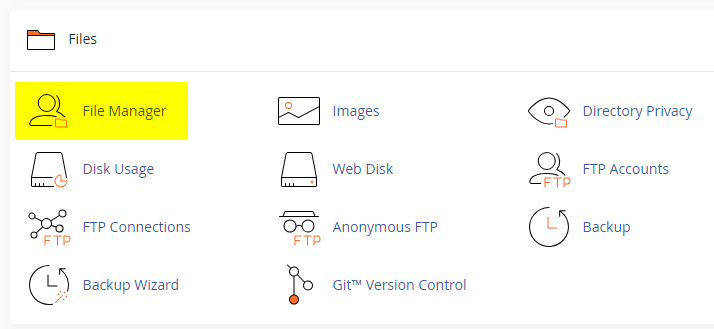
  2. Click on the "File Manager" icon. It's usually under the "Files" section.
  3. You are now in the "File Manager". Open the public_html folder, which is your website's root directory.
  4. Locate the wp-content folder inside "public_html," then open the themes folder inside of it.
  5. In the File Manager interface, click the "Upload" button and choose the theme's .zip file from your local drive.
  6. After it has been uploaded, right-click the .zip file and choose "Extract" or "Unzip".
  7. You can now delete the uploaded .zip file, but it's optional.
  8. Log in to your WordPress dashboard through your web browser.
  9. Go to Appearance → Themes. Now you will see the newly extracted theme.
  10. Make it your active theme by clicking the "Activate" button next to it.

Note: If your hosting provider doesn't offer cPanel, look for a File Manager option in your hosting dashboard (like DirectAdmin, Plesk, or CyberPanel). The process is usually very similar—just find the wp-content/themes folder and upload/extract the theme ZIP file there.

Method 3: Install using FTP

Installing a WordPress theme via FTP is straightforward, though it involves a few more steps compared to using the built-in theme uploader. Here's how to install a WordPress theme using FTP:

  1. Unzip the theme's .zip file you have downloaded.
  2. Connect to your hosting account using an FTP client such as "FileZilla" or "Core FTP".
  3. Navigate to the /wp-content/themes folder in the "Remote site" section.
  4. In the "Local site" section, locate the unzipped theme folder.
  5. Drag and drop the unzipped theme folder from the "Local site" section to the "Remote site" section.
  6. Be patient and let the transfer finish.
  7. Once the transfer is complete, log in to your WordPress dashboard and navigate to Appearance > Themes.
  8. Find the theme you just uploaded and click Activate.

Troubleshooting Tips

  • Didn't receive the download email? Wait 5–10 minutes or check your spam/junk folder. But if you still can not find this email or download link is broken, please inform us. we will send it ASAP.
  • "The uploaded file exceeds the upload_max_filesize directive in php.ini." - If you get this error when following the "Method 1", follow this tutorial: https://themesdna.com/blog/increase-maximum-file-upload-size-wordpress/
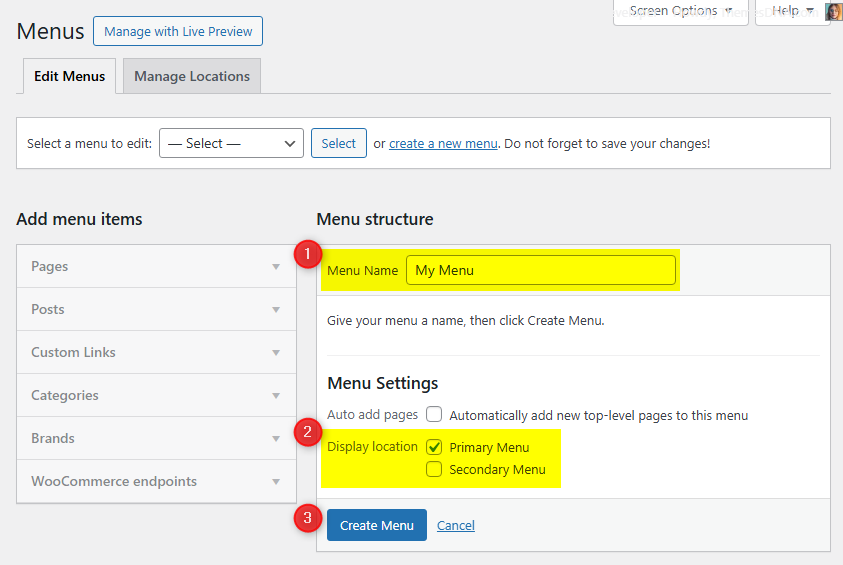
  • My menus disappeared or look different. Go to Appearance → Menus → Manage Locations and reassign your menus to the correct locations.
  • My header text or background color looks different after activating PRO. Reapply your colors in Appearance → Customize → Theme Options → Colors for Header Text Color and Background Color. Then publish.
  • Still can't install the theme? Contact us for help.

Import Demo Content

You can import the demo content, widgets, and Customizer settings shown in the EasyWP PRO theme demo.

Manual Demo Import

Step 1: Import Main Site Content

This includes: Posts, pages, menus, media, categories, tags, comments, and custom fields.

  1. Download: XML File
  2. Go to Tools → Import.
  3. Under "WordPress", click Install Now if not installed.
  4. Click Run Importer.
  5. Select the XML file and click Upload file and import.
  6. Check "Download and import file attachments", click Submit.

Step 2: Import Widgets

  1. Install the Widget Importer & Exporter plugin.
  2. Go to Tools → Widget Importer & Exporter.
  3. Copy content from: Widgets .wie File and paste into the box.
  4. Click Import Widgets.

Step 3: Import Customizer Settings

  1. Download: Customizer File
  2. Install the Customizer Export/Import plugin.
  3. Go to Appearance → Customize → Export/Import.
  4. Select the .dat file, check "Download and import image files?", click Import.

Regenerate Thumbnails

If your website already has existing posts with featured images, it's highly recommended to regenerate thumbnails after activating the EasyWP PRO theme. This ensures that all images match the new theme's layout and display sizes.

Regenerating thumbnails is optional if your site is completely new and doesn't have any uploaded images yet.

However, if you imported the demo content, regenerating thumbnails is essential to display images correctly across the site.

  1. Install and activate the Regenerate Thumbnails plugin.
  2. Go to Tools → Regenerate Thumbnails.
  3. Click the "Regenerate Thumbnails for All x Attachments" button to start the process.
  4. Wait until all images are regenerated. This may take a few minutes depending on your media library size.
  5. If you want, you can deactivate and delete the plugin once the process is complete.

This step ensures clean image alignment and sharp visuals throughout your website using the EasyWP PRO theme.

Header Image

Quick Start Guide

EasyWP PRO allows you to upload a site-wide custom header image displayed at the top of the site above the navigation menu. Recommended dimensions: 1146×250 pixels (flexible height).

How to Add a Header Image

Add a Site-wide Header Image

  1. Go to Appearance → Customize → Header Image
  2. Upload your header image using Add new image.
  3. Crop if prompted, or click Skip Cropping.
  4. Click Publish to save.

Remove the Header Image

  1. Go to Appearance → Customize → Header Image
  2. Click Hide image or remove the current header image.
  3. Click Publish to save.

Custom Widgets

Quick Start Guide

Navigate to WordPress Dashboard → Appearance → Widgets to manage widgets. EasyWP PRO includes 3 custom widgets:

  1. EasyWP Featured Posts Widget
  2. EasyWP About Me Widget
  3. EasyWP Social Widget

EasyWP About Me Widget

Displays a profile section with an image, description, and extensive social media links. Supports over 60 social platforms with customizable button styles (round or normal).

Key Features

  • Profile image and customizable description (supports HTML)
  • Over 60 social media platforms supported
  • Round or normal button styles
  • All links open in new tabs with nofollow
  • Font Awesome icons with ARIA labels

Usage Notes

  • For profile image, provide a direct URL to the image file
  • Leave any social media field empty to hide that button
  • Skype field requires just the username
  • Email field requires a valid email address (not mailto:)
  • All social URLs should be complete (e.g., https://facebook.com/username)
Option ID Option Name Description Control Type Accepted Value Default
titleTitleWidget title displayed above the profile block.TextPlain textAbout Me
imageProfile Image URLImage displayed above the description.TextFull image URL(empty)
descriptionDescriptionAbout text shown under the image.Textarea (HTML allowed)Plain text / basic HTML(empty)
round_buttonsRound Social ButtonsUse round style for social icons.CheckboxChecked / UncheckedUnchecked
facebookFacebook URLLink to Facebook profile/page.TextURL(empty)
twitterTwitter URLLink to Twitter/X profile.TextURL(empty)
googleplusGoogle Plus URLLink to Google Plus profile.TextURL(empty)
pinterestPinterest URLLink to Pinterest profile.TextURL(empty)
linkedinLinkedIn URLLink to LinkedIn profile.TextURL(empty)
instagramInstagram URLLink to Instagram profile.TextURL(empty)
flickrFlickr URLLink to Flickr profile.TextURL(empty)
youtubeYouTube URLLink to YouTube channel.TextURL(empty)
vimeoVimeo URLLink to Vimeo profile.TextURL(empty)
soundcloudSoundCloud URLLink to SoundCloud profile.TextURL(empty)
messengerMessenger URLLink to Facebook Messenger.TextURL(empty)
whatsappWhatsApp URLLink to WhatsApp contact.TextURL(empty)
tiktokTikTok URLLink to TikTok profile.TextURL(empty)
lastfmLast.fm URLLink to Last.fm profile.TextURL(empty)
mediumMedium URLLink to Medium profile.TextURL(empty)
githubGitHub URLLink to GitHub profile.TextURL(empty)
bitbucketBitbucket URLLink to Bitbucket profile.TextURL(empty)
tumblrTumblr URLLink to Tumblr blog.TextURL(empty)
diggDigg URLLink to Digg profile.TextURL(empty)
deliciousDelicious URLLink to Delicious profile.TextURL(empty)
stumbleuponStumbleUpon URLLink to StumbleUpon profile.TextURL(empty)
mixMix URLLink to Mix profile.TextURL(empty)
redditReddit URLLink to Reddit profile.TextURL(empty)
dribbbleDribbble URLLink to Dribbble profile.TextURL(empty)
flipboardFlipboard URLLink to Flipboard profile.TextURL(empty)
bloggerBlogger URLLink to Blogger site.TextURL(empty)
etsyEtsy URLLink to Etsy shop.TextURL(empty)
behanceBehance URLLink to Behance profile.TextURL(empty)
amazonAmazon URLLink to Amazon profile/store.TextURL(empty)
meetupMeetup URLLink to Meetup profile/group.TextURL(empty)
mixcloudMixcloud URLLink to Mixcloud profile.TextURL(empty)
slackSlack URLLink to Slack workspace invite.TextURL(empty)
snapchatSnapchat URLLink to Snapchat profile.TextURL(empty)
spotifySpotify URLLink to Spotify profile.TextURL(empty)
vkVK URLLink to VK profile.TextURL(empty)
yelpYelp URLLink to Yelp profile.TextURL(empty)
wpWordPress URLLink to WordPress.com profile.TextURL(empty)
twitchTwitch URLLink to Twitch channel.TextURL(empty)
telegramTelegram URLLink to Telegram profile/channel.TextURL(empty)
bandcampBandcamp URLLink to Bandcamp profile.TextURL(empty)
quoraQuora URLLink to Quora profile.TextURL(empty)
foursquareFoursquare URLLink to Foursquare profile.TextURL(empty)
deviantartDeviantArt URLLink to DeviantArt profile.TextURL(empty)
imdbIMDB URLLink to IMDB profile.TextURL(empty)
codepenCodePen URLLink to CodePen profile.TextURL(empty)
jsfiddleJSFiddle URLLink to JSFiddle profile.TextURL(empty)
stackoverflowStack Overflow URLLink to Stack Overflow profile.TextURL(empty)
stackexchangeStack Exchange URLLink to Stack Exchange profile.TextURL(empty)
buyselladsBuySellAds URLLink to BuySellAds profile.TextURL(empty)
web500px500px URLLink to 500px profile.TextURL(empty)
elloEllo URLLink to Ello profile.TextURL(empty)
discordDiscord URLLink to Discord server/invite.TextURL(empty)
goodreadsGoodreads URLLink to Goodreads profile.TextURL(empty)
odnoklassnikiOdnoklassniki URLLink to Odnoklassniki profile.TextURL(empty)
houzzHouzz URLLink to Houzz profile.TextURL(empty)
pocketPocket URLLink to Pocket profile.TextURL(empty)
xingXING URLLink to XING profile.TextURL(empty)
googleplayGoogle Play URLLink to Google Play developer/profile page.TextURL(empty)
slideshareSlideShare URLLink to SlideShare profile.TextURL(empty)
dropboxDropbox URLLink to Dropbox share/profile.TextURL(empty)
paypalPayPal URLLink to PayPal.me or profile.TextURL(empty)
viadeoViadeo URLLink to Viadeo profile.TextURL(empty)
wikipediaWikipedia URLLink to Wikipedia page.TextURL(empty)
skypeSkype UsernameSkype username for contact.TextUsername(empty)
envelopeEmail AddressEmail address for contact.TextValid email(empty)
rssRSS Feed URLLink to RSS feed.TextURL(empty)

EasyWP Social Widget

Displays social media buttons for linking to your various social profiles. Similar to the About Me widget but without the profile image and description. Ideal for sidebars and footer areas.

  • Supports over 60 social media platforms
  • Round or normal button styles
  • Enter your social profile URLs and the corresponding buttons appear
  • Leave any field empty to hide that button

Supports the same social platforms as the About Me widget listed above.

Option ID Option Name Description Control Type Accepted Value Default
titleTitleWidget title displayed above the social buttons.TextPlain textSocial Buttons
round_buttonsRound Social ButtonsUse round style for social icons.CheckboxChecked / UncheckedUnchecked
facebookFacebook URLLink to Facebook profile/page.TextURL(empty)
twitterTwitter URLLink to Twitter/X profile.TextURL(empty)
googleplusGoogle Plus URLLink to Google Plus profile.TextURL(empty)
pinterestPinterest URLLink to Pinterest profile.TextURL(empty)
linkedinLinkedIn URLLink to LinkedIn profile.TextURL(empty)
instagramInstagram URLLink to Instagram profile.TextURL(empty)
flickrFlickr URLLink to Flickr profile.TextURL(empty)
youtubeYouTube URLLink to YouTube channel.TextURL(empty)
vimeoVimeo URLLink to Vimeo profile.TextURL(empty)
soundcloudSoundCloud URLLink to SoundCloud profile.TextURL(empty)
messengerMessenger URLLink to Facebook Messenger.TextURL(empty)
whatsappWhatsApp URLLink to WhatsApp contact.TextURL(empty)
tiktokTikTok URLLink to TikTok profile.TextURL(empty)
lastfmLast.fm URLLink to Last.fm profile.TextURL(empty)
mediumMedium URLLink to Medium profile.TextURL(empty)
githubGitHub URLLink to GitHub profile.TextURL(empty)
bitbucketBitbucket URLLink to Bitbucket profile.TextURL(empty)
tumblrTumblr URLLink to Tumblr blog.TextURL(empty)
diggDigg URLLink to Digg profile.TextURL(empty)
deliciousDelicious URLLink to Delicious profile.TextURL(empty)
stumbleuponStumbleUpon URLLink to StumbleUpon profile.TextURL(empty)
mixMix URLLink to Mix profile.TextURL(empty)
redditReddit URLLink to Reddit profile.TextURL(empty)
dribbbleDribbble URLLink to Dribbble profile.TextURL(empty)
flipboardFlipboard URLLink to Flipboard profile.TextURL(empty)
bloggerBlogger URLLink to Blogger site.TextURL(empty)
etsyEtsy URLLink to Etsy shop.TextURL(empty)
behanceBehance URLLink to Behance profile.TextURL(empty)
amazonAmazon URLLink to Amazon profile/store.TextURL(empty)
meetupMeetup URLLink to Meetup profile/group.TextURL(empty)
mixcloudMixcloud URLLink to Mixcloud profile.TextURL(empty)
slackSlack URLLink to Slack workspace invite.TextURL(empty)
snapchatSnapchat URLLink to Snapchat profile.TextURL(empty)
spotifySpotify URLLink to Spotify profile.TextURL(empty)
vkVK URLLink to VK profile.TextURL(empty)
yelpYelp URLLink to Yelp profile.TextURL(empty)
wpWordPress URLLink to WordPress.com profile.TextURL(empty)
twitchTwitch URLLink to Twitch channel.TextURL(empty)
telegramTelegram URLLink to Telegram profile/channel.TextURL(empty)
bandcampBandcamp URLLink to Bandcamp profile.TextURL(empty)
quoraQuora URLLink to Quora profile.TextURL(empty)
foursquareFoursquare URLLink to Foursquare profile.TextURL(empty)
deviantartDeviantArt URLLink to DeviantArt profile.TextURL(empty)
imdbIMDB URLLink to IMDB profile.TextURL(empty)
codepenCodePen URLLink to CodePen profile.TextURL(empty)
jsfiddleJSFiddle URLLink to JSFiddle profile.TextURL(empty)
stackoverflowStack Overflow URLLink to Stack Overflow profile.TextURL(empty)
stackexchangeStack Exchange URLLink to Stack Exchange profile.TextURL(empty)
buyselladsBuySellAds URLLink to BuySellAds profile.TextURL(empty)
web500px500px URLLink to 500px profile.TextURL(empty)
elloEllo URLLink to Ello profile.TextURL(empty)
discordDiscord URLLink to Discord server/invite.TextURL(empty)
goodreadsGoodreads URLLink to Goodreads profile.TextURL(empty)
odnoklassnikiOdnoklassniki URLLink to Odnoklassniki profile.TextURL(empty)
houzzHouzz URLLink to Houzz profile.TextURL(empty)
pocketPocket URLLink to Pocket profile.TextURL(empty)
xingXING URLLink to XING profile.TextURL(empty)
googleplayGoogle Play URLLink to Google Play developer/profile page.TextURL(empty)
slideshareSlideShare URLLink to SlideShare profile.TextURL(empty)
dropboxDropbox URLLink to Dropbox share/profile.TextURL(empty)
paypalPayPal URLLink to PayPal.me or profile.TextURL(empty)
viadeoViadeo URLLink to Viadeo profile.TextURL(empty)
wikipediaWikipedia URLLink to Wikipedia page.TextURL(empty)
skypeSkype UsernameSkype username for contact.TextUsername(empty)
envelopeEmail AddressEmail address for contact.TextValid email(empty)
rssRSS Feed URLLink to RSS feed.TextURL(empty)

Widget Areas

EasyWP PRO provides 7 widget areas. Navigate to WordPress Dashboard → Appearance → Widgets to manage them.

Widget AreaLocationDescription
Header BannerHeader area (right side)Displayed next to the site title/logo. Ideal for banner ads (e.g., 728×90) or a search widget.
Left SidebarLeft-hand sideMain left sidebar on posts, pages, and archives.
Right SidebarRight-hand sideMain right sidebar on posts, pages, and archives.
Footer 1Footer (column 1)First column widget area in the footer.
Footer 2Footer (column 2)Second column widget area in the footer.
Footer 3Footer (column 3)Third column widget area in the footer.
Footer 4Footer (column 4)Fourth column widget area in the footer.

Note: The footer columns display depends on the Footer Columns setting in Appearance → Customize → Theme Options → Footer. You can choose 1, 2, 3, or 4 columns.

Custom Page Templates

EasyWP PRO comes with the following custom page templates:

  • Full Width Page – A page template without left and right sidebars, using the full content width (1110px).
  • Full Width Post – A post template without left and right sidebars.
  • Sitemap – Automatically generates a sitemap of your site's content.

How to Create a Sitemap Page

  1. Go to WordPress Dashboard → Pages → Add New.
  2. Enter a title, such as "Sitemap".
  3. In the Page Attributes panel, select Sitemap from the Template dropdown.
  4. Click Publish.

The sitemap page will automatically display a list of your site's pages, categories, and recent posts.

Customizer Theme Options

EasyWP PRO theme options are managed through the WordPress Customizer. Go to Appearance → Customize to access all theme options. All settings are organized under the Theme Options panel.

Site Identity Options

Standard WordPress site identity settings.

Path: Appearance → Customize → Site Identity

Option ID Option Name Description Control Type Accepted Value Default
blognameSite TitleYour website's name, displayed in the header.TextPlain text(WordPress default)
blogdescriptionTaglineA short description of your site.TextPlain text(WordPress default)
display_header_textDisplay Site Title & TaglineShow or hide the text for title and tagline (useful when only logo is desired).CheckboxChecked / UncheckedChecked
custom_logoLogoUpload a custom logo (recommended: 350×90px, flex dimensions).Image UploadImage file(none)
site_iconSite IconFavicon used in browser tabs and bookmarks (minimum 512×512px).Image UploadImage file(none)

Colors Options

Below is the complete list of Colors Options available:

Path: Appearance → Customize → Colors

Option ID Option Name Description Control Type Accepted Value Default
header_text_hover_colorHeader Hover Text ColorPick the Header Hover Text Color.Color PickerHex color code (e.g. #ffffff)#000000
body_text_colorMain Text ColorPick the Main Text Color.Color PickerHex color code (e.g. #ffffff)#555555
link_colorMain Link ColorPick the Main Link Color.Color PickerHex color code (e.g. #ffffff)#444444
link_hover_colorMain Link Hover ColorPick the Main Link Hover Color.Color PickerHex color code (e.g. #ffffff)#000000
header_bg_colorHeader Background ColorPick the Header Background Color.Color PickerHex color code (e.g. #ffffff)#e0e0e0
header_bd_color_oneHeader Outer Border ColorPick the Header Outer Border Color.Color PickerHex color code (e.g. #ffffff)#a8a8a8
header_bd_color_twoHeader Inner Border ColorPick the Header Inner Border Color.Color PickerHex color code (e.g. #ffffff)#f9f9f9
primary_menu_bg_colorPrimary Menu Background ColorPick the Primary Menu Background Color.Color PickerHex color code (e.g. #ffffff)#333333
primary_menu_colorPrimary Menu Link ColorPick the Primary Menu Link Color.Color PickerHex color code (e.g. #ffffff)#ffffff
primary_menu_shadow_colorPrimary Menu Link Shadow ColorPick the Primary Menu Link Shadow Color.Color PickerHex color code (e.g. #ffffff)#000000
primary_menu_hover_colorPrimary Menu Link Hover ColorPick the Primary Menu Link Hover Color.Color PickerHex color code (e.g. #ffffff)#ffffff
primary_menu_hover_bg_colorPrimary Menu Link Hover Background ColorPick the Primary Menu Link Hover Background Color.Color PickerHex color code (e.g. #ffffff)#2d2b2b
primary_submenu_one_bg_colorPrimary Sub Menu Background ColorPick the Primary Sub Menu Background Color.Color PickerHex color code (e.g. #ffffff)#444444
primary_submenu_one_bd_colorPrimary Sub Menu Border 1 ColorPick the Primary Sub Menu Border 1 Color.Color PickerHex color code (e.g. #ffffff)#222222
primary_submenu_two_bd_colorPrimary Sub Menu Border 2 ColorPick the Primary Sub Menu Border 2 Color.Color PickerHex color code (e.g. #ffffff)#383838
primary_submenu_three_bd_colorPrimary Sub Menu Border 3 ColorPick the Primary Sub Menu Border 3 Color.Color PickerHex color code (e.g. #ffffff)#666666
primary_menu_icon_colorPrimary Responsive Menu Icon ColorPick the Primary Responsive Menu Icon Color.Color PickerHex color code (e.g. #ffffff)#ffffff
social_btn_colorSocial Buttons ColorPick the Social Buttons Color.Color PickerHex color code (e.g. #ffffff)#ffffff
social_btn_shadow_colorSocial Buttons Shadow ColorPick the Social Buttons Shadow Color.Color PickerHex color code (e.g. #ffffff)#000000
social_btn_bg_colorSocial Buttons Background ColorPick the Social Buttons Background Color.Color PickerHex color code (e.g. #ffffff)#333333
social_btn_hover_colorSocial Buttons Hover ColorPick the Social Buttons Hover Color.Color PickerHex color code (e.g. #ffffff)#ffffff
social_btn_hover_shadow_colorSocial Buttons Hover Shadow ColorPick the Social Buttons Hover Shadow Color.Color PickerHex color code (e.g. #ffffff)#000000
social_btn_hover_bg_colorSocial Buttons Hover Background ColorPick the Social Buttons Hover Background Color.Color PickerHex color code (e.g. #ffffff)#000000
post_headings_colorPost Title ColorPick the Post Title Color.Color PickerHex color code (e.g. #ffffff)#333333
post_headings_hover_colorPost Title Hover ColorPick the Post Title Hover Color.Color PickerHex color code (e.g. #ffffff)#000000
rmore_colorRead More Button ColorPick the Read More Button Color.Color PickerHex color code (e.g. #ffffff)#ffffff
rmore_bg_colorRead More Button Background ColorPick the Read More Button Background Color.Color PickerHex color code (e.g. #ffffff)#333333
rmore_hover_colorRead More Button Hover ColorPick the Read More Button Hover Color.Color PickerHex color code (e.g. #ffffff)#ffffff
rmore_bg_hover_colorRead More Button Hover Background ColorPick the Read More Button Hover Background Color.Color PickerHex color code (e.g. #ffffff)#000000
share_box_bg_colorShare Box BackgroundPick the share Box Background color.Color PickerHex color code (e.g. #ffffff)#f6f6f6
share_box_bd_colorShare Box BorderPick the share Box Border color.Color PickerHex color code (e.g. #ffffff)#e9e9e9
share_btns_colorShare Buttons ColorPick the Share Buttons Color.Color PickerHex color code (e.g. #ffffff)#202020
share_btns_hover_colorShare Buttons Hover ColorPick the Share Buttons Hover Color.Color PickerHex color code (e.g. #ffffff)#ff9900
author_bio_bg_colorAuthor Bio Box BackgroundPick the author Bio Box Background color.Color PickerHex color code (e.g. #ffffff)#f6f6f6
author_bio_bd_colorAuthor Bio Box BorderPick the author Bio Box Border color.Color PickerHex color code (e.g. #ffffff)#e0e0e0
sidebar_headings_colorSidebar Title ColorPick the Sidebar Title Color.Color PickerHex color code (e.g. #ffffff)#ffffff
sidebar_headings_bg_colorSidebar Title Background ColorPick the Sidebar Title Background Color.Color PickerHex color code (e.g. #ffffff)#333333
sidebar_text_colorSidebar Text ColorPick the Sidebar Text Color.Color PickerHex color code (e.g. #ffffff)#444444
sidebar_link_colorSidebar Link ColorPick the Sidebar Link Color.Color PickerHex color code (e.g. #ffffff)#444444
sidebar_link_hover_colorSidebar Link Hover ColorPick the Sidebar Link Hover Color.Color PickerHex color code (e.g. #ffffff)#000000
footer_bg_colorFooter Background ColorPick the Footer Background Color.Color PickerHex color code (e.g. #ffffff)#e0e0e0
footer_bd_color_oneFooter Outer Border ColorPick the Footer Outer Border Color.Color PickerHex color code (e.g. #ffffff)#a8a8a8
footer_bd_color_twoFooter Inner Border ColorPick the Footer Inner Border Color.Color PickerHex color code (e.g. #ffffff)#f9f9f9
footer_headings_colorFooter Title ColorPick the Footer Title Color.Color PickerHex color code (e.g. #ffffff)#ffffff
footer_headings_bg_colorFooter Title Background ColorPick the Footer Title Background Color.Color PickerHex color code (e.g. #ffffff)#333333
footer_text_colorFooter Text ColorPick the Footer Text Color.Color PickerHex color code (e.g. #ffffff)#444444
footer_link_colorFooter Link ColorPick the Footer Link Color.Color PickerHex color code (e.g. #ffffff)#444444
footer_link_hover_colorFooter Link Hover ColorPick the Footer Link Hover Color.Color PickerHex color code (e.g. #ffffff)#000000
tag_cloud_colorTag Cloud Link ColorPick the Tag Cloud Link Color.Color PickerHex color code (e.g. #ffffff)#666666
tag_cloud_bg_colorTag Cloud Link BackgroundPick the tag Cloud Link Background color.Color PickerHex color code (e.g. #ffffff)#f6f6f6
tag_cloud_bd_colorTag Cloud Link BorderPick the tag Cloud Link Border color.Color PickerHex color code (e.g. #ffffff)#cccccc
tag_cloud_hover_colorTag Cloud Link Hover ColorPick the Tag Cloud Link Hover Color.Color PickerHex color code (e.g. #ffffff)#ffffff
tag_cloud_hover_bg_colorTag Cloud Link Hover BackgroundPick the tag Cloud Link Hover Background color.Color PickerHex color code (e.g. #ffffff)#333333
tag_cloud_hover_bd_colorTag Cloud Link Hover BorderPick the tag Cloud Link Hover Border color.Color PickerHex color code (e.g. #ffffff)#333333
cp_colorCopyrights ColorPick the Copyrights Color.Color PickerHex color code (e.g. #ffffff)#ffffff
cp_bg_colorCopyrights Background ColorPick the Copyrights Background Color.Color PickerHex color code (e.g. #ffffff)#333333
credit_colorTheme Credits ColorPick the Theme Credits Color.Color PickerHex color code (e.g. #ffffff)#222222
selected_colorSelected Text ColorPick the Selected Text Color.Color PickerHex color code (e.g. #ffffff)#ffffff
selected_bg_colorSelected Text Background ColorPick the Selected Text Background Color.Color PickerHex color code (e.g. #ffffff)#333333

Font Options

Below is the complete list of Font Options Options available:

Path: Appearance → Customize → Font Options

Option ID Option Name Description Control Type Accepted Value Default
font_subsetsFont SubsetsSelect which font subsets should be supported.Easywp-Multiple-SelectMixed (depends on setting)(empty)
body_fontsBody Font-FamilyPick a font for body text. Default is Domine.DropdownA font name selected from the available font name list.Domine
body_font_sizeBody Font-SizeChoose body font size. Default is 13px.DropdownA font size value (in px) selected from the available font size list.13px
body_font_weightBody Font-WeightChoose body font weight. Default is 400.Dropdown
  • 400
  • 700
400
body_font_styleBody Font-StyleChoose body font style. Default is normal.Dropdown
  • Normal
  • Italic
Normal
body_line_heightBody Line-HeightEnter body line height. Default is 1.6.Text InputText string1.6
site_title_fontsSite Title Font-FamilyPick a font for site title. Default is Playfair Display.DropdownA font name selected from the available font name list.Playfair Display
site_title_font_sizeSite Title Font-SizeChoose site title font size. Default is 26px.DropdownA font size value (in px) selected from the available font size list.26px
site_title_font_weightSite Title Font-WeightChoose site title font weight. Default is 700.Dropdown
  • 400
  • 700
700
site_title_font_styleSite Title Font-StyleChoose site title font style. Default is normal.Dropdown
  • Normal
  • Italic
Normal
site_title_line_heightSite Title Line-HeightEnter site title line height. Default is 1.Text InputText string1
site_desc_fontsSite Description Font-FamilyPick a font for site description. Default is Domine.DropdownA font name selected from the available font name list.Domine
site_desc_font_sizeSite Description Font-SizeChoose site description font size. Default is 13px.DropdownA font size value (in px) selected from the available font size list.13px
site_desc_font_weightSite Description Font-WeightChoose site description font weight. Default is 400.Dropdown
  • 400
  • 700
400
site_desc_font_styleSite Description Font-StyleChoose site description font style. Default is normal.Dropdown
  • Normal
  • Italic
Normal
site_desc_line_heightSite Description Line-HeightEnter site description line height. Default is 1.Text InputText string1
primary_menu_fontsPrimary Menu Font-FamilyPick a font for the primary menu. Default is Oswald.DropdownA font name selected from the available font name list.Oswald
primary_menu_font_sizePrimary Menu Font-SizeChoose primary menu font size. Default is 13px.DropdownA font size value (in px) selected from the available font size list.13px
primary_menu_font_weightPrimary Menu Font-WeightChoose primary menu font weight. Default is 400.Dropdown
  • 400
  • 700
400
primary_menu_font_stylePrimary Menu Font-StyleChoose primary menu font style. Default is normal.Dropdown
  • Normal
  • Italic
Normal
fpost_title_fontsFeatured Post Title Font-FamilyPick a font for featured post titles. Default is Playfair Display.DropdownA font name selected from the available font name list.Playfair Display
fpost_title_font_sizeFeatured Post Title Font-SizeChoose featured post title font size. Default is 16px.DropdownA font size value (in px) selected from the available font size list.16px
fpost_title_font_weightFeatured Post Title Font-WeightChoose featured post title font weight. Default is 700.Dropdown
  • 400
  • 700
700
fpost_title_font_styleFeatured Post Title Font-StyleChoose featured post title font style. Default is normal.Dropdown
  • Normal
  • Italic
Normal
fpost_title_line_heightFeatured Post Title Line-HeightEnter featured post title line height. Default is 1.2.Text InputText string1.2
fpost_meta_fontsFeatured Post Meta Font-FamilyPick a font for featured post meta. Default is Oswald.DropdownA font name selected from the available font name list.Oswald
fpost_meta_font_sizeFeatured Post Meta Font-SizeChoose featured post meta font size. Default is 12px.DropdownA font size value (in px) selected from the available font size list.12px
fpost_meta_font_weightFeatured Post Meta Font-WeightChoose featured post meta font weight. Default is 400.Dropdown
  • 400
  • 700
400
fpost_meta_font_styleFeatured Post Meta Font-StyleChoose featured post meta font style. Default is normal.Dropdown
  • Normal
  • Italic
Normal
hpost_title_fontsHome Post Title Font-FamilyPick a font for home post titles. Default is Playfair Display.DropdownA font name selected from the available font name list.Playfair Display
hpost_title_font_sizeHome Post Title Font-SizeChoose home post title font size. Default is 24px.DropdownA font size value (in px) selected from the available font size list.24px
hpost_title_font_weightHome Post Title Font-WeightChoose home post title font weight. Default is 700.Dropdown
  • 400
  • 700
700
hpost_title_font_styleHome Post Title Font-StyleChoose home post title font style. Default is normal.Dropdown
  • Normal
  • Italic
Normal
hpost_title_line_heightHome Post Title Line-HeightEnter home post title line height. Default is 1.1.Text InputText string1.1
post_title_fontsPost Title Font-FamilyPick a font for post titles. Default is Playfair Display.DropdownA font name selected from the available font name list.Playfair Display
post_title_font_sizePost Title Font-SizeChoose post title font size. Default is 24px.DropdownA font size value (in px) selected from the available font size list.24px
post_title_font_weightPost Title Font-WeightChoose post title font weight. Default is 700.Dropdown
  • 400
  • 700
700
post_title_font_stylePost Title Font-StyleChoose post title font style. Default is normal.Dropdown
  • Normal
  • Italic
Normal
post_title_line_heightPost Title Line-HeightEnter post title line height. Default is 1.2.Text InputText string1.2
read_more_fontsRead More Button Font-FamilyPick a font for read more buttons. Default is Oswald.DropdownA font name selected from the available font name list.Oswald
read_more_font_sizeRead More Button Font-SizeChoose read more buttons font size. Default is 13px.DropdownA font size value (in px) selected from the available font size list.13px
read_more_font_weightRead More Button Font-WeightChoose read more buttons font weight. Default is 400.Dropdown
  • 400
  • 700
400
read_more_font_styleRead More Button Font-StyleChoose read more buttons font style. Default is normal.Dropdown
  • Normal
  • Italic
Normal
sidebar_title_fontsSidebar Widget Title Font-FamilyPick a font for sidebar widget titles. Default is Oswald.DropdownA font name selected from the available font name list.Oswald
sidebar_title_font_sizeSidebar Title Font-SizeChoose sidebar title font size. Default is 14px.DropdownA font size value (in px) selected from the available font size list.14px
sidebar_title_font_weightSidebar Title Font-WeightChoose sidebar title font weight. Default is 400.Dropdown
  • 400
  • 700
400
sidebar_title_font_styleSidebar Title Font-StyleChoose sidebar title font style. Default is normal.Dropdown
  • Normal
  • Italic
Normal
sidebar_title_line_heightSidebar Title Line-HeightEnter sidebar title line height. Default is 1.Text InputText string1
footer_title_fontsFooter Widget Title Font-FamilyPick a font for footer widget titles. Default is Oswald.DropdownA font name selected from the available font name list.Oswald
footer_title_font_sizeFooter Title Font-SizeChoose footer title font size. Default is 14px.DropdownA font size value (in px) selected from the available font size list.14px
footer_title_font_weightFooter Title Font-WeightChoose footer title font weight. Default is 400.Dropdown
  • 400
  • 700
400
footer_title_font_styleFooter Title Font-StyleChoose footer title font style. Default is normal.Dropdown
  • Normal
  • Italic
Normal
footer_title_line_heightFooter Title Line-HeightEnter footer title line height. Default is 1.Text InputText string1
headings_fontsGeneral Headings Font-FamilyPick a font for general headings. Default is Playfair Display.DropdownA font name selected from the available font name list.Playfair Display
headings_line_heightGeneral Headings Line-HeightEnter general headings line height. Default is 1.Text InputText string1
h1_font_sizeH1 Font-SizeChoose H1 font size. Default is 32px.DropdownA font size value (in px) selected from the available font size list.32px
h1_font_weightH1 Font-WeightChoose H1 font weight. Default is 700.Dropdown
  • 400
  • 700
700
h1_font_styleH1 Font-StyleChoose H1 font style. Default is normal.Dropdown
  • Normal
  • Italic
Normal
h2_font_sizeH2 Font-SizeChoose H2 font size. Default is 24px.DropdownA font size value (in px) selected from the available font size list.24px
h2_font_weightH2 Font-WeightChoose H2 font weight. Default is 700.Dropdown
  • 400
  • 700
700
h2_font_styleH2 Font-StyleChoose H2 font style. Default is normal.Dropdown
  • Normal
  • Italic
Normal
h3_font_sizeH3 Font-SizeChoose H3 font size. Default is 20px.DropdownA font size value (in px) selected from the available font size list.20px
h3_font_weightH3 Font-WeightChoose H3 font weight. Default is 700.Dropdown
  • 400
  • 700
700
h3_font_styleH3 Font-StyleChoose H3 font style. Default is normal.Dropdown
  • Normal
  • Italic
Normal
h4_font_sizeH4 Font-SizeChoose H4 font size. Default is 18px.DropdownA font size value (in px) selected from the available font size list.18px
h4_font_weightH4 Font-WeightChoose H4 font weight. Default is 700.Dropdown
  • 400
  • 700
700
h4_font_styleH4 Font-StyleChoose H4 font style. Default is normal.Dropdown
  • Normal
  • Italic
Normal
h5_font_sizeH5 Font-SizeChoose H5 font size. Default is 16px.DropdownA font size value (in px) selected from the available font size list.16px
h5_font_weightH5 Font-WeightChoose H5 font weight. Default is 700.Dropdown
  • 400
  • 700
700
h5_font_styleH5 Font-StyleChoose H5 font style. Default is normal.Dropdown
  • Normal
  • Italic
Normal
h6_font_sizeH6 Font-SizeChoose H6 font size. Default is 15px.DropdownA font size value (in px) selected from the available font size list.15px
h6_font_weightH6 Font-WeightChoose H6 font weight. Default is 700.Dropdown
  • 400
  • 700
700
h6_font_styleH6 Font-StyleChoose H6 font style. Default is normal.Dropdown
  • Normal
  • Italic
Normal
print_body_font_sizePrint Body Font-SizeChoose print body font size. Default is 18px.DropdownA font size value (in px) selected from the available font size list.18px
print_post_title_font_sizePrint Post Title Font-SizeChoose print post title font size. Default is 32px.DropdownA font size value (in px) selected from the available font size list.32px
disable_google_fontsDisable Google FontsIf you check this option, theme will stop loading Google fonts. You can select non Google fonts from font options. Check this option if you do not like Google fonts or need to improve the speed of your website.

Note: After activating/deactivating this option, click on "Publish" button to save Customizer options. After that refresh Customizer before doing other changes in Customizer.
Checkboxtrue / falsefalse
disable_font_optionsDisable All Font OptionsIf you check this option, all above fonts options will have no effect. Default fonts of the theme will be used. It may be help to improve the speed of the site. You can still change fonts adding custom CSS to "Additional CSS" area in Customizer.

Note: After activating/deactivating this option, click on "Publish" button to save Customizer options. After that refresh Customizer before doing other changes in Customizer.
Checkboxtrue / falsefalse

Header Image Options

Standard WordPress header image controls. Upload a custom header image displayed at the top of your site.

Path: Appearance → Customize → Header Image

Recommended dimensions: 1146 × 250 pixels (flexible height).

Option ID Option Name Description Control Type Accepted Value Default
header_imageHeader ImageUpload or choose the header image shown at the top of the site.Image UploadJPG / PNG / GIF (recommended 1146×250, flexible height)None

Post Options

Below is the complete list of Post Options available:

Path: Appearance → Customize → Post Options

Option ID Option Name Description Control Type Accepted Value Default
hide_entry_metaHide Entry MetaHide all post metadata.Checkboxtrue / falsefalse
hide_posted_dateHide Posted DateHide the post publication date.Checkboxtrue / falsefalse
hide_post_authorHide Post AuthorHide the post author name.Checkboxtrue / falsefalse
hide_post_categoriesHide Post CategoriesHide post categories.Checkboxtrue / falsefalse
hide_post_tagsHide Post TagsHide post tags.Checkboxtrue / falsefalse
hide_comments_linkHide Comment LinkHide the comment count/link.Checkboxtrue / falsefalse
hide_thumbnailHide Thumbnails from Every PageHide featured images from all pages.Checkboxtrue / falsefalse
hide_thumbnail_singleHide Thumbnails from Posts/PagesHide featured images from single posts and pages only.Checkboxtrue / falsefalse
hide_post_summaryHide Post SummariesHide post excerpt on listing pages.Checkboxtrue / falsefalse
hide_read_more_buttonHide Read More ButtonHide the "Read More" button.Checkboxtrue / falsefalse
thumbnail_linkThumbnail LinkWhether thumbnails link to their posts.Selectyes / noyes
blogpoststylePost ContentShow full content or excerpt on listings.Selectexcerpt / contentexcerpt
read_more_lengthPost Summary LengthNumber of words in the post summary.TextPositive integer45
read_more_textRead More TextCustom read more button text.TextText stringContinue Reading...
hide_share_buttonsHide Share ButtonsHide share buttons from single posts.Checkboxtrue / falsefalse
hide_author_bio_boxHide Author Bio BoxHide the author bio box below posts.Checkboxtrue / falsefalse
hide_related_postsHide Related Posts from Single PostsHide related posts section on single posts.Checkboxtrue / falsefalse
related_posts_headingRelated Posts HeadingCustom heading text for related posts.TextText stringRelated Articles
related_posts_taxonomyRelated Posts TaxonomyDetermine related posts by categories or tags.Selectcats / tagscats
related_posts_numberNumber of Related PostsHow many related posts to display.Select4 / 8 / 12 / 164
hide_post_navigationHide Post NavigationHide previous/next navigation on single posts.Checkboxtrue / falsefalse
hide_posts_navigationHide Posts Navigation from Home/Archive/Search PagesHide navigation on home/archive/search pages.Checkboxtrue / falsefalse
posts_navigation_typePosts Navigation TypeType of pagination on listing pages.Selectnormalnavi / numberednavinumberednavi

Share Buttons Options

Control which share buttons appear on single posts. Built-in share buttons require no plugins and use no JavaScript.

Path: Appearance → Customize → Theme Options → Share Buttons

Option ID Option Name Description Control Type Accepted Value Default
hide_share_buttonsHide Share ButtonsDisable all share buttons on posts.Checkboxtrue / falsefalse
hide_share_textHide Share TextHide the “Share this article:” label.Checkboxtrue / falsefalse
share_textShare TextCustom text shown before share buttons.TextText stringShare this article:
hide_share_twitterHide Twitter Share ButtonToggle Twitter share button.Checkboxtrue / falsefalse
hide_share_facebookHide Facebook Share ButtonToggle Facebook share button.Checkboxtrue / falsefalse
hide_share_pinterestHide Pinterest Share ButtonToggle Pinterest share button.Checkboxtrue / falsefalse
hide_share_linkedinHide LinkedIn Share ButtonToggle LinkedIn share button.Checkboxtrue / falsefalse
hide_share_mixHide Mix Share ButtonToggle Mix share button.Checkboxtrue / falsefalse
hide_share_redditHide Reddit Share ButtonToggle Reddit share button.Checkboxtrue / falsefalse
hide_share_diggHide Digg Share ButtonToggle Digg share button.Checkboxtrue / falsefalse
hide_share_vkHide VK Share ButtonToggle VK share button.Checkboxtrue / falsefalse
show_share_lineShow LINE Share ButtonEnable LINE share button.Checkboxtrue / falsefalse
show_share_flipboardShow Flipboard Share ButtonEnable Flipboard share button.Checkboxtrue / falsefalse
show_share_telegramShow Telegram Share ButtonEnable Telegram share button.Checkboxtrue / falsefalse
show_share_pocketShow Pocket Share ButtonEnable Pocket share button.Checkboxtrue / falsefalse
show_share_odnoklassnikiShow OK.RU Share ButtonEnable OK.RU share button.Checkboxtrue / falsefalse
show_share_whatsappShow WhatsApp Share ButtonEnable WhatsApp share button.Checkboxtrue / falsefalse
show_share_tumblrShow Tumblr Share ButtonEnable Tumblr share button.Checkboxtrue / falsefalse
show_share_evernoteShow Evernote Share ButtonEnable Evernote share button.Checkboxtrue / falsefalse
show_share_wordpressShow WordPress Share ButtonEnable WordPress share button.Checkboxtrue / falsefalse
show_share_bloggerShow Blogger Share ButtonEnable Blogger share button.Checkboxtrue / falsefalse
show_share_xingShow XING Share ButtonEnable XING share button.Checkboxtrue / falsefalse
show_share_skypeShow Skype Share ButtonEnable Skype share button.Checkboxtrue / falsefalse
show_share_gmailShow Gmail This ButtonEnable Gmail share button.Checkboxtrue / falsefalse
show_share_yahoomailShow Yahoo! Mail This ButtonEnable Yahoo! Mail share button.Checkboxtrue / falsefalse
show_share_emailShow Email This ButtonEnable email share button.Checkboxtrue / falsefalse
show_share_bufferShow Add to Buffer ButtonEnable Buffer share button.Checkboxtrue / falsefalse
show_share_googlebookmarkShow Google Bookmark ButtonEnable Google Bookmark button.Checkboxtrue / falsefalse

Header Options

Control the header layout.

Path: Appearance → Customize → Theme Options → Header

Option ID Option Name Description Control Type Accepted Value Default
enable_fullwidth_headerEnable Full Width HeaderMake the header area span the full browser width.Checkboxtrue / falsefalse

404 Page Options

Customize the 404 error page content.

Path: Appearance → Customize → Theme Options → 404 Page

Option ID Option Name Description Control Type Accepted Value Default
error_404_heading404 Page HeadingMain heading text on the 404 error page.TextareaText stringOops! That page can not be found.
error_404_message404 Page MessageMessage text displayed below the heading.TextareaText stringIt looks like nothing was found at this location. Maybe try one of the links below or a search?
hide_404_searchHide Search BoxHide the search box on the 404 page.Checkboxtrue / falsefalse
hide_404_recent_postsHide Recent PostsHide the recent posts list on the 404 page.Checkboxtrue / falsefalse
hide_404_catsHide CategoriesHide the categories list on the 404 page.Checkboxtrue / falsefalse
hide_404_tagsHide TagsHide the tags list on the 404 page.Checkboxtrue / falsefalse
hide_404_archivesHide ArchivesHide the archives list on the 404 page.Checkboxtrue / falsefalse

Other Options

Additional theme settings for menus, sidebars, and features.

Path: Appearance → Customize → Theme Options → Other Options

Option ID Option Name Description Control Type Accepted Value Default
disable_sticky_menuDisable Sticky MenuDisable the sticky (fixed-position) primary navigation.Checkboxtrue / falsefalse
enable_sticky_mobile_menuEnable Sticky Menu on Small ScreenEnable sticky menu behavior on mobile/small screens.Checkboxtrue / falsefalse
disable_primary_menuDisable Primary MenuCompletely hide the primary navigation menu.Checkboxtrue / falsefalse
primary_menu_textPrimary Menu Mobile TextCustom text for the mobile menu toggle button.TextText stringMenu
disable_sticky_sidebarDisable Sticky SidebarDisable the sticky sidebar behavior (Theia Sticky Sidebar).Checkboxtrue / falsefalse
disable_backtotopDisable Back to Top ButtonHide the scroll-to-top button.Checkboxtrue / falsefalse
enable_widgets_block_editorEnable Gutenberg Widget Block EditorUse the block-based widget editor instead of the classic one.Checkboxtrue / falsefalse
disable_lazy_loadDisable WP Lazy Load FeatureDisable WordPress native lazy loading of images.Checkboxtrue / falsefalse
disable_fitvidsDisable FitVids.JSDisable the FitVids.js responsive video script.Checkboxtrue / falsefalse

Reset Settings

Reset all Customizer theme options to their default values.

Path: Appearance → Customize → Theme Options → Reset Settings

Click Reset Theme Options and confirm the action. This deletes all customizer settings and restores defaults. This action cannot be undone.

Option ID Option Name Description Control Type Accepted Value Default
reset_settingsReset Theme OptionsOne-click reset that clears all Customizer settings for EasyWP PRO and restores defaults. This action cannot be undone.Reset ButtonClick to reset(no change until clicked)

Performance & SEO Tips

  • Use a caching plugin – Install WP Super Cache or W3 Total Cache.
  • Optimize images – Use Imagify or Smush to compress images.
  • Use an SEO plugin – Install Yoast SEO or Rank Math for meta tags, sitemaps, and Open Graph.
  • Disable Google Fonts for speed – Enable "Disable Google Fonts" in Font Options to reduce external requests.
  • Disable unused features – If you don't use FitVids, disable it in Other Options.
  • Use a CDN – Consider Cloudflare to serve static assets faster globally.
  • Keep WordPress updated – Always use the latest versions of WordPress, theme, and plugins.
  • Choose quality hosting – SSD storage, PHP 8.x support, and server-level caching make a difference.
  • Always set a featured image – Ensures proper thumbnails when sharing on social media.

Translation & RTL

EasyWP PRO is fully translation-ready and supports Right-to-Left (RTL) languages like Arabic, Hebrew, and Persian out of the box.

🌐 Translating the Theme

The theme includes a easywp-pro.pot file located in the /languages folder inside the theme directory. You can use this file to create translations in your own language using any of the following tools:

After translating, save your files as:

  • easywp-pro-[language_code].po
  • easywp-pro-[language_code].mo

Place them inside the /languages folder in the theme.

↔️ RTL Language Support

EasyWP PRO includes built-in RTL support. If your WordPress site language is set to an RTL language, the theme will automatically adjust layout direction, alignment, and spacing accordingly. No extra setup required.

If you're customizing your site with RTL content, make sure your text widgets, menus, and custom styles are also RTL-compatible for best results.

FAQ

Quick answers to frequently asked questions. Can't find your answer? Contact support.

Why is my logo/site icon/header image missing after upgrading to PRO?

When switching from free to PRO, reupload your Site Logo, Header Image, Site Icon, and Background Image via Appearance → Customize.

My menus disappeared after theme activation. What should I do?

Go to Appearance → Menus → Manage Locations and reassign your menus to the Primary Menu location.

How do I add numbered page navigation?

Install and activate the WP-PageNavi plugin. The theme will automatically use it.

How do I hide the sidebars for a specific page?

Use the Full Width Page template. When editing the page, select it from the Template dropdown in Page Attributes.

How do I reset Customizer settings to default?

Go to Appearance → Customize → Theme Options → Reset Settings, click Reset Theme Options, and confirm.

Can I use EasyWP PRO with WooCommerce?

Yes! EasyWP PRO has built-in WooCommerce support including product gallery zoom, lightbox, and slider.

How do I change the number of footer columns?

Go to Appearance → Customize → Theme Options → Footer and select the desired number from the Footer Columns dropdown.

How do I disable the sticky menu?

Go to Appearance → Customize → Theme Options → Other Options and check Disable Sticky Menu.

Troubleshooting

Common technical problems and solutions. If your issue isn't listed, contact support.

Post thumbnails are missing when sharing on social media

Install an SEO plugin like Yoast SEO or Rank Math and enable Open Graph tags. Always set a featured image for each post.

I get "The uploaded file exceeds the upload_max_filesize directive" error

Your hosting has a small upload limit. Follow this guide to increase it, or use cPanel/FTP to upload.

Sticky sidebar is not working

Ensure Disable Sticky Sidebars is unchecked in Other Options. Both sidebars need widget content for sticky behavior to activate.

Featured images look blurry or cropped incorrectly

Regenerate thumbnails using the Regenerate Thumbnails plugin. See Section 3 for details.

Theme looks different after updating

Clear your browser cache and any server-side caching. If using a caching plugin, purge all caches.

Videos are not responsive

Make sure Disable FitVids is unchecked in Other Options. FitVids.js automatically makes embedded videos responsive.

Support & Licensing

All our WordPress themes, including EasyWP PRO, are released under the 100% GPL (General Public License). You can use the theme on unlimited websites and modify the code to suit your needs.

What’s included in free support:

  • Help with theme installation and setup
  • Bug fixes and troubleshooting related to the theme
  • Guidance on using built-in theme features

What’s not included in free support (but available as paid tasks):

  • Theme customization or resolving third-party plugin conflicts
  • Custom coding or feature implementation requests
  • Performance tuning, SEO setup, or server configuration assistance

If you need help or would like to request a paid customization, please contact us. We typically respond within 24–48 hours on working days.

Contact Support

Changelog & Versioning

Version 1.1.3

  • Fixed coding issues.

Version 1.1.2

  • Fixed coding issues.
  • Theme Customizer updated.
  • Many improvements.

Version 1.1.1

  • More social buttons added.
  • More share buttons added.
  • Font Awesome icons updated from v4 to v6.
  • New theme options added.
  • Theme customizer updated.
  • More features added.
  • Many coding improvements.
  • Fixed coding issues.

Version 1.1.0

  • Fixed coding issues.
  • Customizer updated.

Version 1.0.8

  • Fixed coding issues.
  • Improved accessibility.
  • Screenshot updated.
  • Customizer updated.
  • Full-width post template added.
  • More features added.

Version 1.0.4

  • Fixed minor coding issues.

Version 1.0

  • Initial Release.